Okay, I’ve found a solution that works as I expect via triggers.
1 Like
I hope you share your solution.
Next release will show distance to closest speed camera that is moving closer.
2 Likes
Ok I’ll try to explain how I did it.
My goal:
Make a Text Gauge appear with the distance to the Speed Cam when you’re less than 500 meters away and getting closer. This Text Gauge will of course be designed to attract attention: white writing on a red background, flashing rapidly and close to the vehicle speed indication.
This Text Gauge must, of course, be invisible if you’re more than 500 m from a Speed Cam, or if you’re less than 500 m but moving away from it.
How I did it:
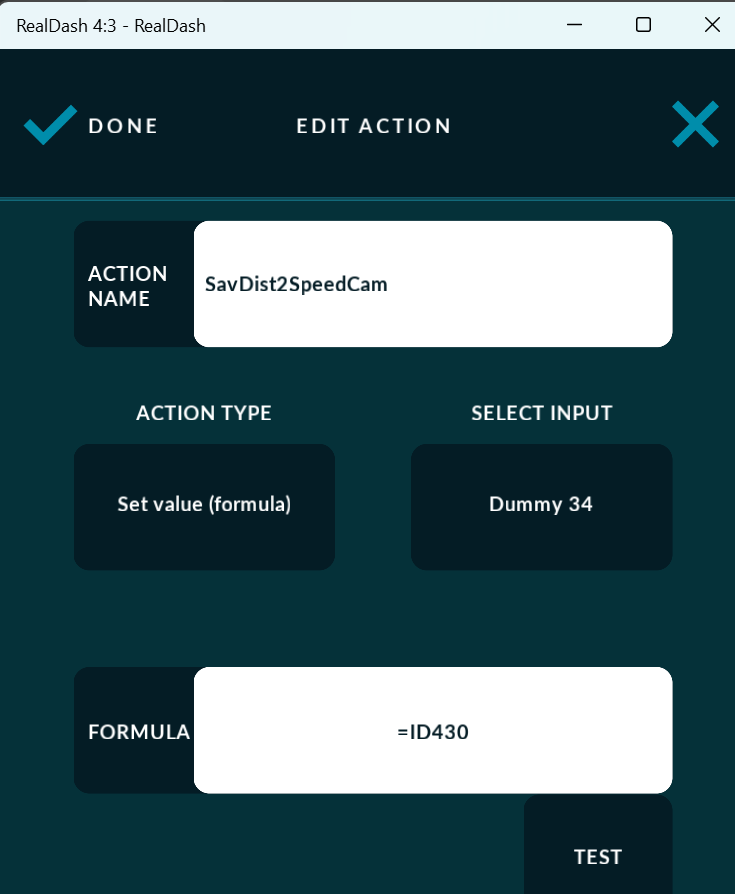
I used a variable (here Dummy 34) to record the distance to the Speed Cam.
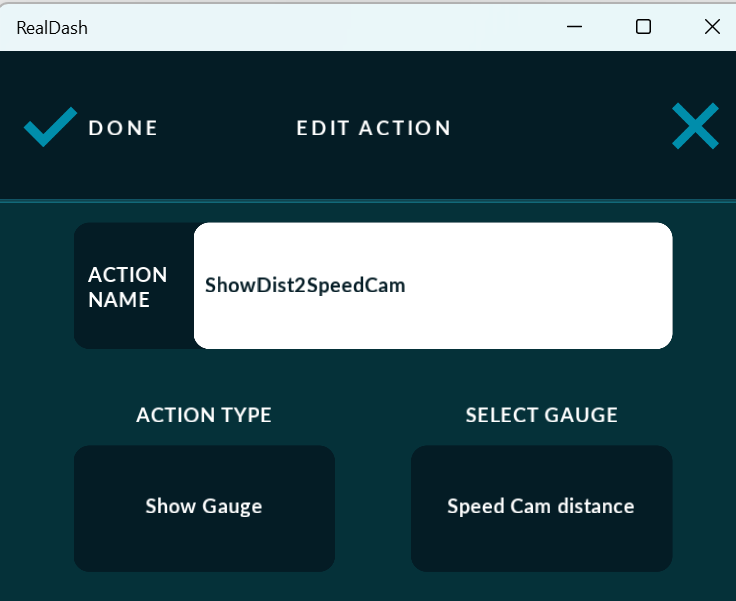
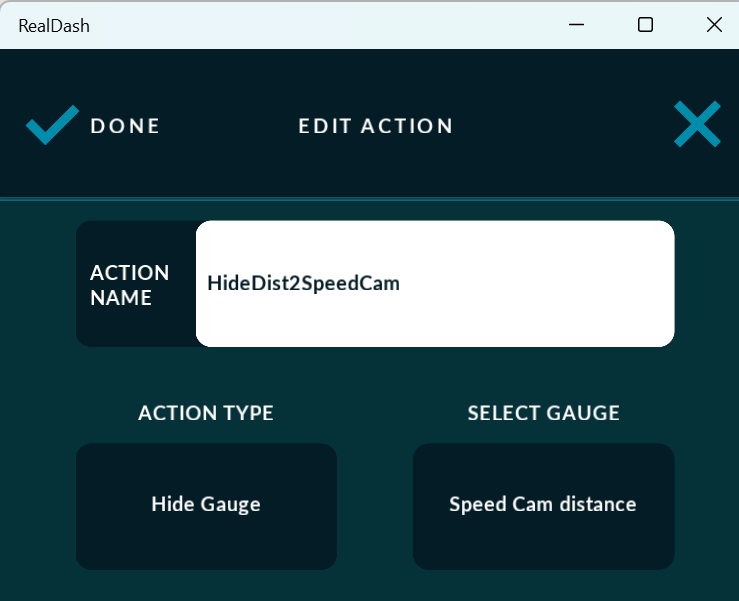
I created 3 Actions:
- One to show the Text Gauge
- One to hide the Text Gauge
- One to record the distance to the Speed Cam (ID430) in the Dummy 34 variable.
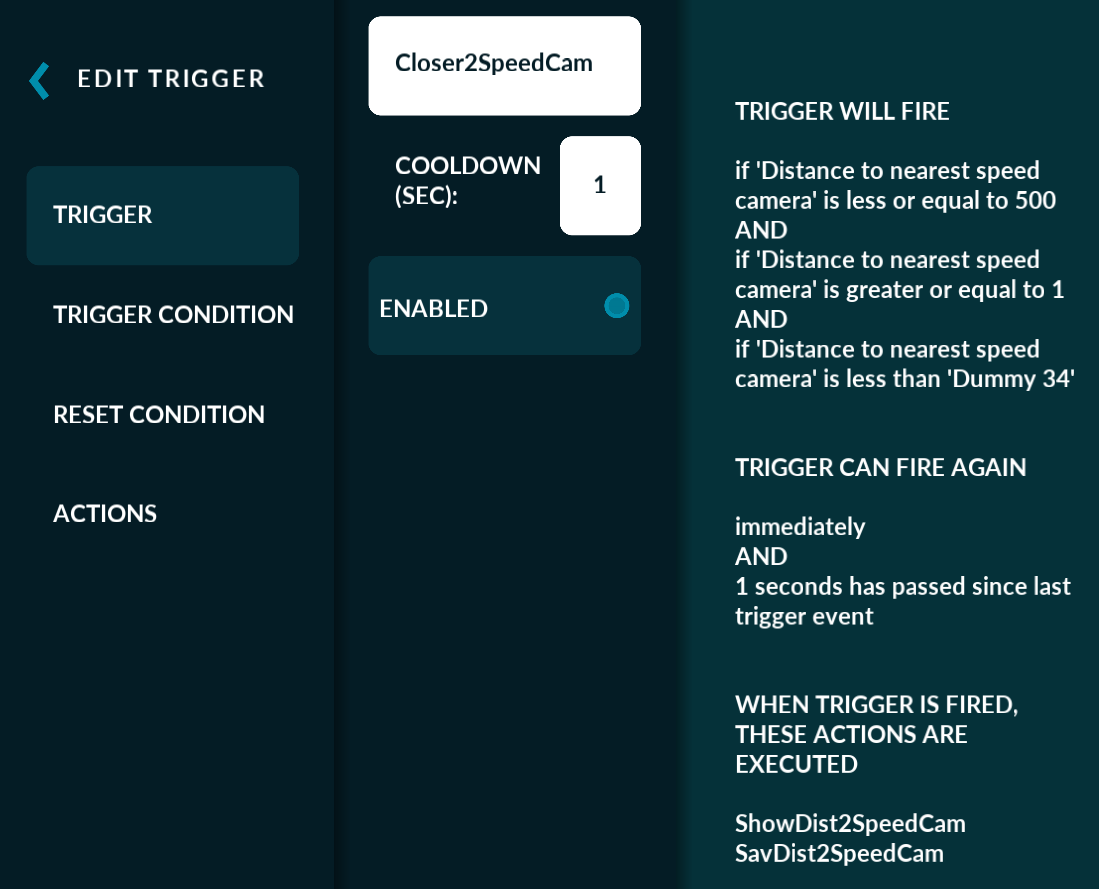
I created 2 Triggers (with a Cooldown of 1 or 2 seconds):
- one that triggers when I get closer to the Speed Cam
- One that triggers when I’m more than 500m away or when I move away from the Speed Cam
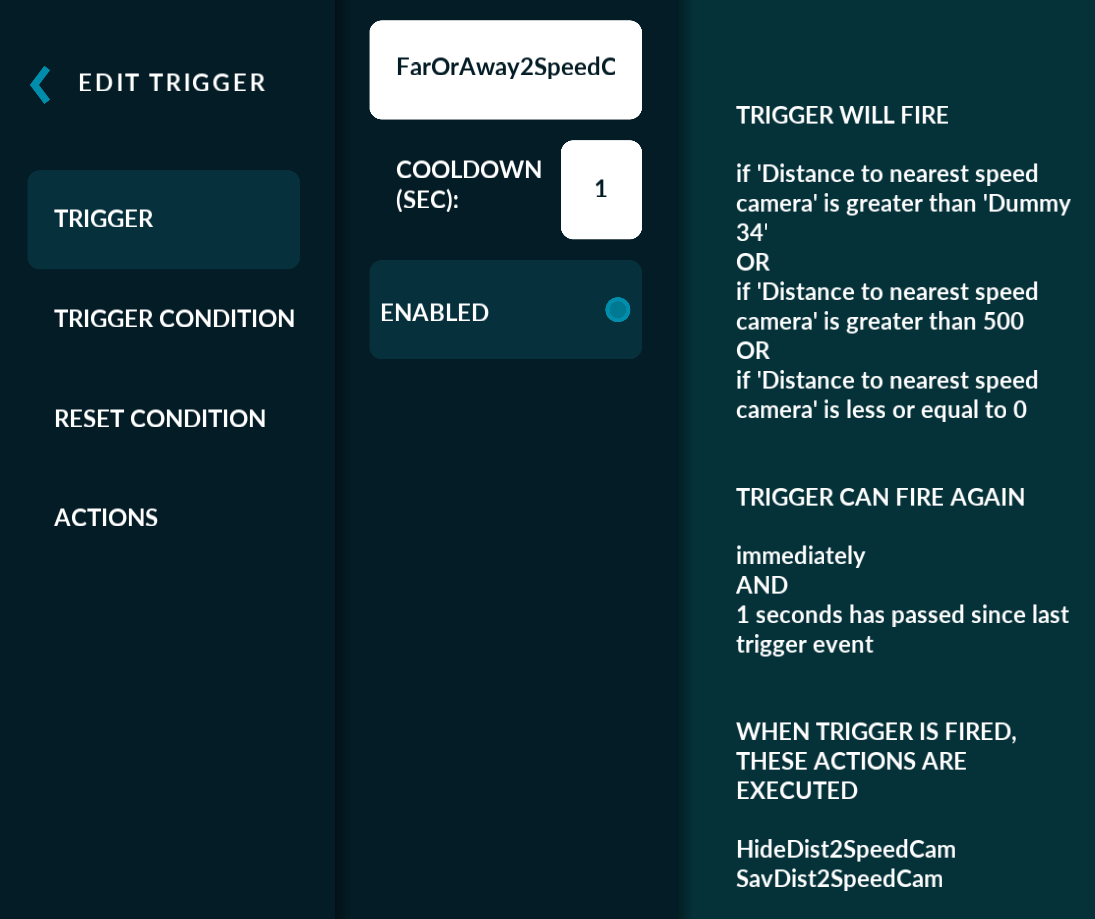
I hope the rest is clear enough to understand.
Understood. Great job: thank you.
@Henri.be I have tested your solution and it works as expected.
I will compare the results with those of the new version when available.
1 Like
I have the following trouble: I created the triggers and actions at the “General triggers and actions” menu, and everything works fine. After a time or unknowed circumstances, the gauge asociated to an action (“Show Gauge”, “Hide Gauge”, …) disappears from the “SELECT GAUGE” box and shows “NONE”. I must select the desired gauge again to get the trigger work again. I am sure that the gauge name has not changed.
This could be somewhat hard to reproduce on dev environment. Any chance you could get more info on when exactly this happens?
I hope I can; until now I have been unable to know it.
BTW: sometimes (many times) Android navigation buttons are not hidden by RD what makes difficult to access to some menus. I need to restart RD several times in order to get them dissapear.
I use a Xiaomi Mix 2S phone to run RD.
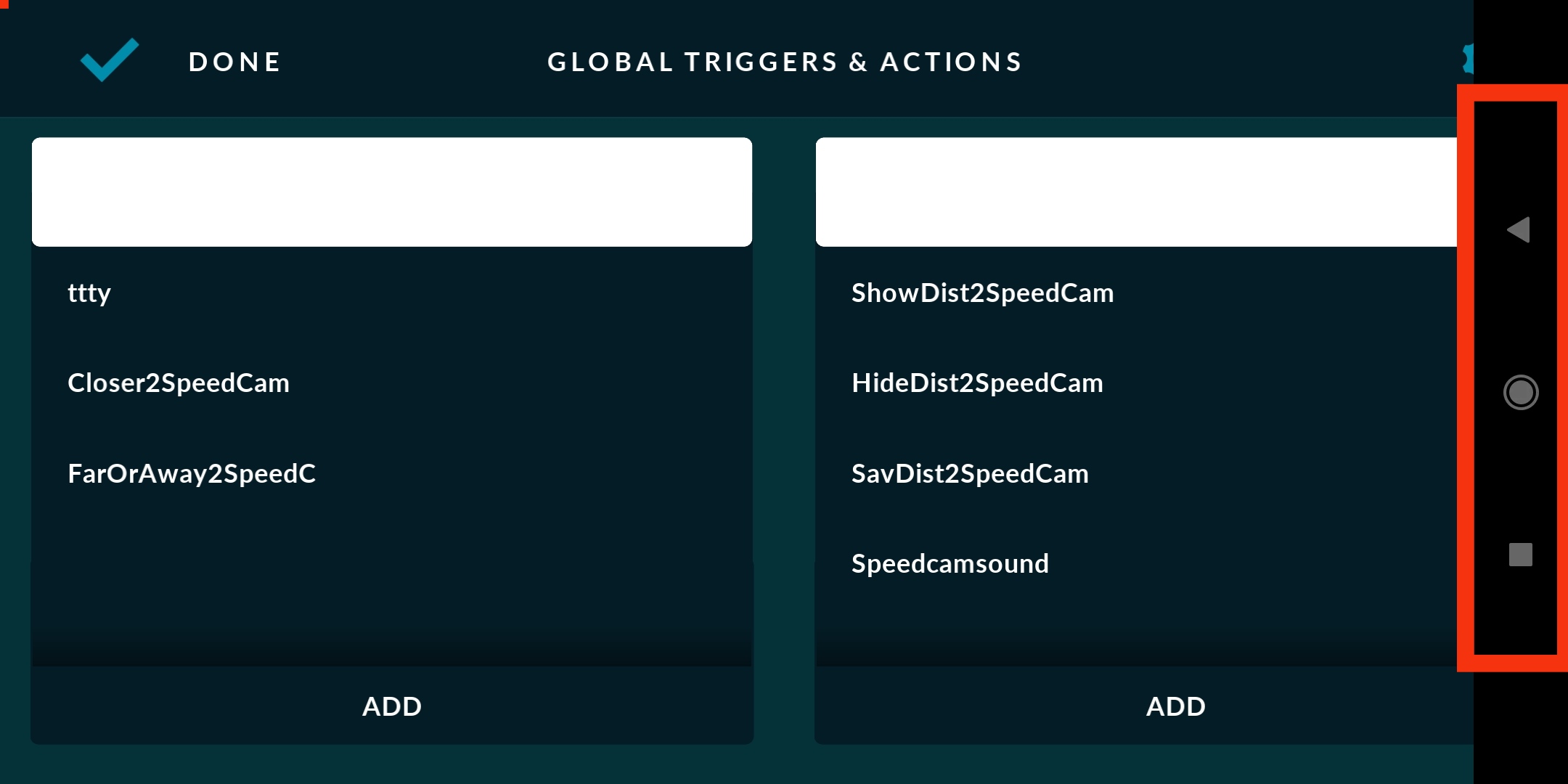
Don’t know what could be going on there, but RealDash does not attempt to hide the OS buttons, it is 100% OS responsibility. I will have to check if there is something strange with Android 8 fullscreen ‘immersive’ mode.
I am runnig Android 10 (MIUI Global 12.0.3)
Is this issue new with some recent updates, or has it always been like that?
I don’t remember, but I’ve been testing for a while with RD v2.5.3 running on my old Samsung tablet (Android 4.4.2) and it doesn’t happen.
Alright, I will investigate this.
A “ridiculous” and nosense problem making my life worse… Until yesterday the problem was solved by restarting RD once, twice, … Now, the menu bar is always displayed, hiding some RD menus; restarting the app does not solve the problem. No new apps installed. I tried all kind of tricks, including screen related debugger options, cleaning RD cache, restarting the device, … but I had no success.
I have found a solution for my phone (a different way of doing things): use gestures (adittional settings → full screen), so a thin bar is displayed instead of buttons. This bar can be hidden, although I prefer it to be displayed, and overwrites the RD lower bar, but now this RD bar works by a double tap.
FYI: in my phone settings → screen → full screen mode, I can se all the apps installed and how they will work in full screen mode. Apps are classified in three types: those which will work better in full screen mode (only Excel, Gmail, and Google Play Music), those which will not work fine in full screen mode (a lot of them, RD included) and those which are optimized for full screen mode (Adobe Acrobat, Camera, …).
At least I can work.
I do have a possible fix for this. Would you like to test pre-release version of RealDash to verify the fix? If so, drop me an email to contact@realdash.net and I will provide a download link.
Of course I would. I have just sent you my email.
Thanks a lot.
Tested a lot of times: problem fixed.
Excellent support makes the difference.
Thanks a lot.
1 Like
I have found when this problem happens:
I am using a dashboard in which global triggers/actions are used to show the distance to nearest speed camera only when distance is less than 500m and decreasing as @Henri.be described above (four actions defined in the same order), and everything is working fine.
The “SELECT GAUGE” shows “NONE” after loading a different dashboard from the gallery. By now, it only happens with “Show Gauge” and “Hide Gauge” actions; the other two actions (“SavDist2SpeedCam” and “Speedcansound”) remain with its values.
I hope this can help you. Thanks in advance.
It does help. So when you load another dashboard, which does not have the gauge named as specified in Global action, it reverts to ‘NONE’. I will investigate.