The PIDs:
Oil Temp - 2101, header 7E0, equation AC-40
Brake Position - 2141, header 7B0, equation min(100, 1.1 x max(A-10, 0))
Fuel Level - 2129, header 7C0, equation (A x 50)/100
All 3 work perfectly in Torque app.
What I did:
Added to realdash_obd2.xml rotation section and imported as Custom Channel Description File.
The problem:
When I add a gauge and try to select Input, It dosent show any values.
Thanks in advance.
Lets start with one of these, like Oil Temp.
- Go to connection settings->OBD2 monitor.
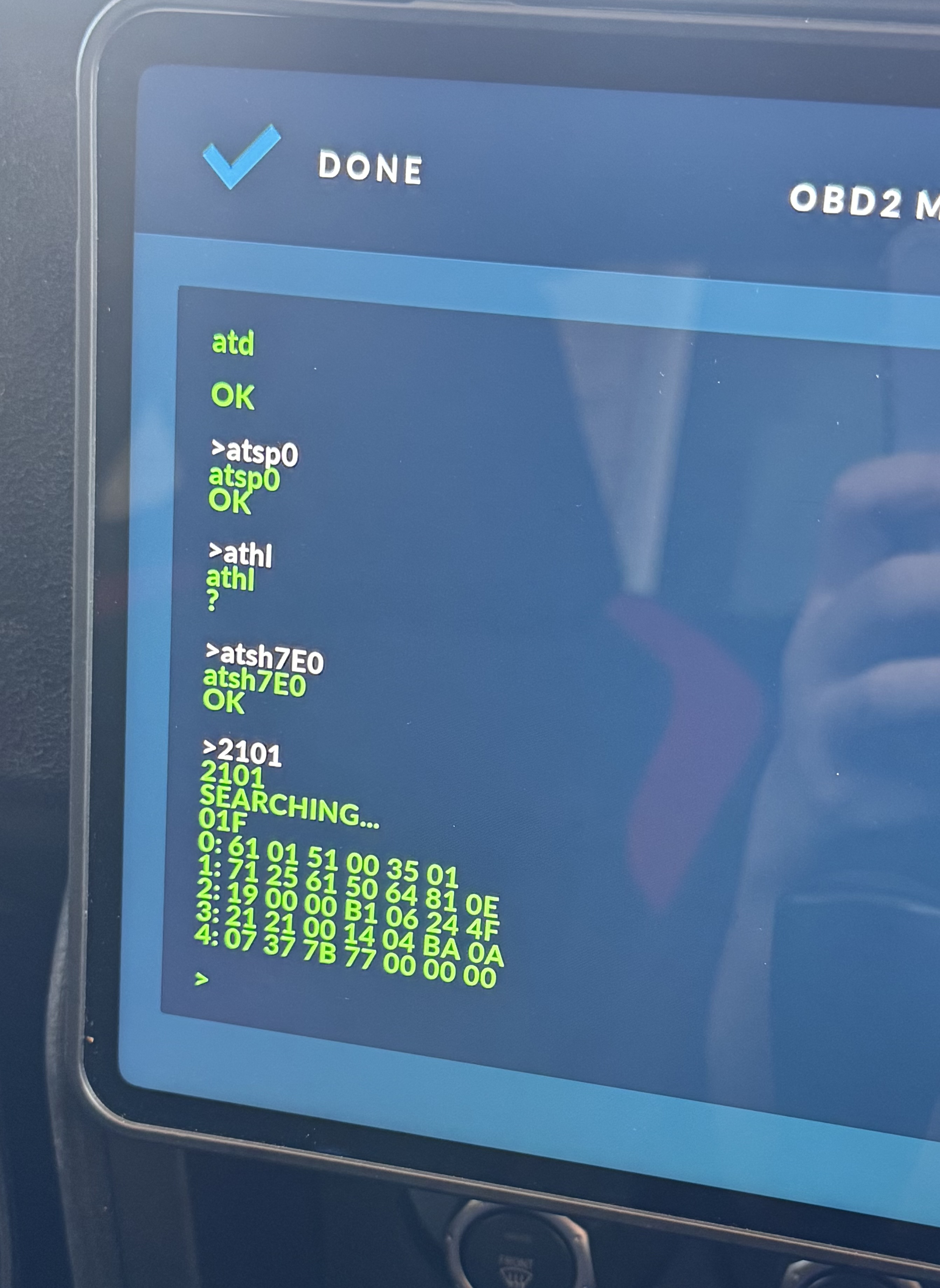
- Issue commands:
atd
atsp0
ath1
atsh7E0
2101
After the final command you should get quite a lot of bytes as a response as equation says AC; that is referring to 19th byte of the response.
- Does the response 19th byte - 40 look like a proper oil temperature? Post your 2101 response here and lets analyze together.
In OBD2 simulator, this XML line:
<command send="2101" header="atsh7E0" skipCount="20" targetId="152" units="C" conversionABC="AC-40"></command> <!-- engine oil temp -->
Produces oil temperature value of 79 degrees.
AC stands for 29th data byte in the response. In your example case that is hex 0x77. That is 119 in decimal, then -40 makes final value of 79 degrees.
You did not mention what oil temperature was when image was taken, so its a bit difficult to troubleshoot, but for me, with that XML snippet RealDash correctly read the 29th data byte from the response and converted that to 79 degrees.