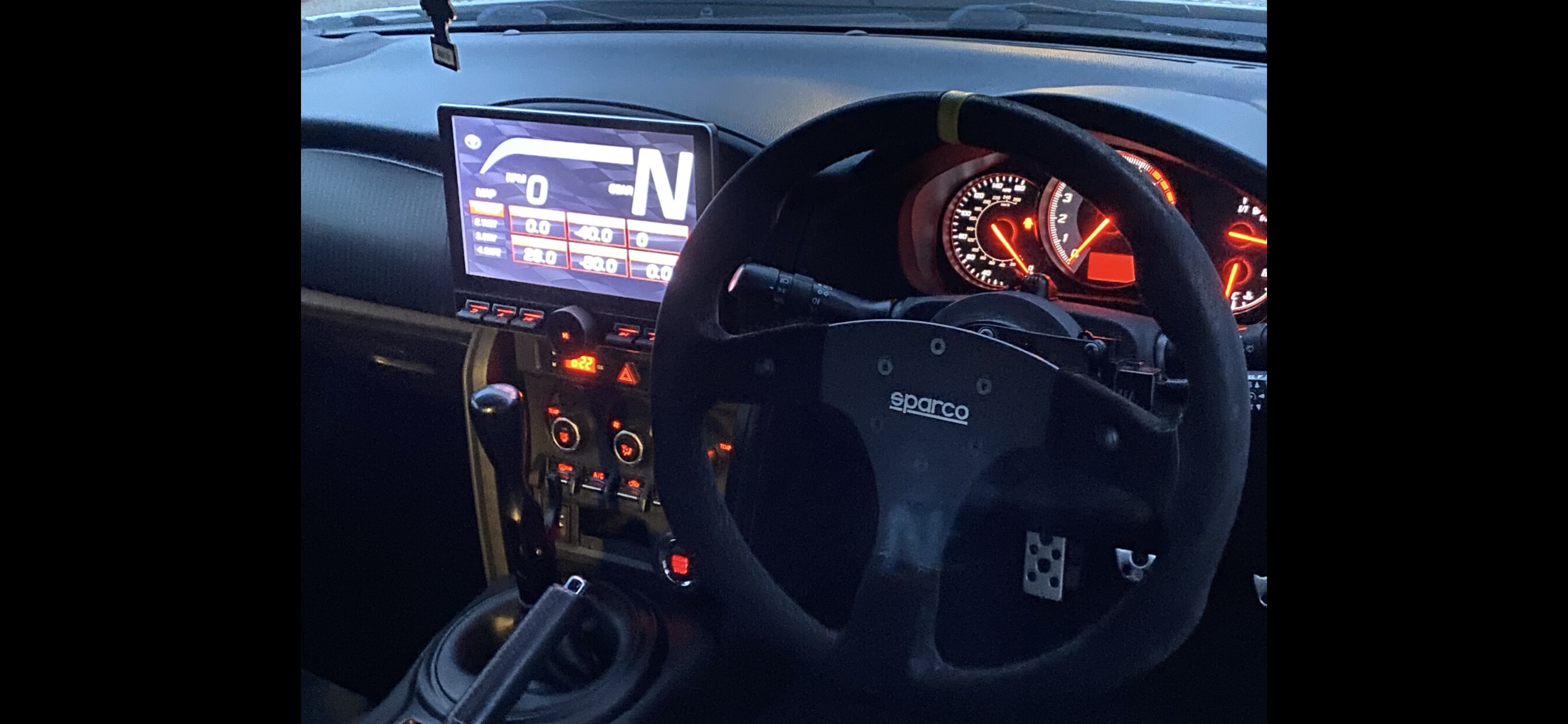
Calculated gear display

Hi Dev,

I’m using RealDash on a Toyota GT86 unfortunately I don’t know to send the file to you but I will keep trying. I have shared it in my realdash
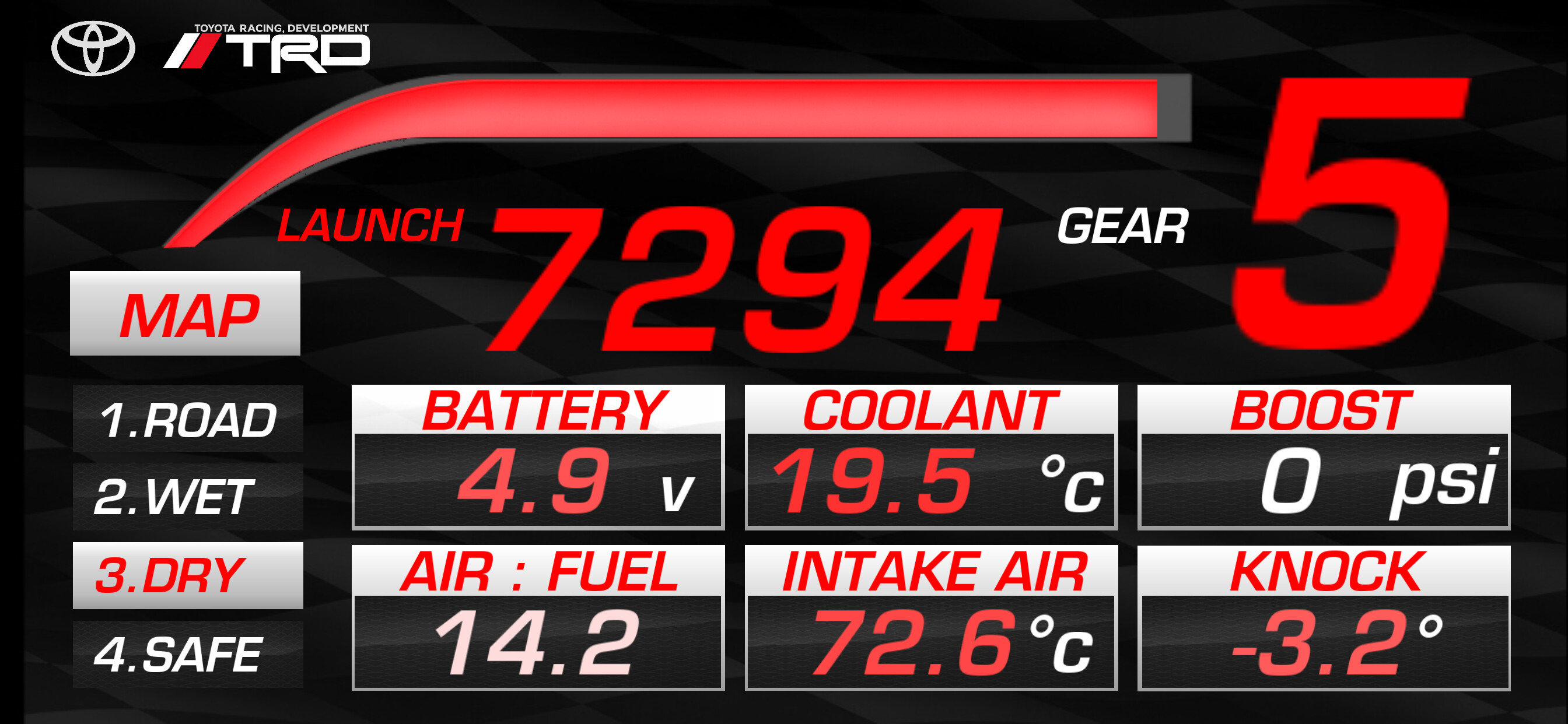
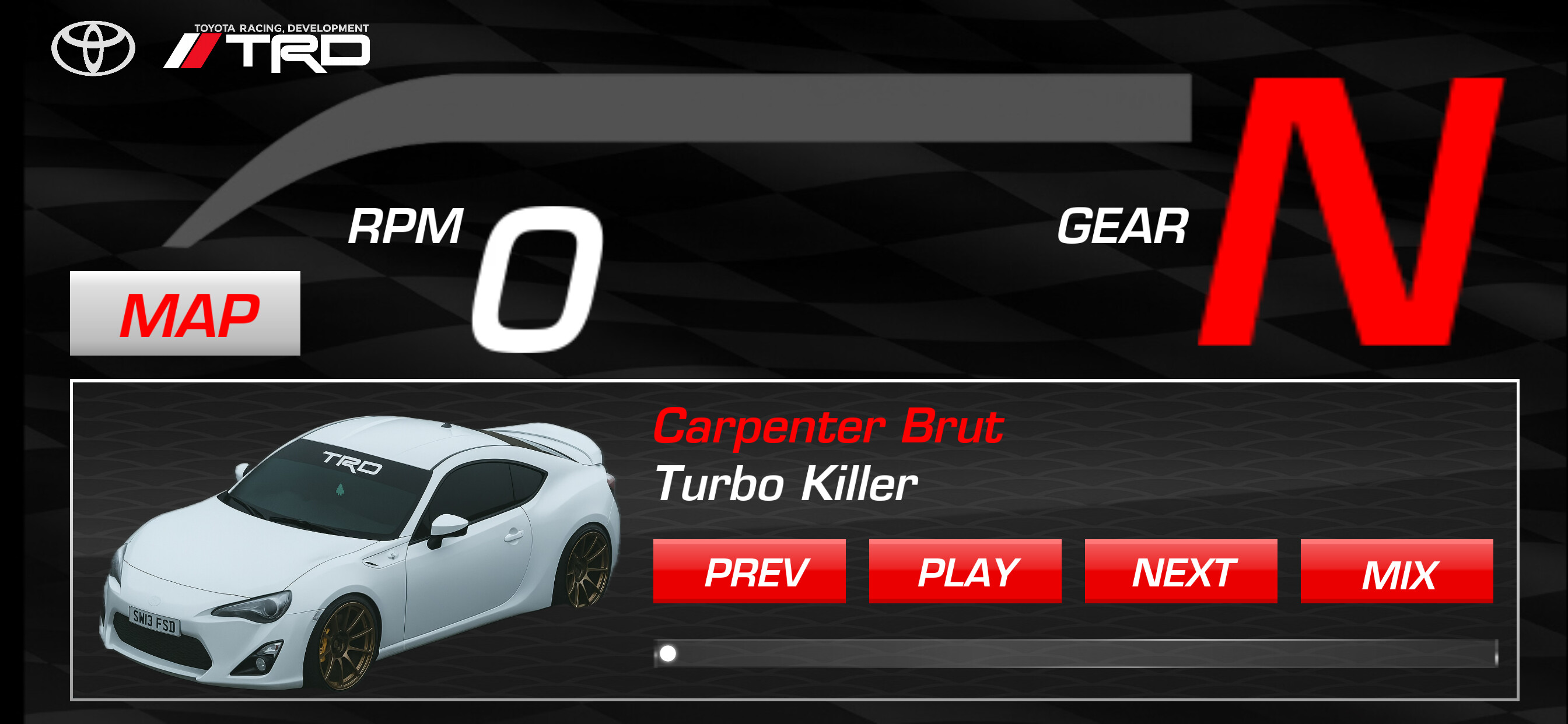
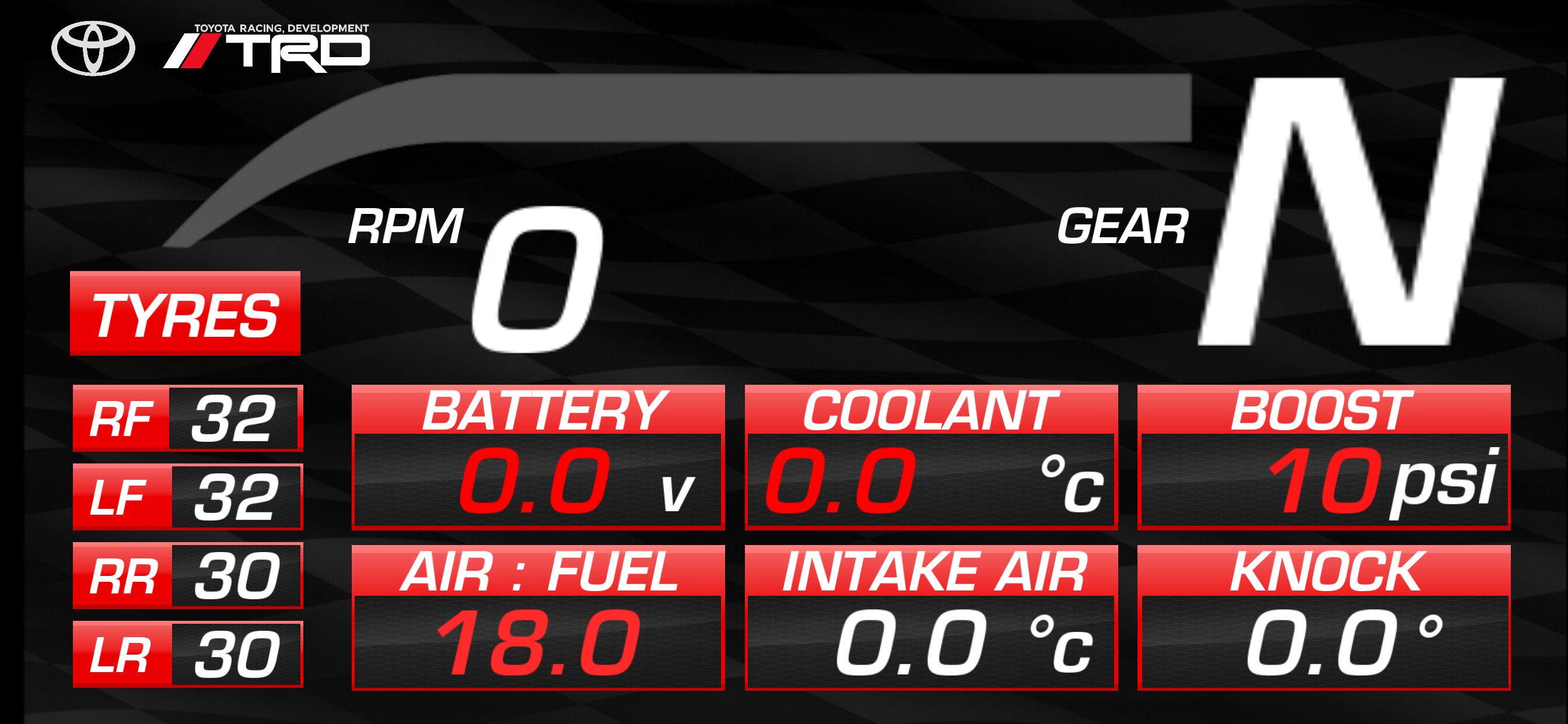
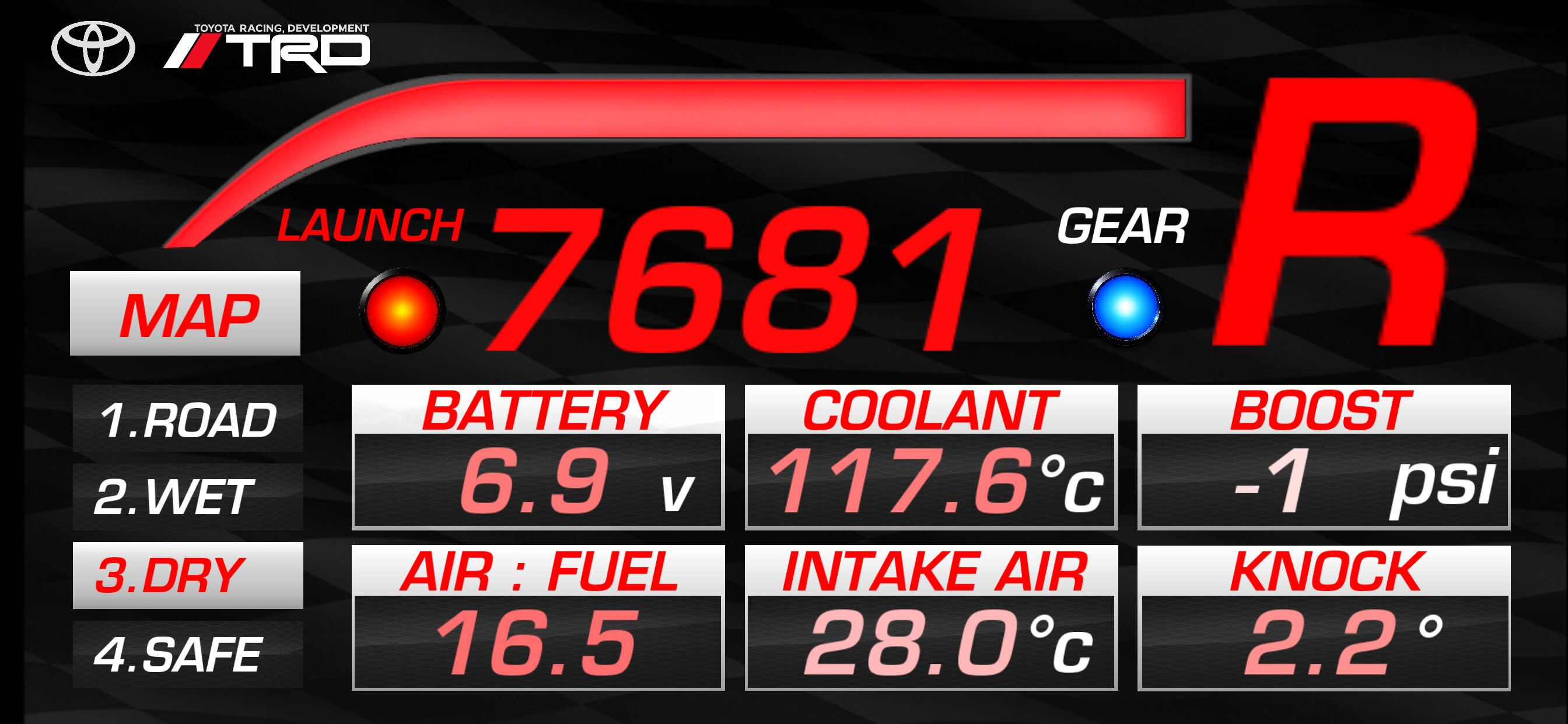
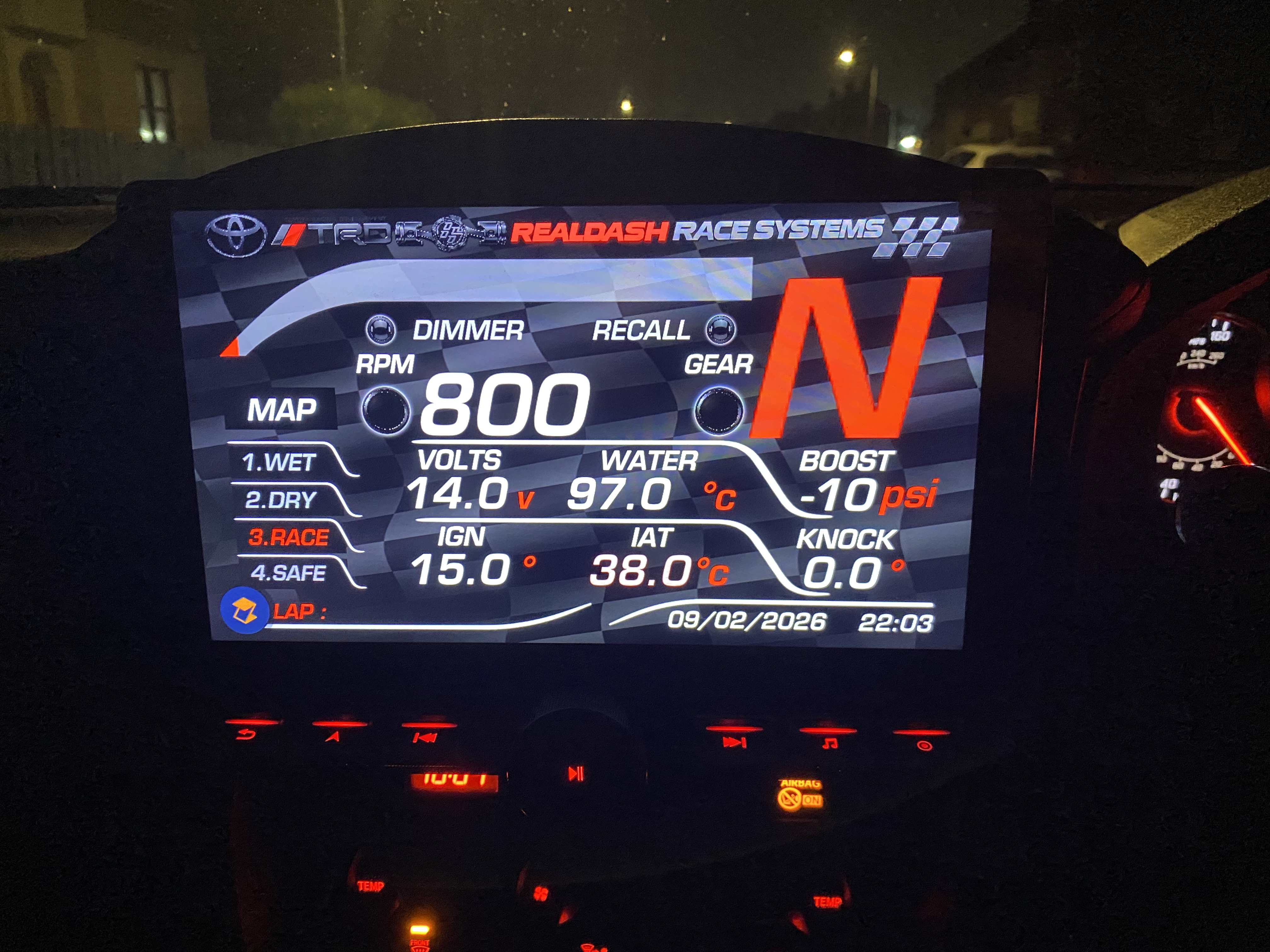
Most of the dash is straightforward at first glance, but there are some interactive features and logic that aren’t obvious unless you know they’re there, for example:
• Pressing MAP switches to show tyre pressures and vice versa
• Pressing the Toyota logo toggles the media view
• Pressing the TRD logo switches the dash to a red “sport” theme
• Pressing RPM activates launch mode (rev bar flashes, “Launch activated” indicator shows, RPM display changes to launch RPM in red)
• When 2nd gear is selected, launch mode automatically cancels and everything returns to normal
• There is also a custom shift light and some warning logic

I’m mentioning this just so you know the file isn’t only static gauges and some behaviour is hidden behind touch areas and conditions.

The one issue I’m trying to solve is the calculated gear display.

I’m using:
“Gear (Master Speed, RPM, Gear Ratio)”
with correct gear ratios entered.

The gear is always correct once a gear is fully engaged. However, during downshifts (especially heel-toe), while the clutch is in and the drivetrain is unloaded, the calculated gear sometimes briefly flashes completely wrong gears (for example 4th or even 5th when going from 3rd to 2nd) before settling on the correct gear.

It does not show N unless stopped. It’s just mis-identifying the gear during the shift because RPM and speed are temporarily in an ambiguous state.

I’ve tried Value Smoothing (even at 100%), but it doesn’t really solve it because the underlying calculated value genuinely jumps to those gears for a short time.

Is there any supported way in RealDash to:
• Only update the displayed gear when the calculated gear has been stable for some time?
• Or hold the last valid gear until the new gear is clearly engaged?
• Or any other recommended approach for manual cars using calculated gear?

I’m completely fine with a small delay in the display if that’s what it takes. I just want to avoid showing obviously wrong gears during shifts.

Thanks for your time.

Kind regards,
John.

2 Likes

Nice dashboard, thank you for sharing.

There is already a 0.25 seconds delay before Calculated Gear input is updated. Actually, I use calculated gear in my DEATHFISH 2, and have found that 0.25s works pretty well for me. Unfortunately delay is hard coded and cannot be changed.

As for Neutral, if neutral safety switch input is not received, N is displayed when speed goes to 0. While its not correct, but without the actual data from the vehicle, its the next best thing. In my car, I have both, neutral safety switch, and reverse switch transferred over CAN and with those, calculated gear works relatively well for me.

Are you connected over OBD2 or CAN connection type? From OBD2 you probably cannot read neutral/reverse status. CAN connection would be faster and we may even find those switches from the data.

1 Like

Hi Dev,

Thank you :blush:. I’m really pleased how it turned out. It took ages to figure out and build, especially because I’m honestly not great with computers or software, so I had help from ChatGPT with everything :joy:.

I’ve wanted a proper race/telemetry style screen in my car for years, but I could never afford a real motorsport dash or anything like that, so RealDash is basically the only reason this was possible for me at all. I genuinely really appreciate you making it.

To answer your question: I’m connected over OBD2 using an OBDLink MX+ dongle. I’d asked you before about some connectivity issues, but I managed to get that sorted in the end — it turned out to be a setting change either in RealDash or in the MX+ app (can’t remember exactly which), and it’s been working perfectly since.

And just to say, the gear behaviour really doesn’t bother me in the grand scheme of things — I totally understand there are always going to be limitations depending on the car and the data available, and I’m still absolutely chuffed with how everything works overall.

I would be more than happy to share the dash with the community if anyone wants to use it I’m just not really sure how to :joy:

Thanks again for taking the time to reply.

Kind regards,
John.

Hi,

You can share your dashboard in my.realdash.net. Go to My Dashboards and use the share button to share with everyone or with certain My RealDash users.

I do have Toyota GT86 2012-2021 CAN description file. Using CAN connection would give you faster data rate and access to some data that is not available from OBD2. Let me know if you would be interested of testing the CAN connection with your car.

Okay cool thanks I will look into sharing it on there.
I’m currently using RealDash via OBDlink /MX+ Bluetooth. I noticed the GT86 option in the connections menu but it didn’t seem to change anything with OBD. I’m planning to move to a GJP IO box and use raw CAN in the near future — is that when the GT86 profile becomes relevant?

Hi Dev,

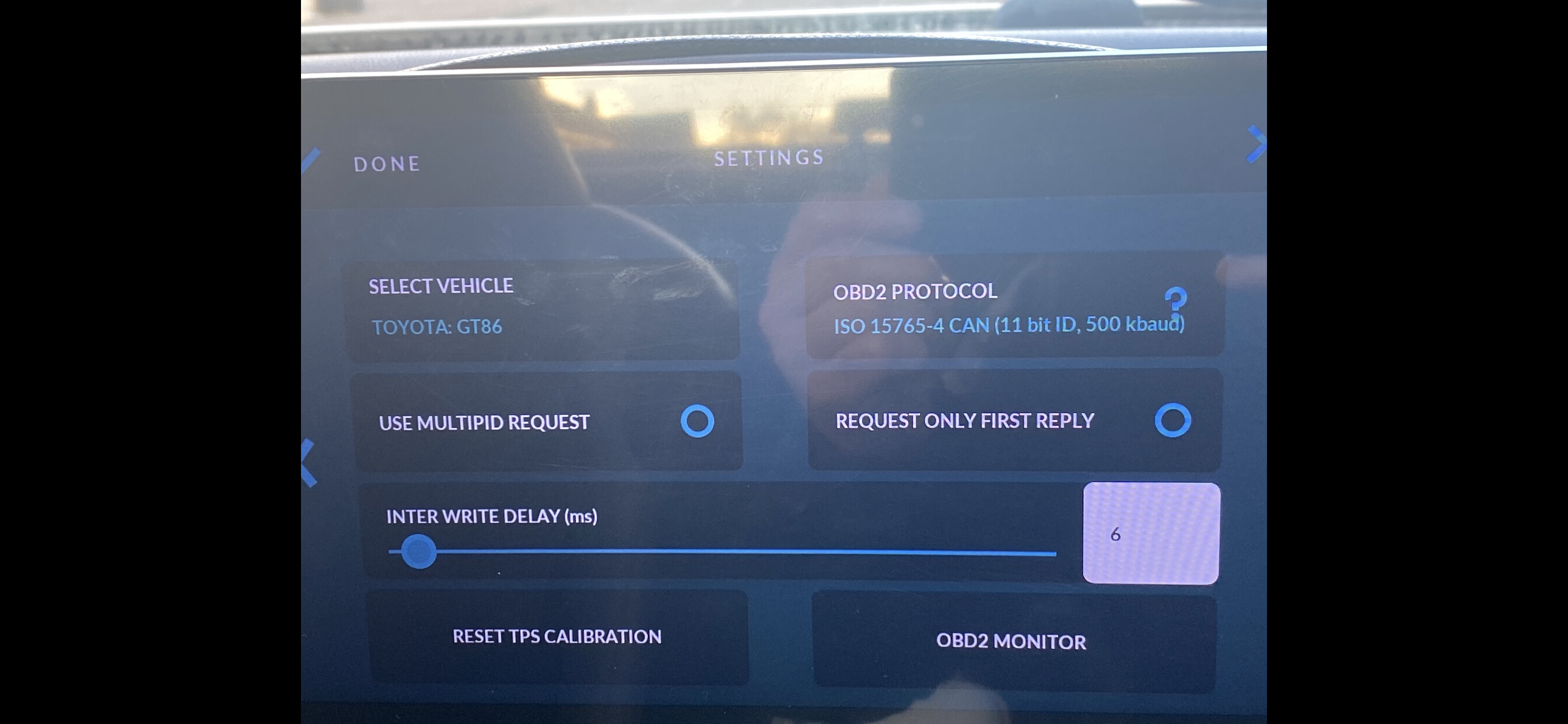
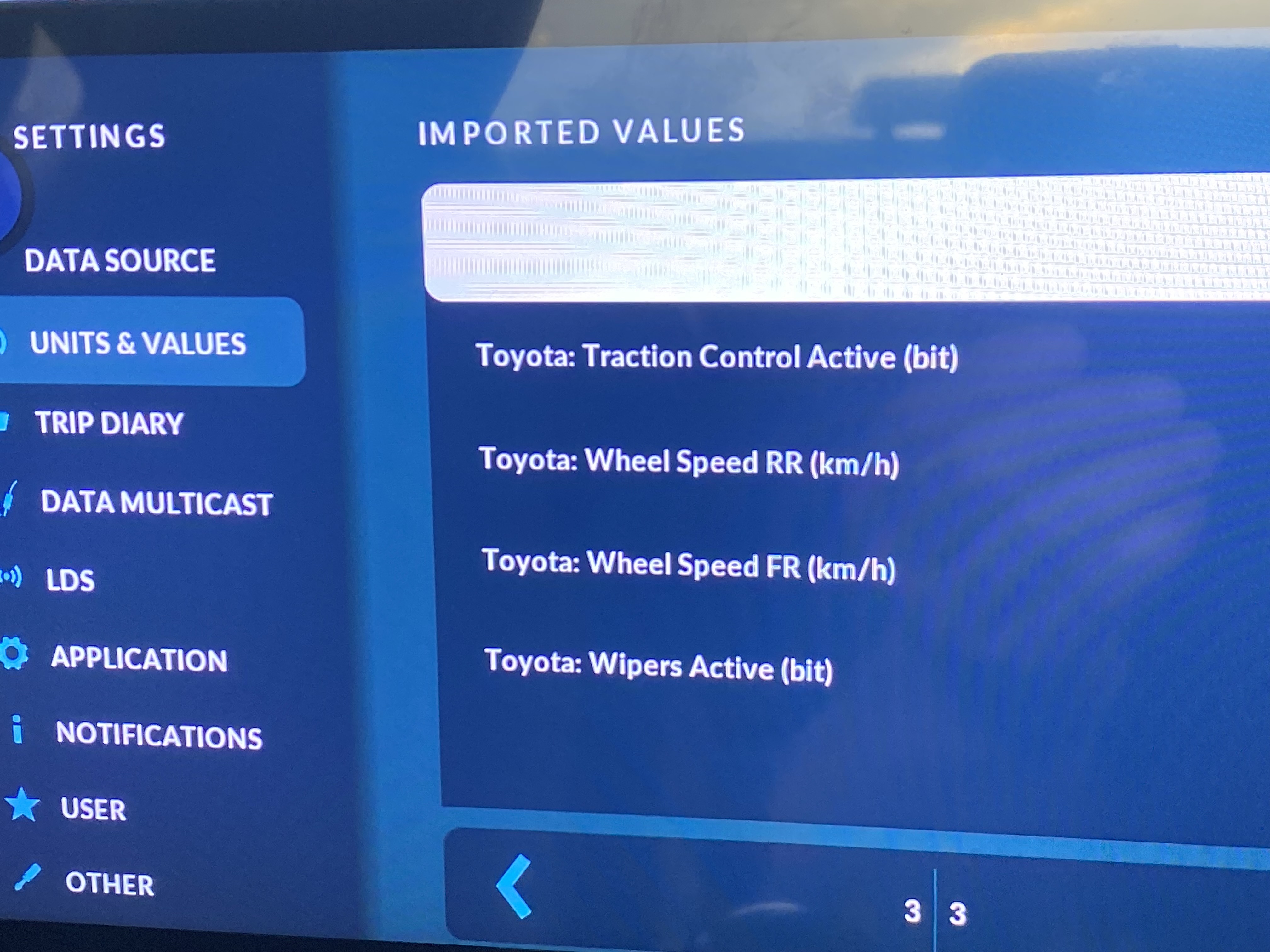
This is just some images, one of the menu I was describing in my last reply. Also one of the updated dash with the gear shift light and the launch control mode. I have also shared it with public in my realdash. Don’t know if that is the right way to do it so other people can use it or not but hopefully it is.


Thanks again for the response.
Kind regards,
John.

Hi Dev,

Sorry I meant to say I’m definitely very interested in testing the GT86 CAN profile for sure. I’m still on OBD at the moment obviously but hoping to get the GJP IO box soon.

Kind regards,
John.

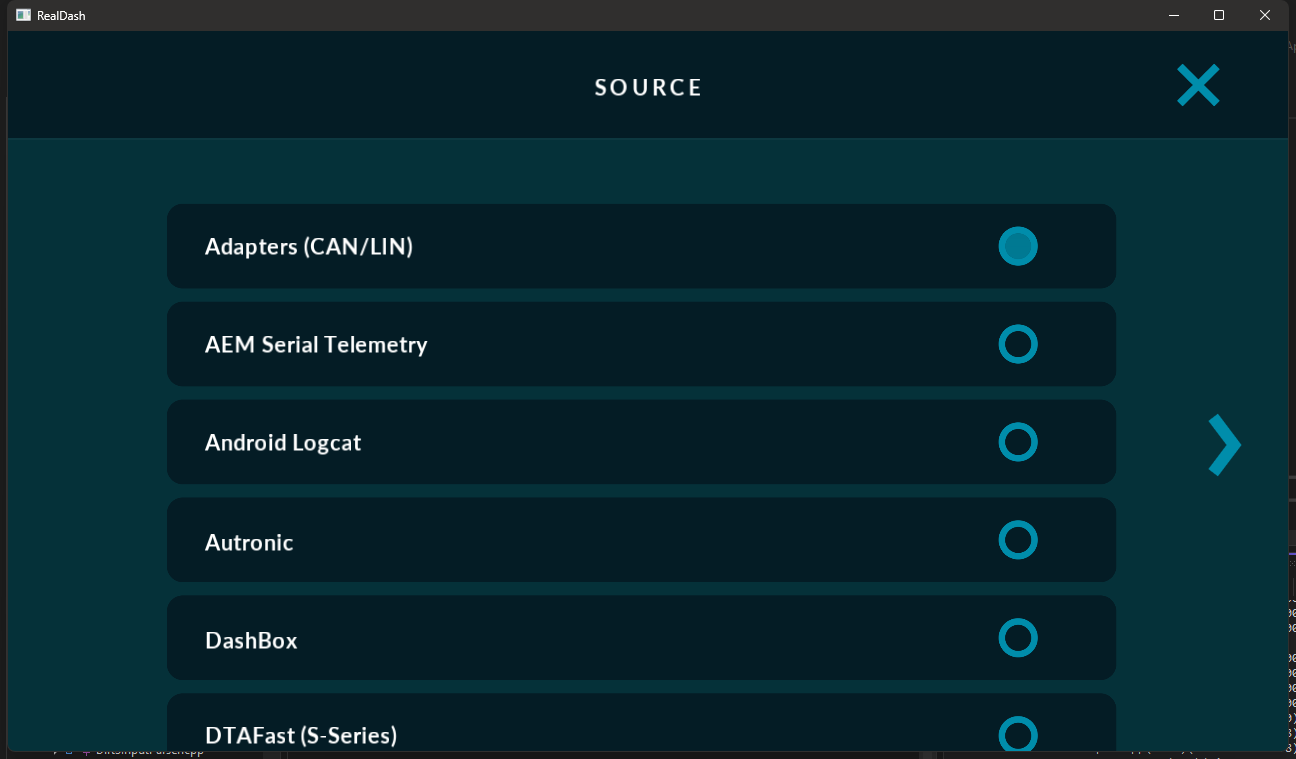
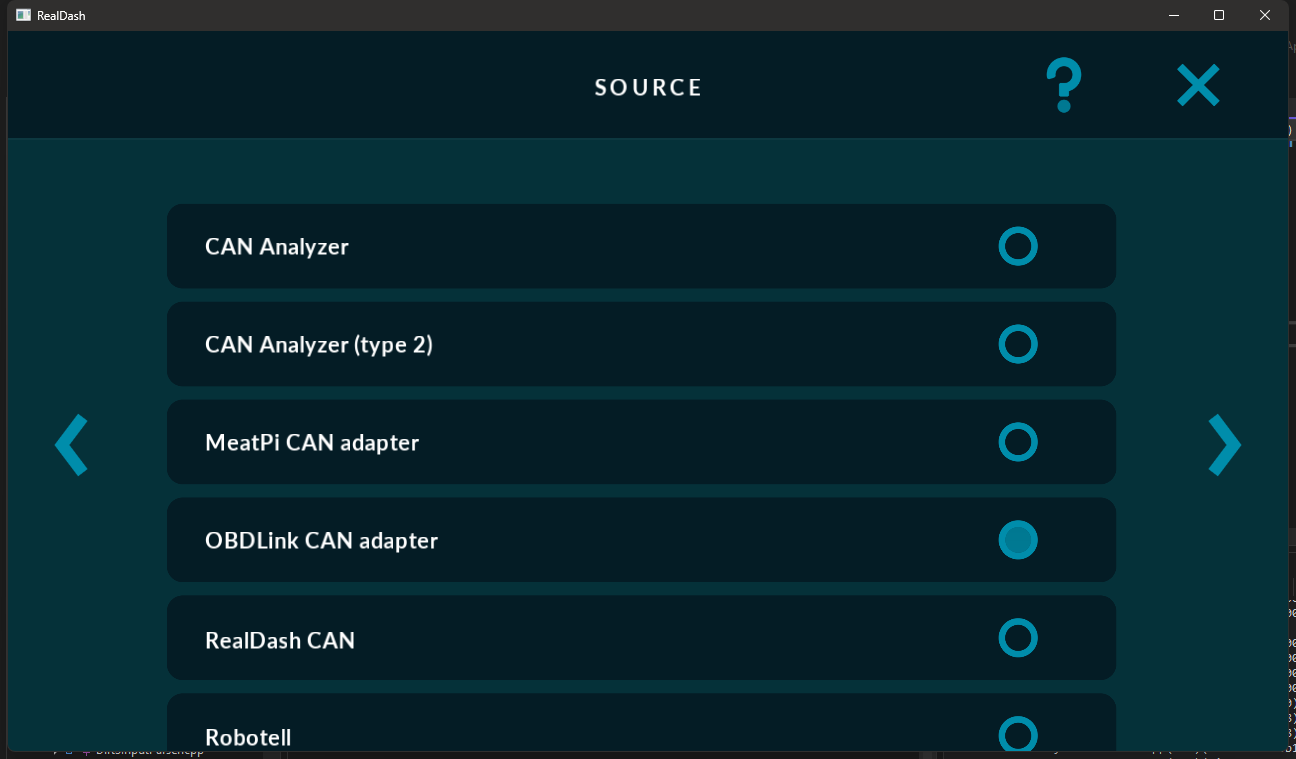
You can try CAN connection with your OBDLink MX+ adapter. Just create connection as:

Adapters (CAN/LIN)->OBDLink CAN Adapter

You will need the XML for GT86, drop me an email to contact@realdash.net and I will send you a test XML.

Hi Dev,

Sorry in advance if this sounds a bit muddled – I’m really not very computer-literate and I’m struggling to understand how I’m supposed to use the CAN file you sent me.

I’ll try to explain everything I have as clearly as I can.

My hardware/setup:
• Toyota GT86
• Android head unit (Eonon, Android 13)
• OBDLink MX+ (Bluetooth)
• RealDash installed on the head unit and working with OBD data
• iPhone (which I can log into My RealDash on without any issues)

What I’ve done so far:
• You emailed me the raw CAN file
• I saved the file on my iPhone (Files app)
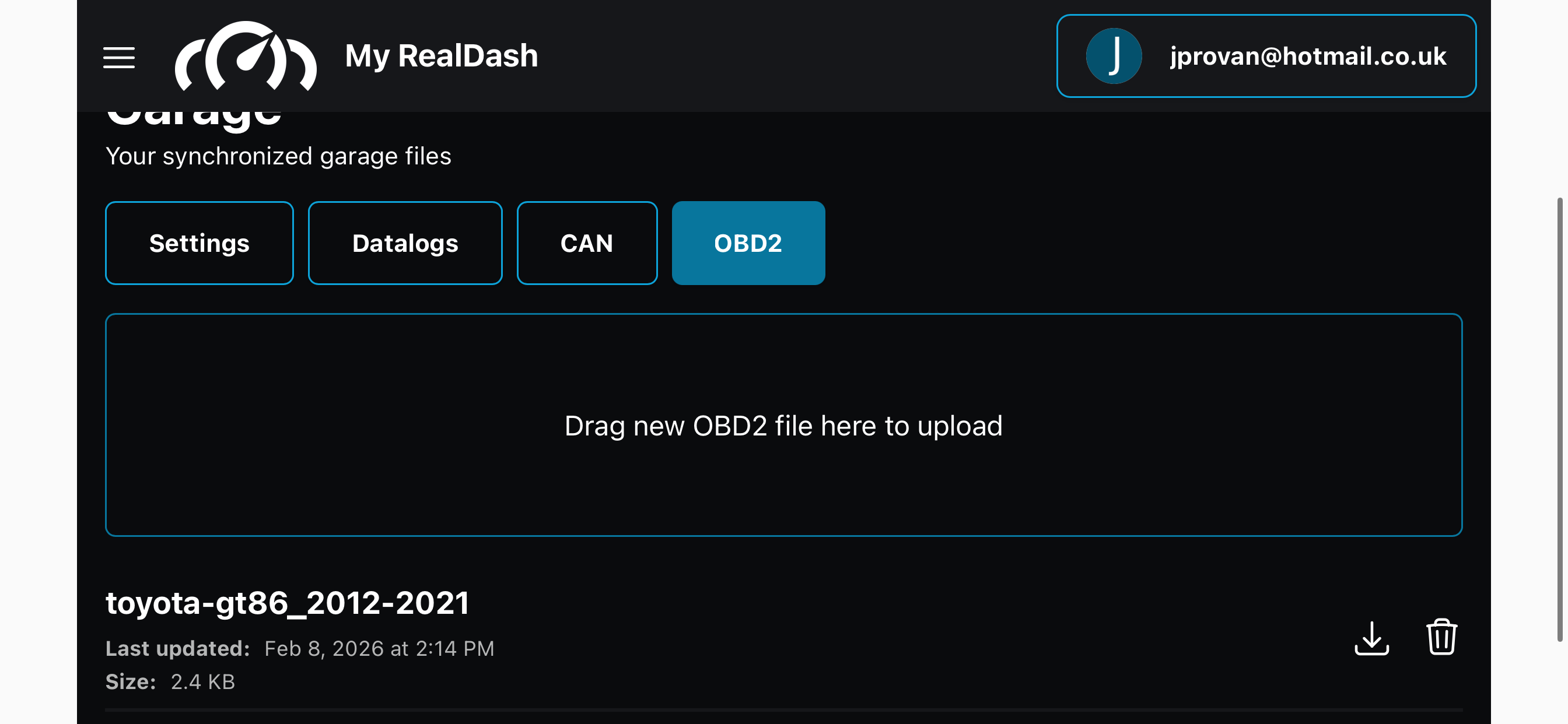
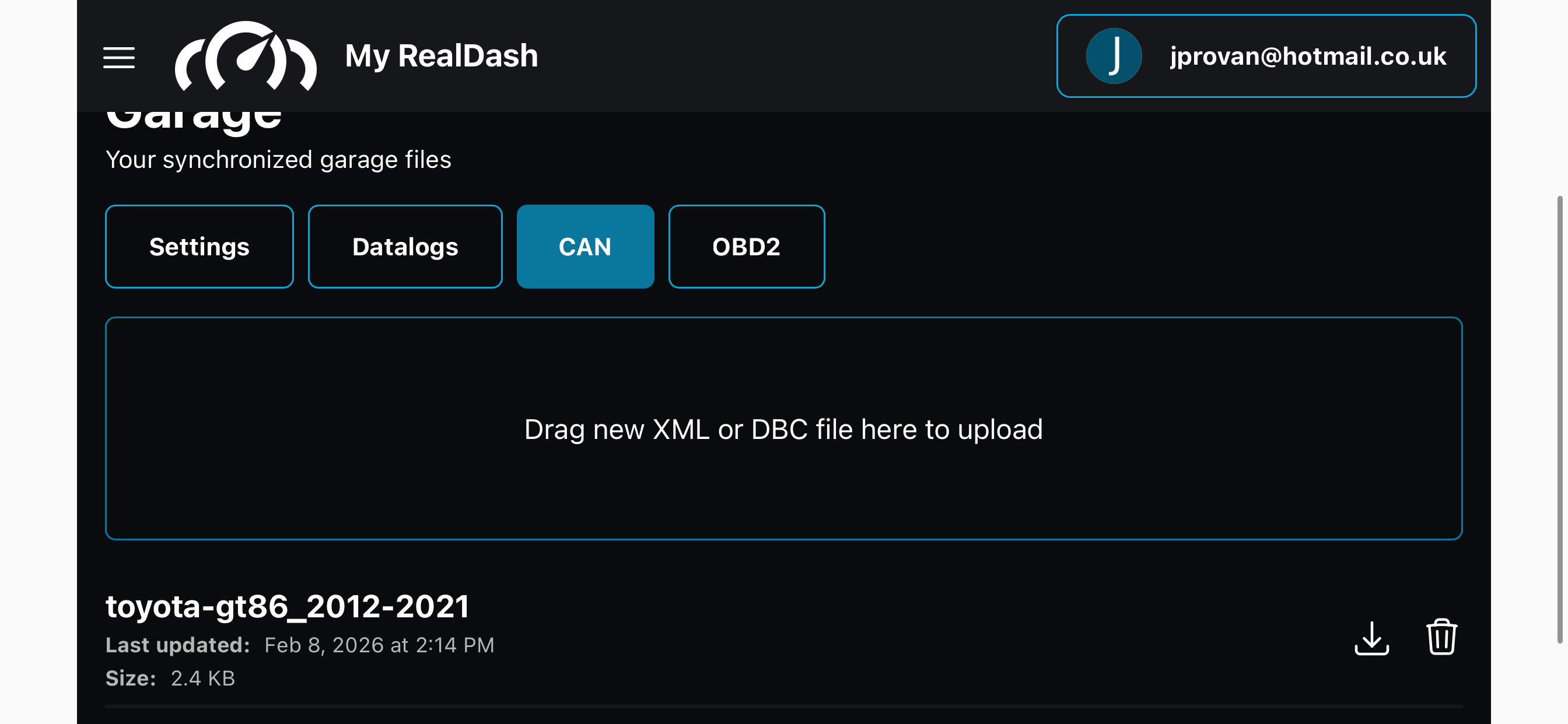
• I logged into My RealDash on my phone and uploaded the file into my Garage
• I wasn’t sure where it should go, so I tried uploading it under CAN / OBD / Settings (it now shows in My RealDash, so I think it uploaded successfully)

The problem:
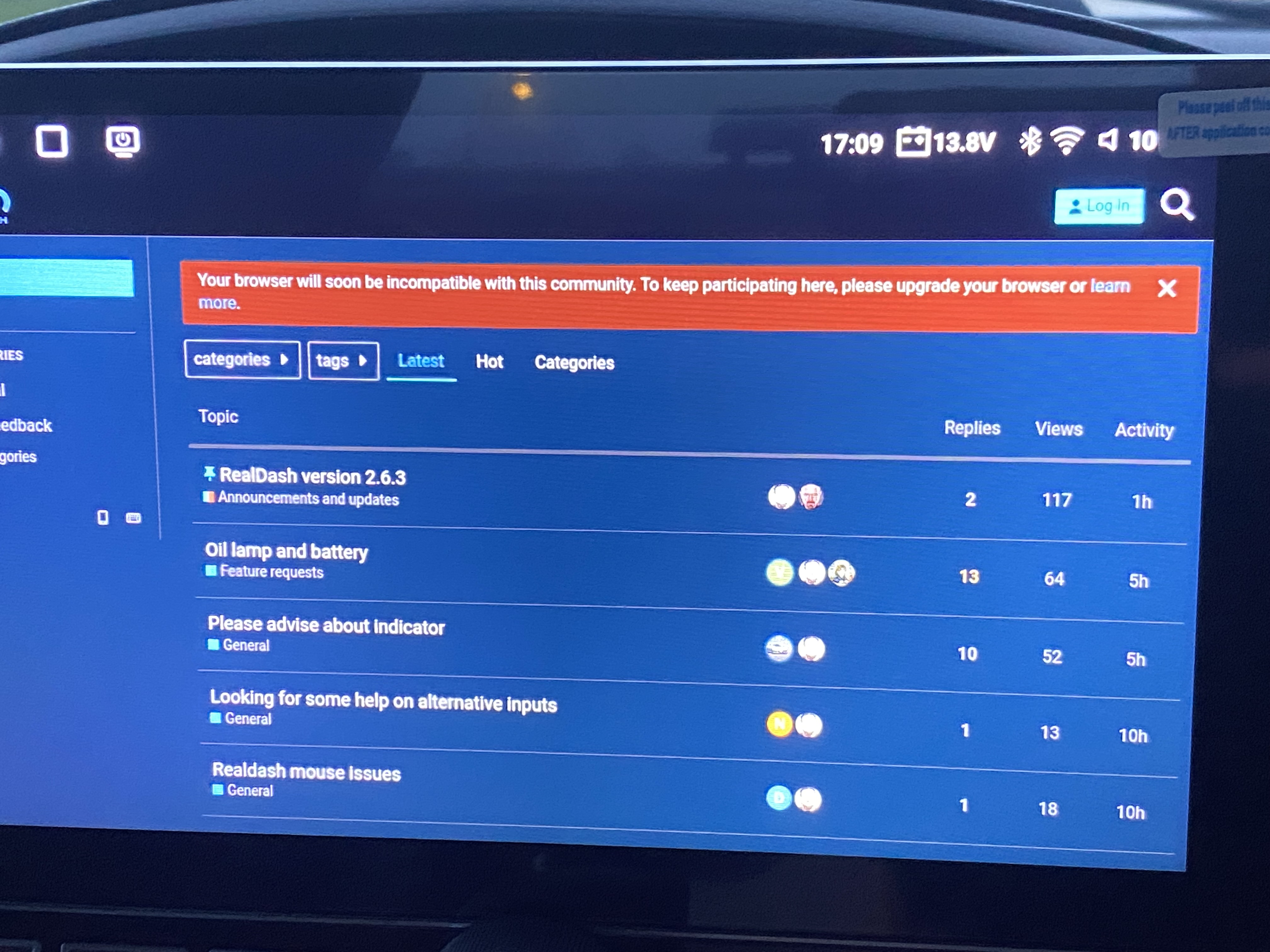
• I cannot log into My RealDash from my head unit
• On my phone, logging in works perfectly
• On the head unit, My RealDash just gets stuck loading and never completes
• Because of this, I’m not sure if the CAN file has actually made it onto the head unit, or if I’m only seeing it “partially loaded” via the cloud

I previously had another identical Eonon unit and My RealDash login worked on that one, but on this new unit it does not, even though it’s Android 13 and RealDash has full permissions.

What I’m confused about:
1. How exactly am I supposed to load the CAN file onto the head unit?
2. Do I need to manually copy the file somewhere on the device, or should My RealDash sync it automatically?
3. In RealDash on the head unit, should I still be selecting OBD as the connection type, or should I be selecting CAN (or something else) when using your file?
4. Since I’m using an OBDLink MX+, which connection and hardware options should I be choosing from the RealDash connection menus?
5. Is there a simple way for me to verify whether the CAN file is actually being used by RealDash?

I’ve tried to have a go myself and I can see some data, but I honestly don’t know if I’ve done it correctly or if I’m just still running on normal OBD.

I know this is probably very basic stuff, but I’m really lost at this point and could do with a step-by-step explanation of what menus to use and what I should be selecting for my setup.

Thanks a lot for your patience, and sorry again for the long message.

John


I have included some images to show what I mean where I have uploaded the file and the 4 CAN inputs that have appeared and also a message that may be linked to why I cannot load into my realdash from the headunit. I also included an image of the dash updated with a “realdash race systems” logo :grinning_face_with_smiling_eyes:

  • The file I sent you is a CAN description file. You can delete it from OBD2 section in My RealDash.
  • The same CAN description file is included in current version (2.6.3), so you don’t actually need it at all.

In RealDash:

  • Create a CAN connection with OBDLink CAN Adapter connection type:

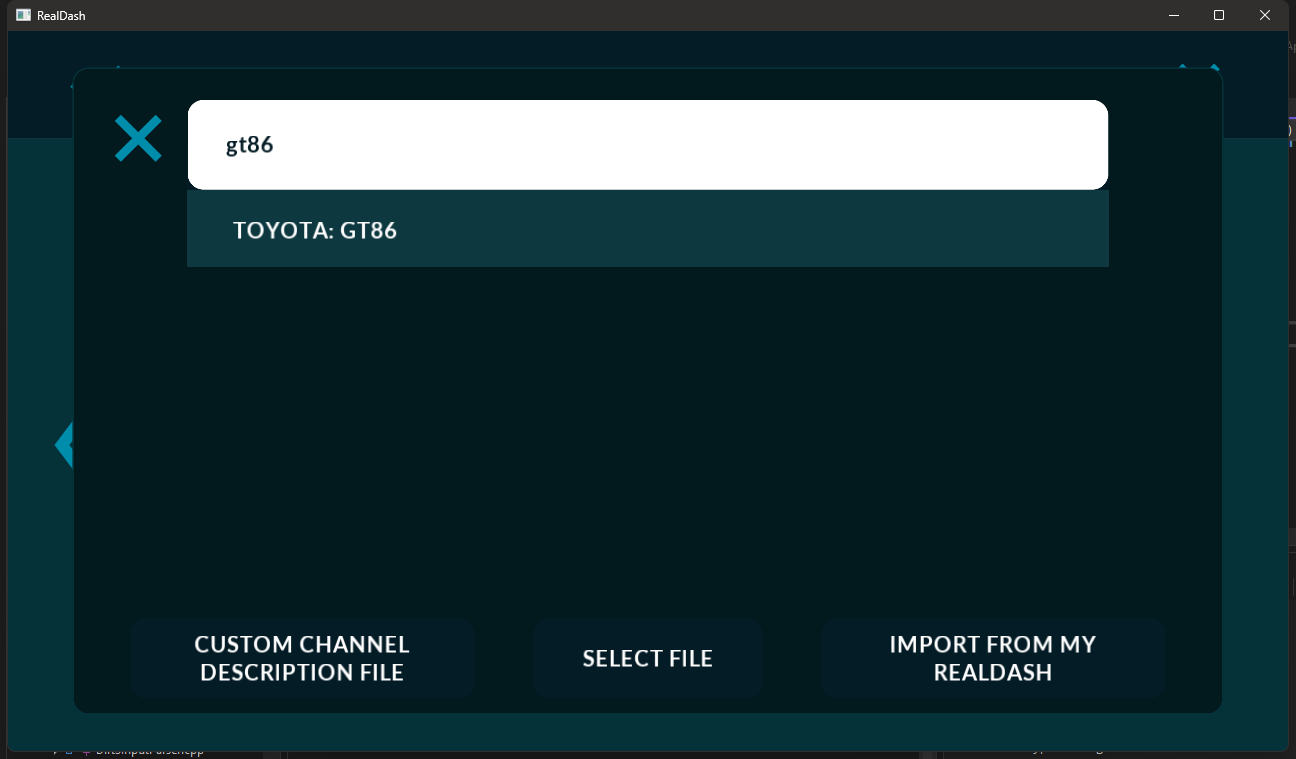
  • At the connection settings page, tap ‘CAN Description File’ button and search for GT86:

  • Select the GT86 CAN Description and tap ok/done until back in the dashboard.

Hi Dev,

Perfect thank you for the response. I will go ahead and give that a go. :ok_hand:t3::+1:t2: