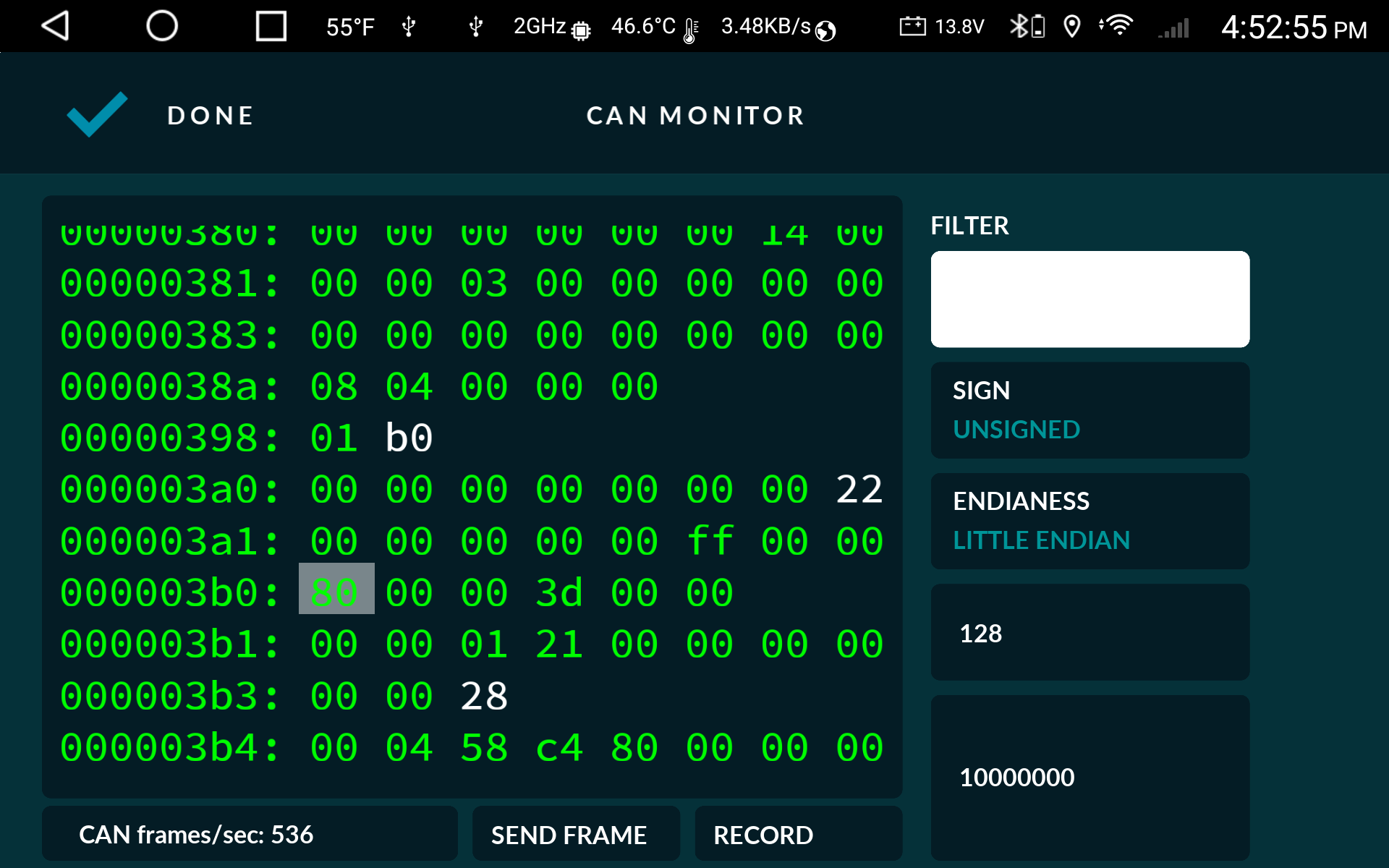
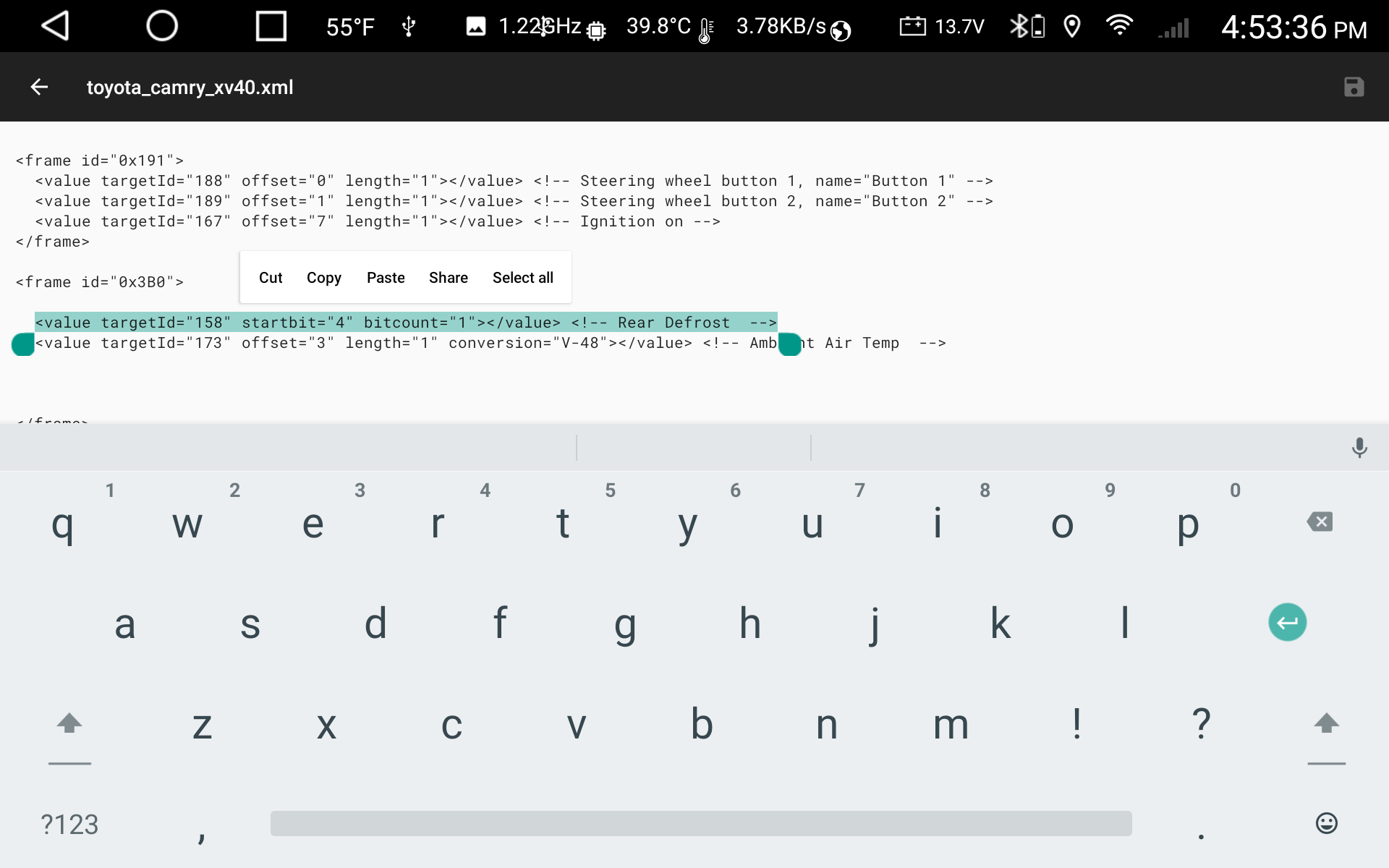
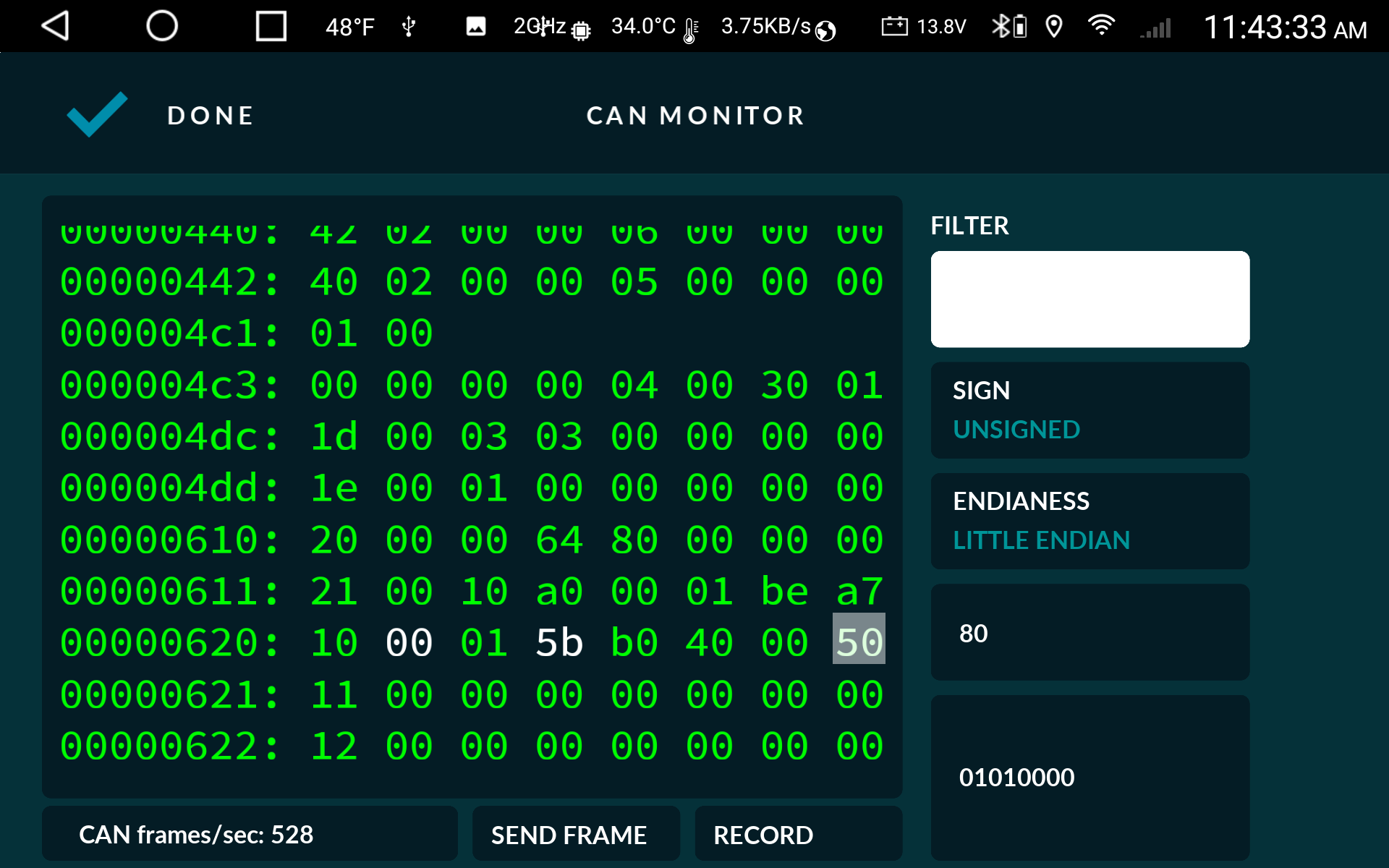
Each of the numbers you see in the can monitor is an 8 bit number in hex format, which as the name implies has 8 bits, bit0=1, bit1=2, bit2=4, bit3=8, bit4=16, bit5=32, bit6=64, bit7=128 with a maximum value of 255 or FF in hexadecimal. If the number you have highlighted is 0 when the rear defrost is off and 80 when its on, this corresponds to bit7 and 128 in decimal
am I limited to using the startbit method, or for on/off can I also use the “offset” and “length” method for making this work. Seems like you can use both ways.
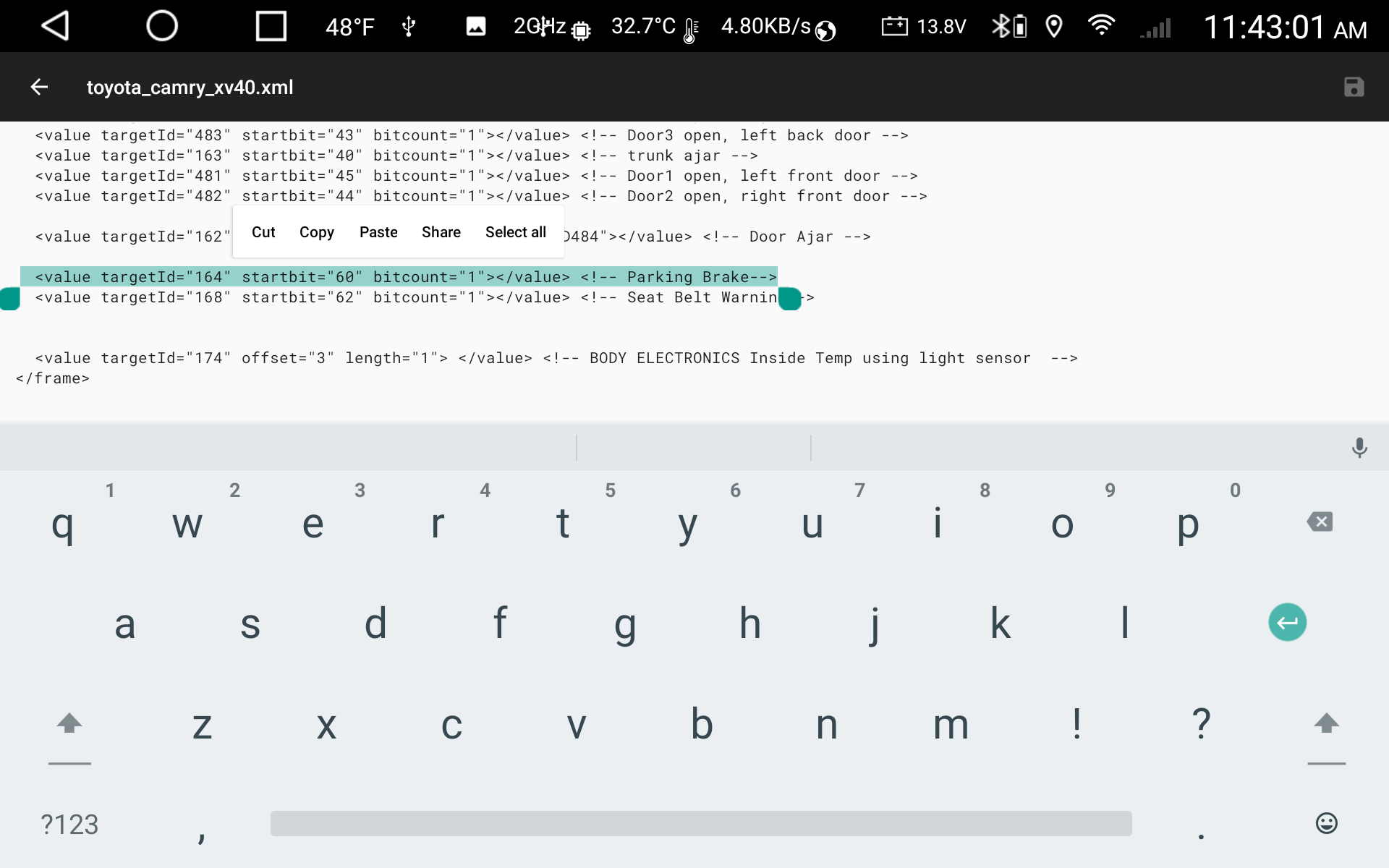
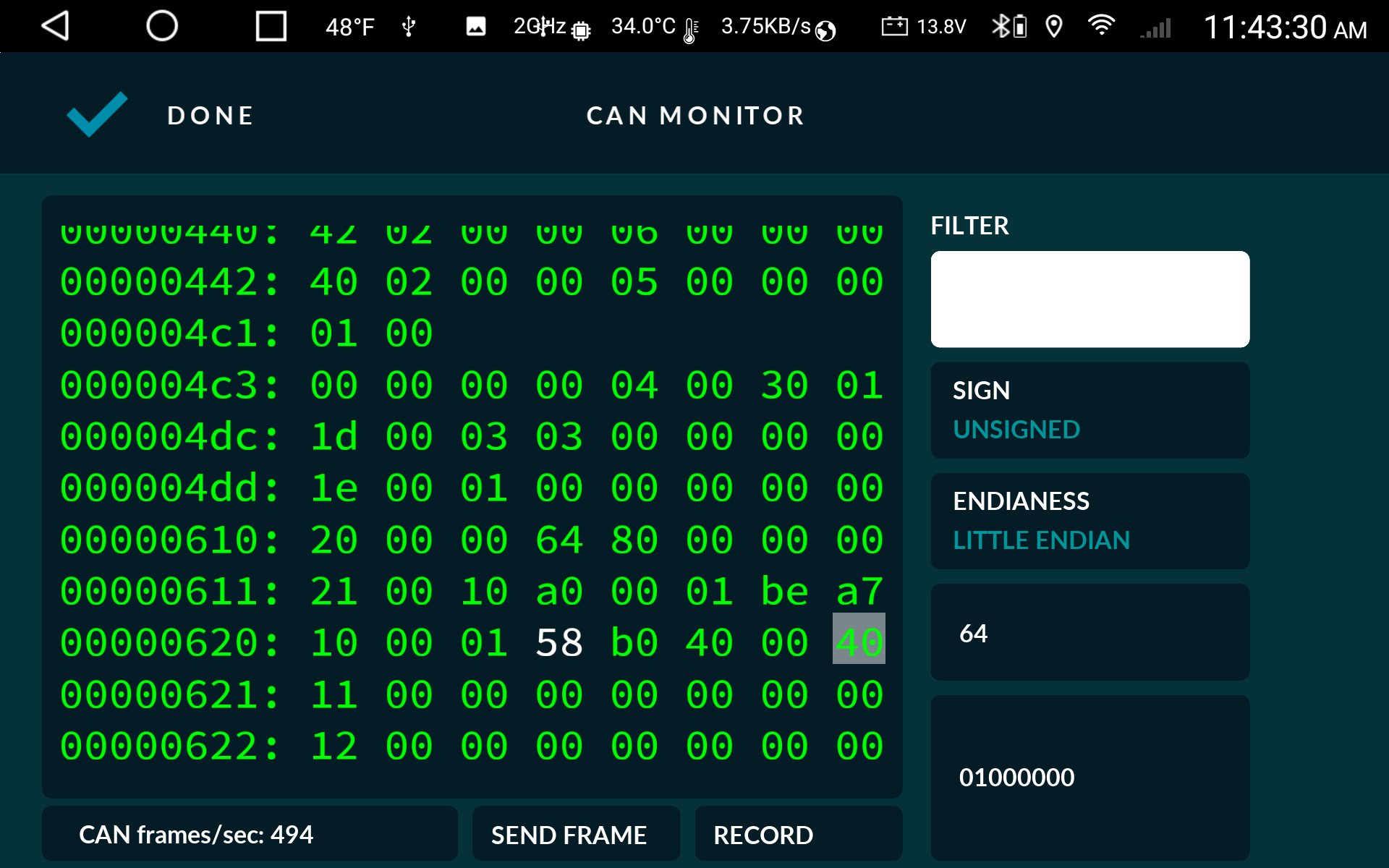
No both methods can be used. In your Parking Brake example which is in frame 0x620, this is showing as 0x10 in hex and 16 in decimal, hence bit 4 in the last byte 7 of the frame. Each frame has 8 bytes (0-7) and each byte has 8 bits, therefore, total 64 bits (0-63).
Using startbit method, you are selecting the startbit position within the entire frame
value targetId=”164” startbit=”60” bitcount=”1”
Using offset method, you are selecting the byte within the frame, but then need to manipulate into the single bit of interest i.e. bit 4
value targetId=”164” offset=”7” length=”1” units=”bit” conversion=”V>>4”
The units=”bit” makes RealDash read only the bit in position 0, the conversion bit shift moves bit 4 (16) into the bit0 position. Hope this makes sense.
I got confused about the “InitialValue”.
In the docs referred as a “Value” property, but in the forum I found a discusion where referred as a “frame” property.
(Transmit CAN with scaling - #8 by realdashdev)
BTW in my case does not works (on android) in neither way.
My goal is define an outgoing frame with slow update, but requires to transmit the frame at the connection.
like this:
Another questions:
The frame data got as an unsigned value, but after the conversion the result can be negative. ATM the results maxed at 0.
i.e:
<value targetId="38" offset="22" length="1" conversion="-6+V*0.25" signed="true"></value> <!-- Ign final -->
so the retards would show as a negative value.
also want to do same with the temperatures. <value targetId="152" offset="48" length="1" coversion="V-27"></value> <!-- Oil temp C, on B6 -->
is it possible somehow ?
And finaly about the “timeout” property.
Any chance to be fired just once or just fired after the first assigned frame occured ?
(maybe an option like as ‘autotimout’)
This is would be usefull where the definitions contains different frames (and those uses same target IDs) but the conncted device uses only one of the defined frames. So the other frames would not timed out and make the UI jumping…
“initialValue” is only used for ‘value’, and it simply sets the value of that input during startup, before connection has been established.
signed=“true” is necessary only if incoming data is an signed integer. The conversion attribute will make the value negative. If you don’t see negative values on RealDash gauges, check the value range on ‘Input & Values’.
As for a timeout, sounds too complicated for my ‘just returned from vacation’ brain.