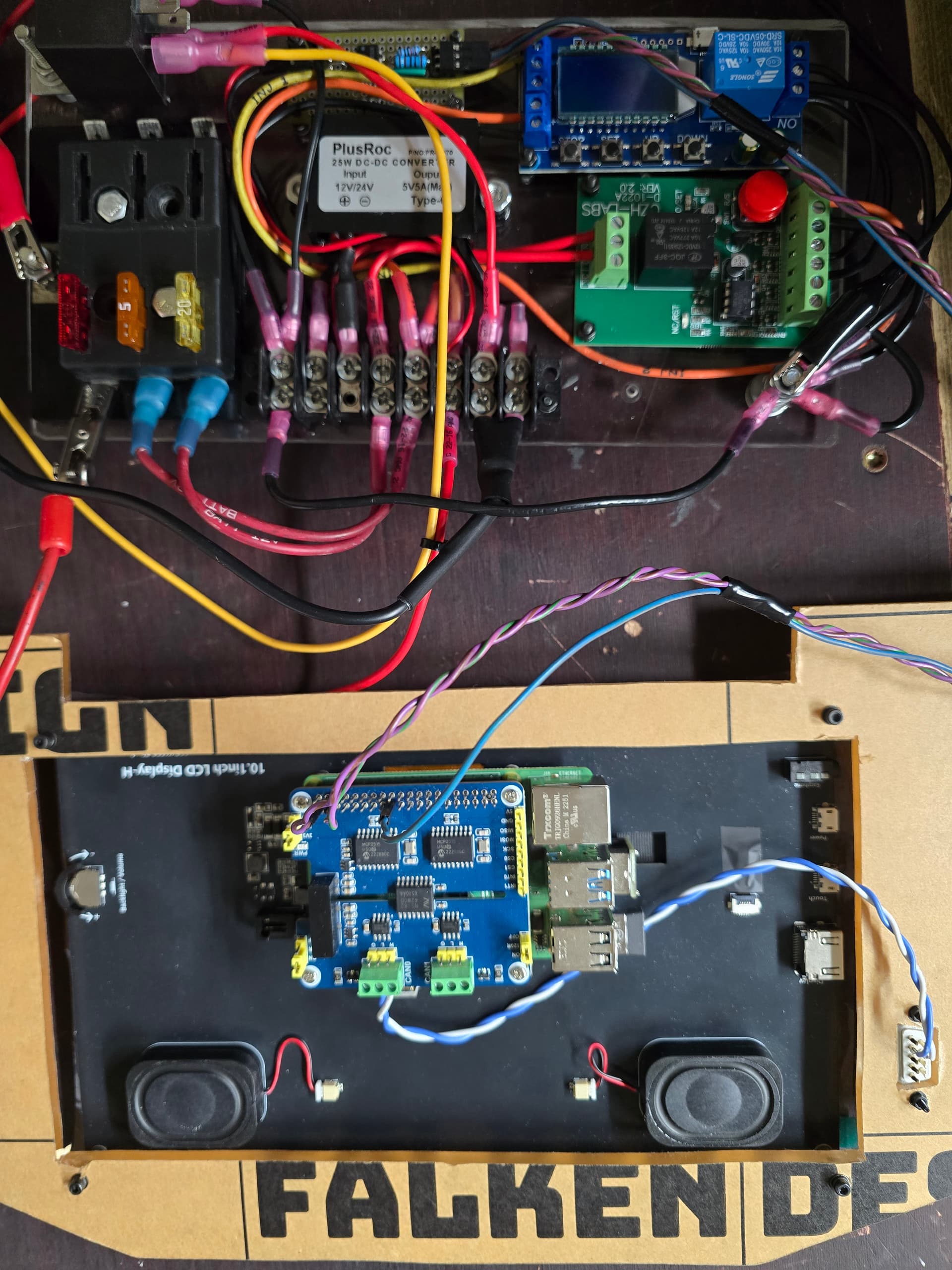
Hardware: Raspberry Pi 5 with an NVME hat and a 1TB NVME drive.
I have spent a fair bit of time tuning and tweaking trying to get this thing to boot faster and was at about the 20-22 second mark using a Raspian variant.
Decided to spend the day trying a different approach. Since this will live in my car full time I don’t need anything ancillary or even a full window manager. Using DietPi, labwc, Wayland, and running it in kiosk mode. I pushed the wifi/network manager service to after the dash comes up in the event that I’m not somewhere with wifi.
I’m curious what boot times folks are getting and if there is more speed to be found or if I should just call this good.
I’m going to do a write up on how I did it and put it on my github and post it here for others if it might help others.
Cold boot in 13,4 seconds is not bad. I bet none of the modern cars infotainment system does that faster. They all do some clever sleep mode things to boot fast though. But if you pull all power and put it back on, they all have considerable boot times.
I have been experimenting with Youyeetoo YY3588 SBC board with NVME drive and Armbian Debian 13 custom build variant and currently cold boot time is 10 seconds directly to Realdash. I can add video here later. The most significant change to boot time on my device was to modify u-boot to skip USB port scanning and all the useless stuff. I’m not an expert on this Linux based stuff by any means, but thanks to AI, i got it to work very nicely.
I was absolutely looking at the wrong thing the first time I watched the video staring at your TunerStudio screen
I have a few Orange Pi 5s sitting here that have that same Rockchip in them so I might try this setup on one of them. Although I’m seriously thinking about doing a buildroot setup and go full ‘embedded’.
At this point I’m just wondering if it is worth chasing more speed. I came up with a pretty interesting approach to working with the dashboard and the PMU based on if the door is open and my key is nearby so the dash will pre boot. I wrote a script (haven’t tested it yet) to look for on/off chatter from the PMU and start a timer to gracefully shut down so I’m not having to boot the dash every time I get in the car if I hop out for gas or something.
I don’t believe that will be possible for me unless I move away from the SD card. I can’t do that right now but I am definitely looking at the boot process. I’ve been wasting so much time on the power management hardware due to $$$.
But using sysdmd-analyze and digging in, I see a lot of wasted time in my startup process.
One of the most outstanding is actually of my own creation. The realdash.service is causing an almost 5 second delay on its own.
So, I started building a new install last night. I’ll try to benchmark it as I go so that I can know what changes influence the startup time the most.
If someone has a link to using dietpi in kiosk mode, that’d be great. I’m sure I can find it if not. Working on my resume right now, lol
Apparently the preferred way is to use the config.txt to set up a hardware overlay. So, that’s how I did it.
I did find some possible info in the boot-overlays-README.txt about key mapping for the “KEY_POWER” event and “gpio-shutdown” but since I’m starting over and hoping to use kiosk mode and possibly avoid the systemd service altogether, I will wait and pursue this later.
I’ll write up when I bring it back online here in a bit but some stuff to look at. I pushed the network startup until after the realdash-kiosk.service was up which helped a ton. I’m using labwc and wayland in kiosk mode so I have nothing else but RealDash in X userspace. Setting HDMI to a fixed dimension instead of letting it auto negotiate seemed to save a few milli. If you can push some dietpi postboot stuff out too that will help.
Hey @BamaSkunkwerks - I didn’t forget about this and I still owe you some information on my setup (which should work with your 4 and SSD) but I started running into some absolutely annoying problems and realized maybe my strategy was a bit too aggressive. For instance because the window manager in kiosk mode was ONLY giving me RealDash and just barely enough to do that if I needed a ‘save’ or ‘open’ file dialog on the host machine it would just lock up the app. Zenity and I were not getting along at all so switched up to an Xorg + Openbox (with LightDM) so I could get those boxes to work and I could load can configs that I needed for mapping.
Let me play with this and see if I need to rethinking it yet again and I’ll come help on yours.