I’m trying to get realdash to read big-endian CAN messages.
I’m having trouble reading big-endian data using the startbit.
To verify this, I sent a CAN message from another device and tried reading it with realdash.
When I create a definition using offset and length, the values are read without any issues.
However, when using a definition with a start bit, the bit layout that gets read changes.
It seems that when defining a start bit for big-endian data, the actual read start position is shifted back by one bit.
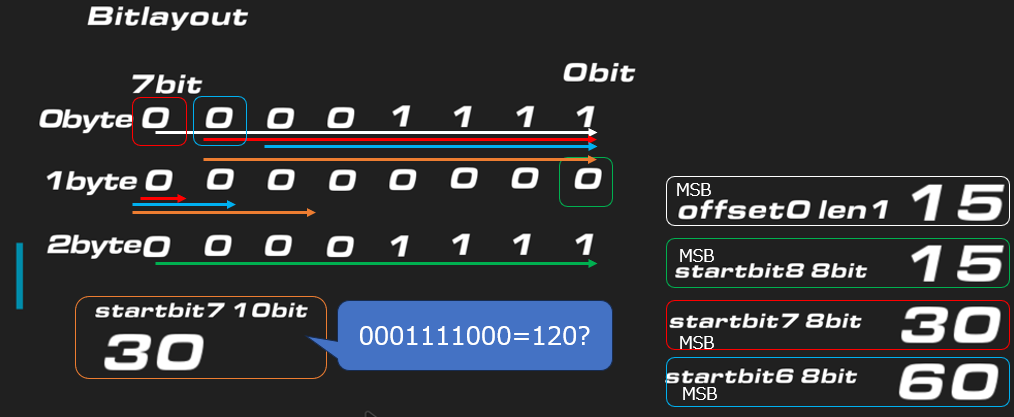
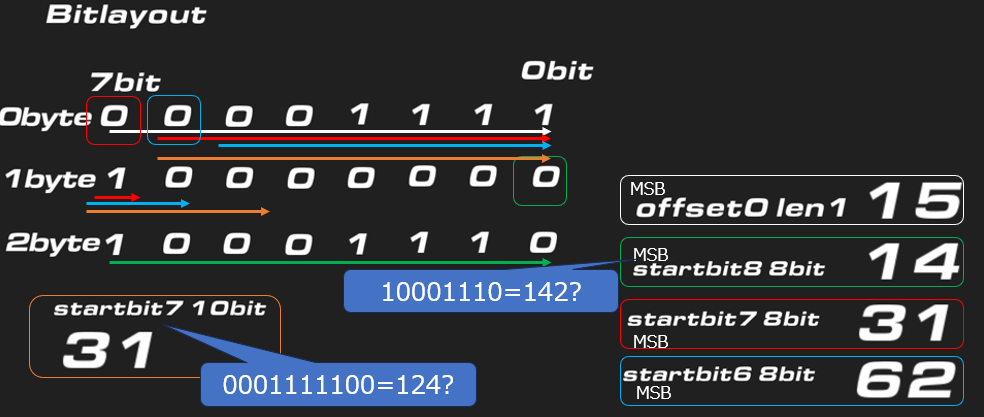
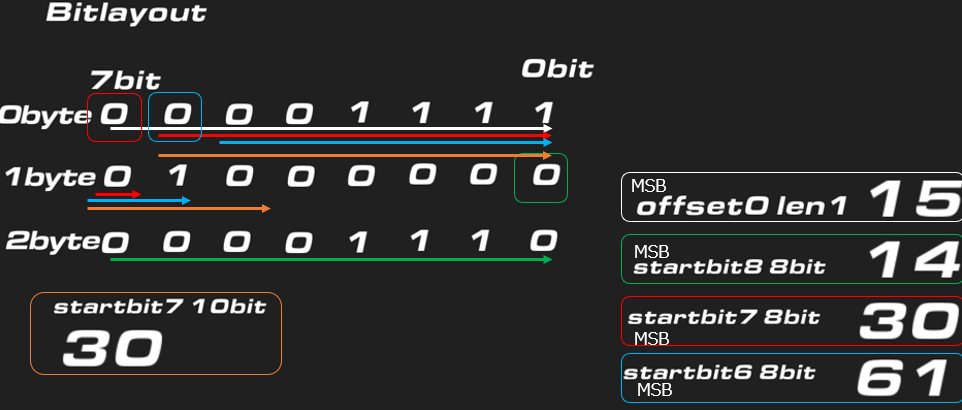
The bit layout represents the signal I sent, and I am transmitting 0xF0 (00001111) at the 0th byte.
When using offset, it is read correctly as 15 (00001111).
When set to startbit7, it reads as 30 (00011110).
When set to startbit6, it reads as 60 (00111100).
When set to startbit8, it reads as 15 (00001111) *Note: However, this reads the second byte.
Next,
if the read start position is shifted by -1 bit for a 10-bit signal with startbit7, it should be read as 120 (0001111000), but for some reason it ends up as 30 (0000011110).
I tried changing the transmission messages in various ways, but there is no pattern, making it difficult to understand.
My goal is to read big-endian CAN messages that are 8 to 16 bits long.
Could you give me some advice?
The attached file shows my test environment. test.xml (2.0 KB)
It was my mistake to assume that endianness doesn’t matter for a single byte.
I don’t think there’s any error in how I’m reading the 10-bit signal.
Would the most practical approach be to read it using an offset and apply a bit mask?
I’m not entirely sure how to define the XML for applying a bit mask, so if you could explain that part, I’ll try to find a way to read the data.
If you have 2 byte value in big endian, read two bytes from the frame marked as big endian. This will convert the 2 byte value to little endian, on which RealDash is always running. Then you can use bitmask at the conversion for a little endian value:
So in above example two bytes are read and handled as big endian. After that an bitwise AND with 0x3FF is applied to mask only 10 least significant bits for the value.
The ‘&’ is a bit annoying in XML as character & is reserved and cannot be used inside text values- hence the &