RealSkin — turn your RealDash dashboard into your own, without touching a single byte
Let’s be honest: RealDash’s skin format is powerful, but building or editing one from scratch is not for everyone. If you’ve ever opened a Edit-menu internals and immediately closed the tab again, or you just don’t have the weekend to spend on gauge positions and trigger logic — RealSkin is built for you.
This isn’t aimed at the skin-building wizards who already know every property by heart. It’s for everyone else:
you’re intimidated by the whole “skin-building” rabbit hole and just want your car’s dashboard to look right,
you don’t have the time to learn it, but you’d love to tweak colors, gauges, or layout on a skin you already have,
or you’ve got two or three skins you like different parts of, and just wish you could mash them into one without starting from zero.
RealSkin handles simple-to-mid-level skins with light animation through plain-language AI editing — you describe what you want changed, it does the work, and hands you back a verified, working .rd file.
What it already does today:
Import your existing .rd skin and edit it by just describing the change in plain natural languiges.
Full gauge support — Arc, Bar, Needle, Button, Text, Indicator Bar, Indicator Cluster, Slider
Normal / Warning / Critical states handled properly, not just a single color
Pull assets and automation (Actions/Triggers) from a different project into the one you’re working on — genuinely useful if you want to combine pieces from two or three skins into one
Revision history — every change is a saved step you can compare or roll back
Byte-verified output — what you download is checked to actually be a valid RealDash file, not “should probably work”
Built-in sanity checks that catch AI mistakes before they reach your download (before/after comparison, ambiguity questions when your request could mean two different things)
Coming in Phase 2 — the big one:
Feed it a photo of a real gauge cluster, or your own sketch, and let the AI build the whole skin from that: decomposing the image into individual gauges, assembling and positioning them, fitting them to your layout, and setting up the animation — start to finish, from a picture to a working skin.
RealSkin — quick guide: how to actually try it during the test period
Quick follow-up to the post above, since a few people asked “ok, but how do I actually test this?”
During the testing period the feature set is intentionally simplified — this isn’t the full toolset yet, just enough to prove to yourself that it works and is worth coming back to later.
The promo code from the post above gives you credits to try it out, no strings attached. Here’s the fastest way to get a feel for it:
Grab any free default RealDash skin (one of the stock ones works fine).
Upload it into a new project on RealSkin.
In AI box and just type something simple, in plain English, like:
“delete the [gauge name]”
“swap the positions of [gauge A] and [gauge B]”
“make [gauge name] 20% bigger, keep it centered”
or add some interactivity: “add a button that changes the color of [indicator name] when pressed”
Let it run, check the result in the preview.
Export it as .rd and drop it into RealDash to confirm it actually works on your device — or just preview it right there in the service before you even download.
That’s really it. Takes a few minutes, and it’s the quickest way to see whether this fits into how you actually use RealDash before committing any real time to a bigger skin.
Link again: realskin.online
Promo code: TryRealSkinNow
Feel free to post here if something behaves oddly during testing — that kind of feedback write in Telegram or WhatsUp group. what this period is for.
Tnx.
The project is currently in the testing phase.
The promo code provides credits for testing.
There is still a lot of work to be done on analyzing the RD format. )))
The .rd file format is a huge binary blob. For sure, it can be reverse engineered and “cracked” with some effort.
At this point, I really do not know what to think of your project. Basically, if you purchase a Manufacturer License from My RealDash, you are granted a license to charge people money with RealDash related products, but cracking our proprietary file format takes this into gray area.
Also, you’ll never know if we are working on something related to web-editing the dashboard files. We’ll see what happens with this.
I have no idea whether anyone actually needs this.
I also know how long it takes you to get things done.
I understand that you have a lot of direct work on the main product, which is why I didn’t wait for your official solution. )))
Will see.
Wrote where? Email, well I still have somewhat over 200 emails to go thru after vacation. Forum private message? We do not read or reply to those at all, that is clearly stated in the forum rules.
it smacks of hacking the skins created by its authors. But I can’t judge yet. In any case, the words about not having to make any effort are very, very vague. It looks like an easy way to make money. But I’m not ready to say anything yet.
Looking at the stats, I see more sign-ups than promo code redemptions. People probably didn’t quite grasp what it offers.
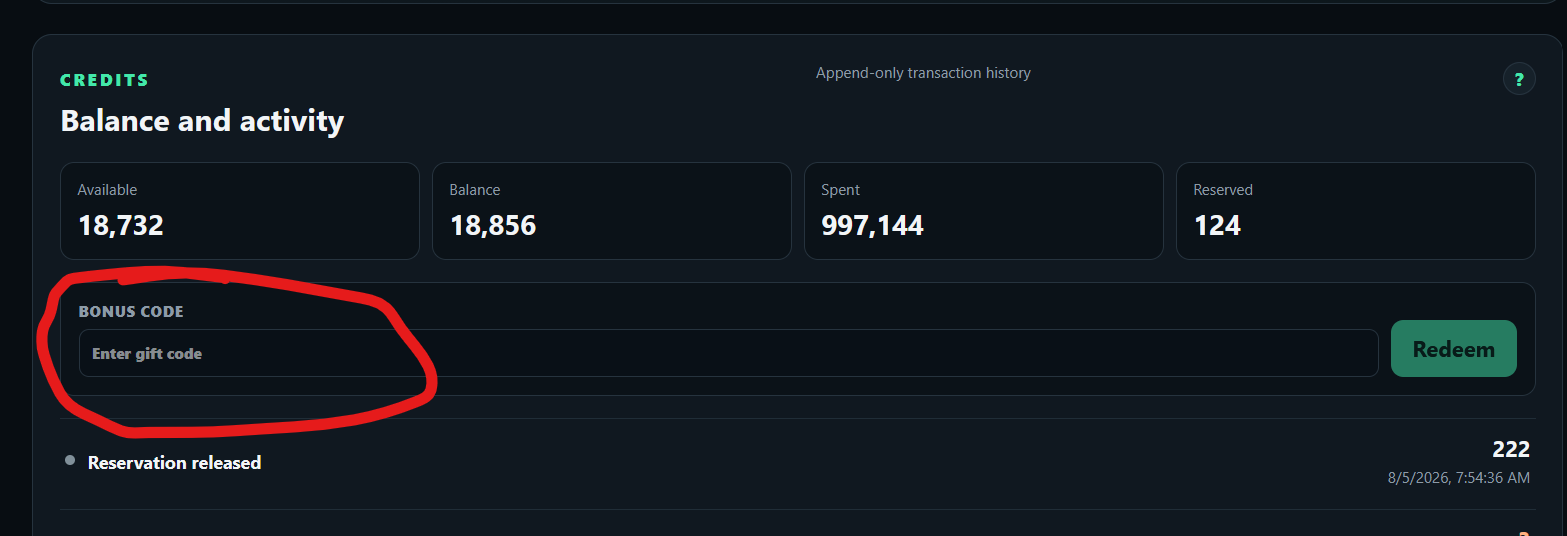
Guys, the promo code gives you free credits that actually let you try things out.
You can enter it right here.
I’ve spent the last few days improving the preview. It now opens much faster and feels more responsive, especially with larger skins.
This work also uncovered a number of smaller issues, which have now been fixed. Buttons and sliders behave more reliably, layers appear and disappear when they should, blinking follows the skin’s own timing, and it is now possible to switch between skin pages directly in the preview.
I also cleaned up the loading process, so the preview no longer jumps around or shows a half-finished picture while it is opening.
There are still things to improve, but this is a solid step forward.
P.S. I’m now moving on to expanding the range of gauge options supported by RealSkin, so imported skins can behave even closer to how they do in RealDash.
I have had a play around with this and going to be totally honest its absolutely garbage and total waste of 15 minutes of my life the asset library doesnt allow image upload the AI model your using doesnt appear to have any concept of design or understanding of the Realdash components etc, Get much better results using Claude
You didn’t read what I wrote very carefully.
Or you didn’t read it at all.
The service is in the Phase 1 testing stage, not Phase 2.
Besides, I’m constantly updating, adding to, and improving it as I move forward.
What you were expecting will be ready for another couple of months.
And for the future - read more carefully so you don’t waste your time.
If you want to invite people to test the general principle is that you have some kind of MVP (minimal viable product) that actually offers functionality and value as currently you have nothing to test and cannot generate anything of value so what exactly are we testing and if your looking for some other kind of testing you really should provide a release note or some kind of user guidance as to what can be expected from this so called Testing Phase. Best of luck but with your current approach you pretty much failed before you have started but if this is some kind of self discovery journey to explore AI capabilities then cool but just be transparent about the purpose best of luck