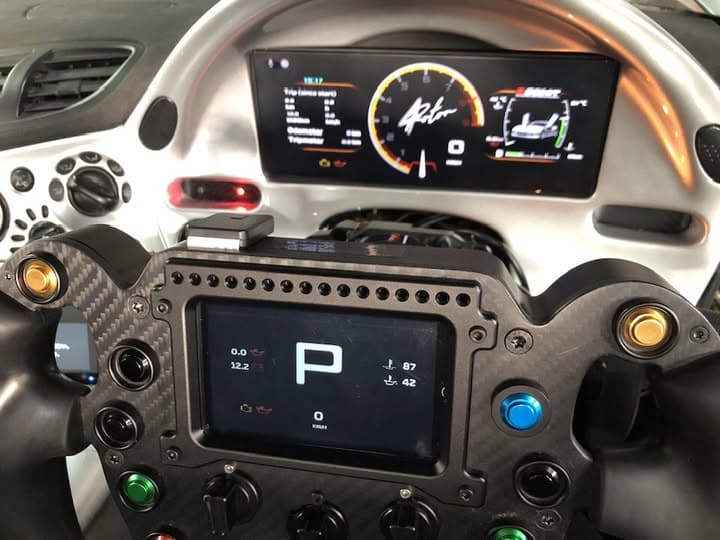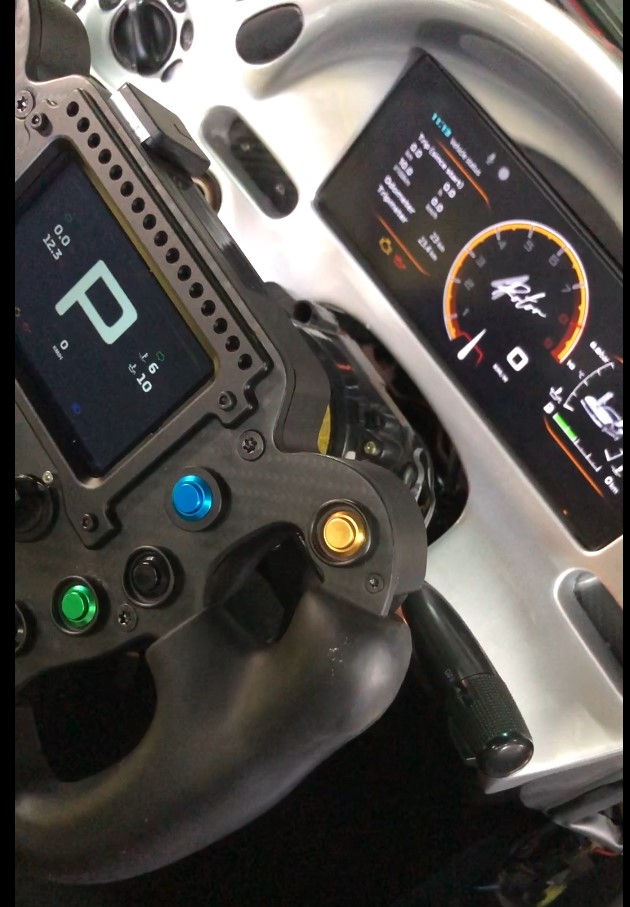
The steering wheel display and main dashboard were shown via Wi-Fi and Bluetooth.
Using the LINKECU GENELIC DASH2PRO, I managed to display the basic information, but I don’t understand how to create and load the indicator streams for the turn signals, seatbelt, parking brake, headlights, etc. Could you please advise?
If your ECU knows of these signals, you need to make custom CAN outputs from your ECU and modify the RealDash CAN XML file accordingly. I can help you with the XML once you have verified that your signal indicators etc are sent to CAN stream by the ECU.
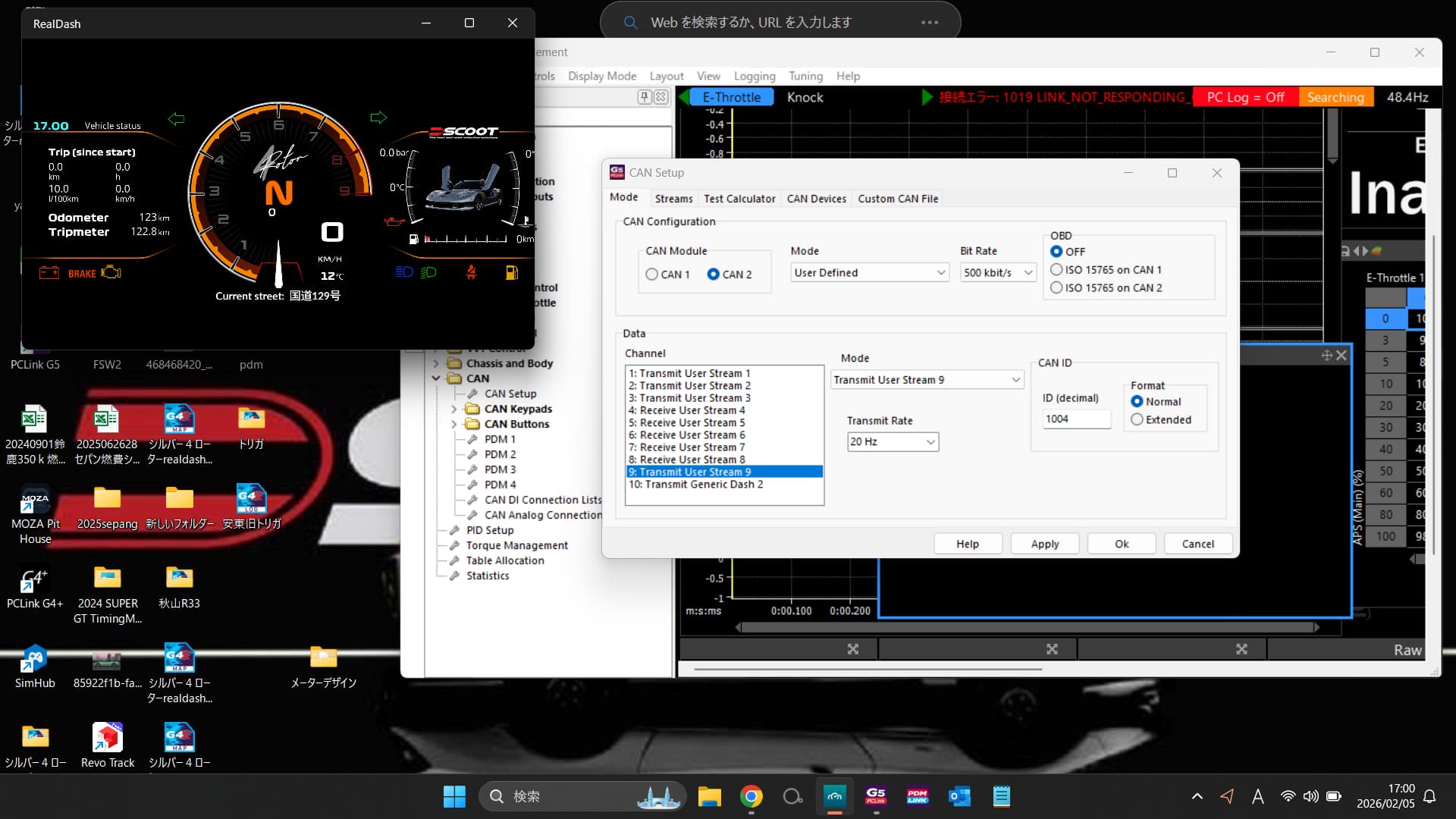
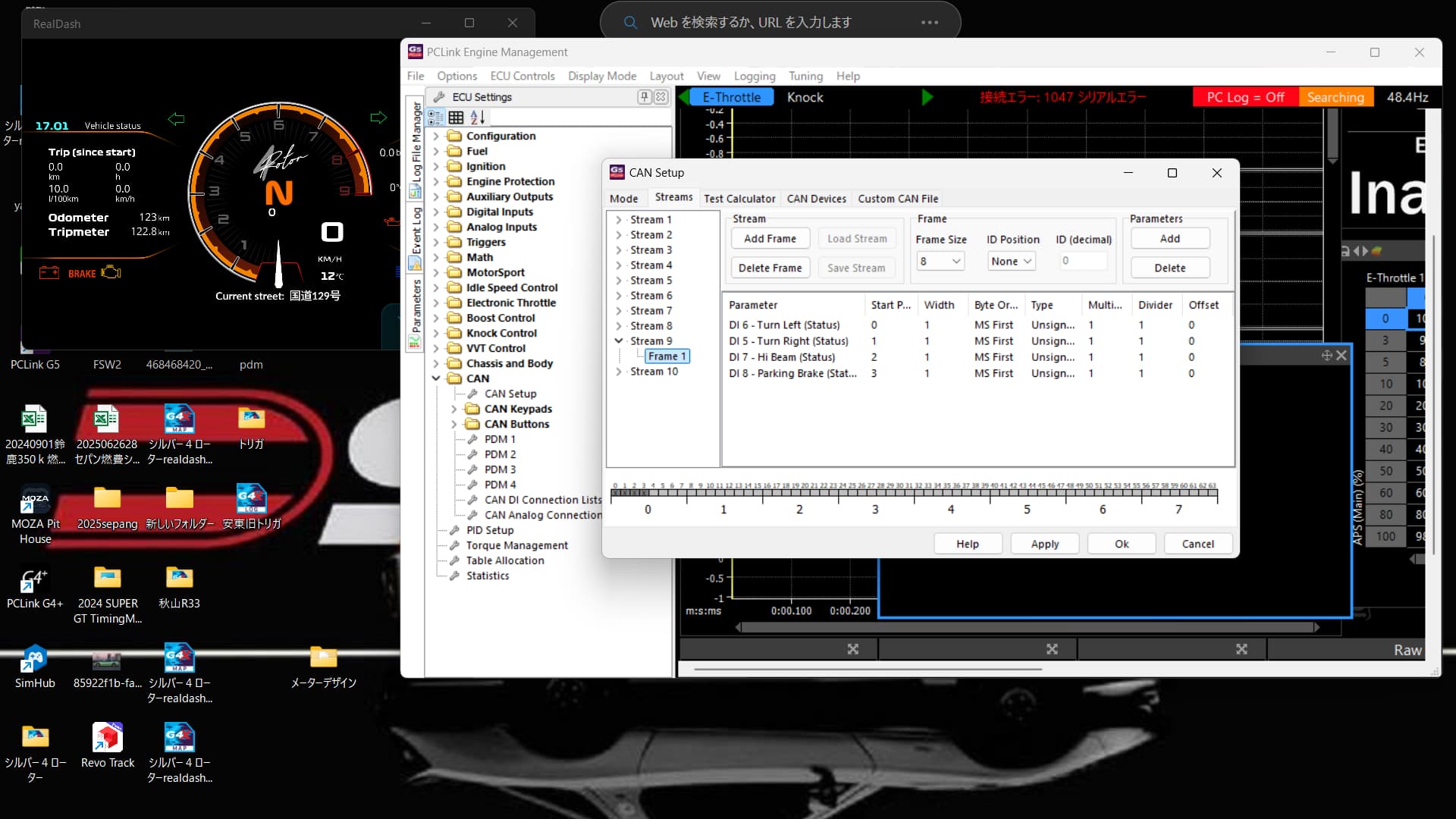
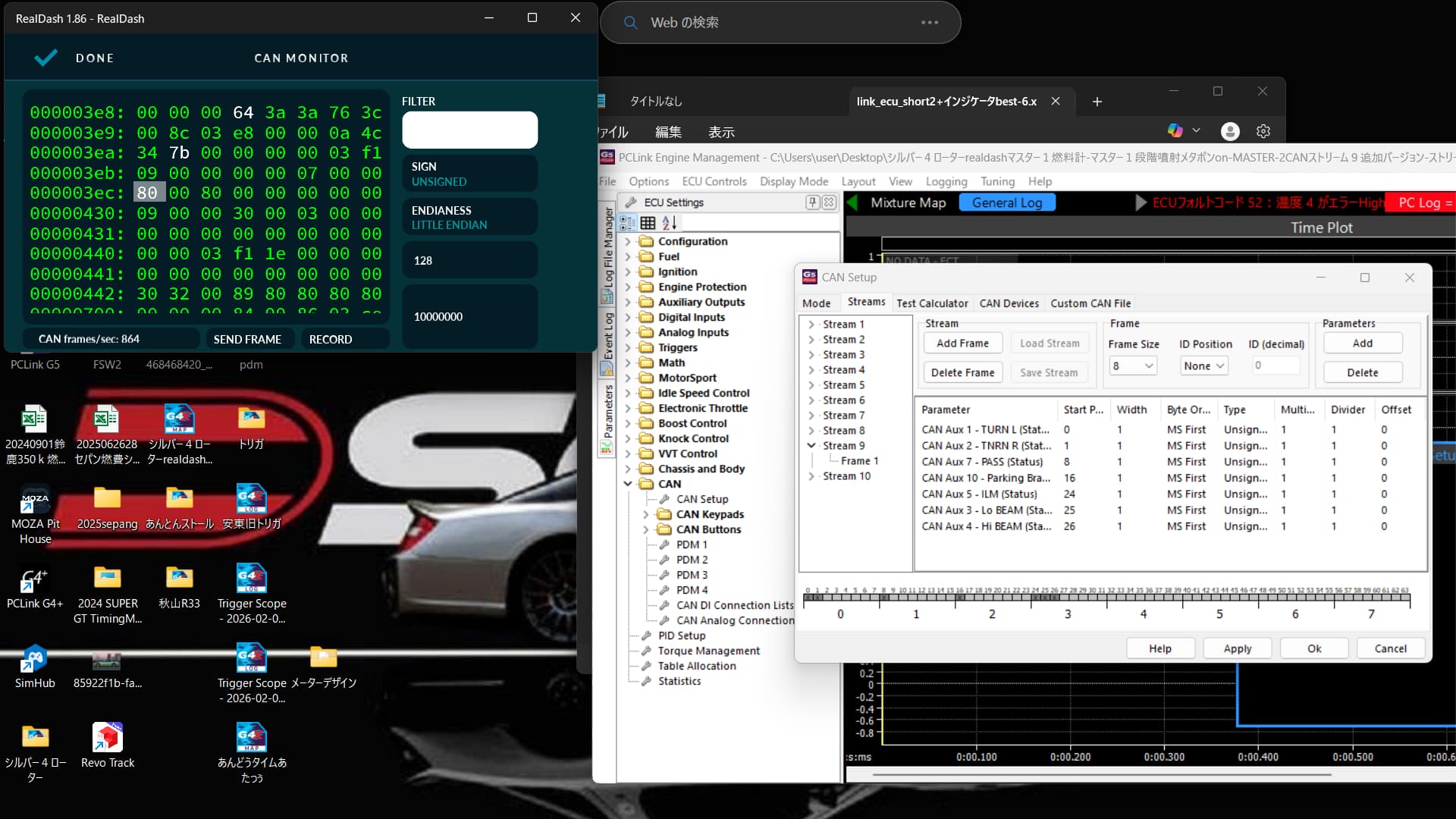
What does this data look like in RealDash CAN Monitor?
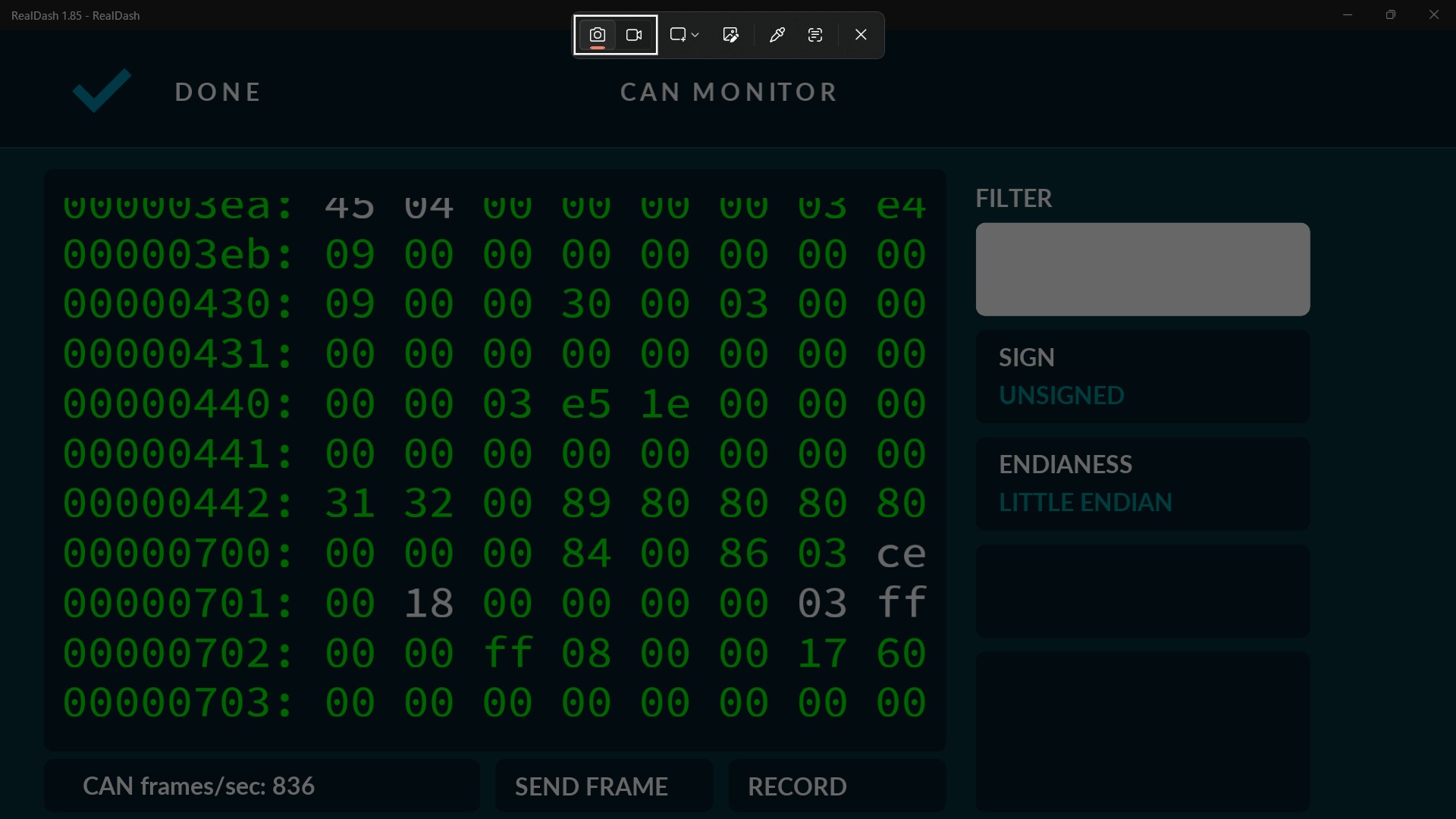
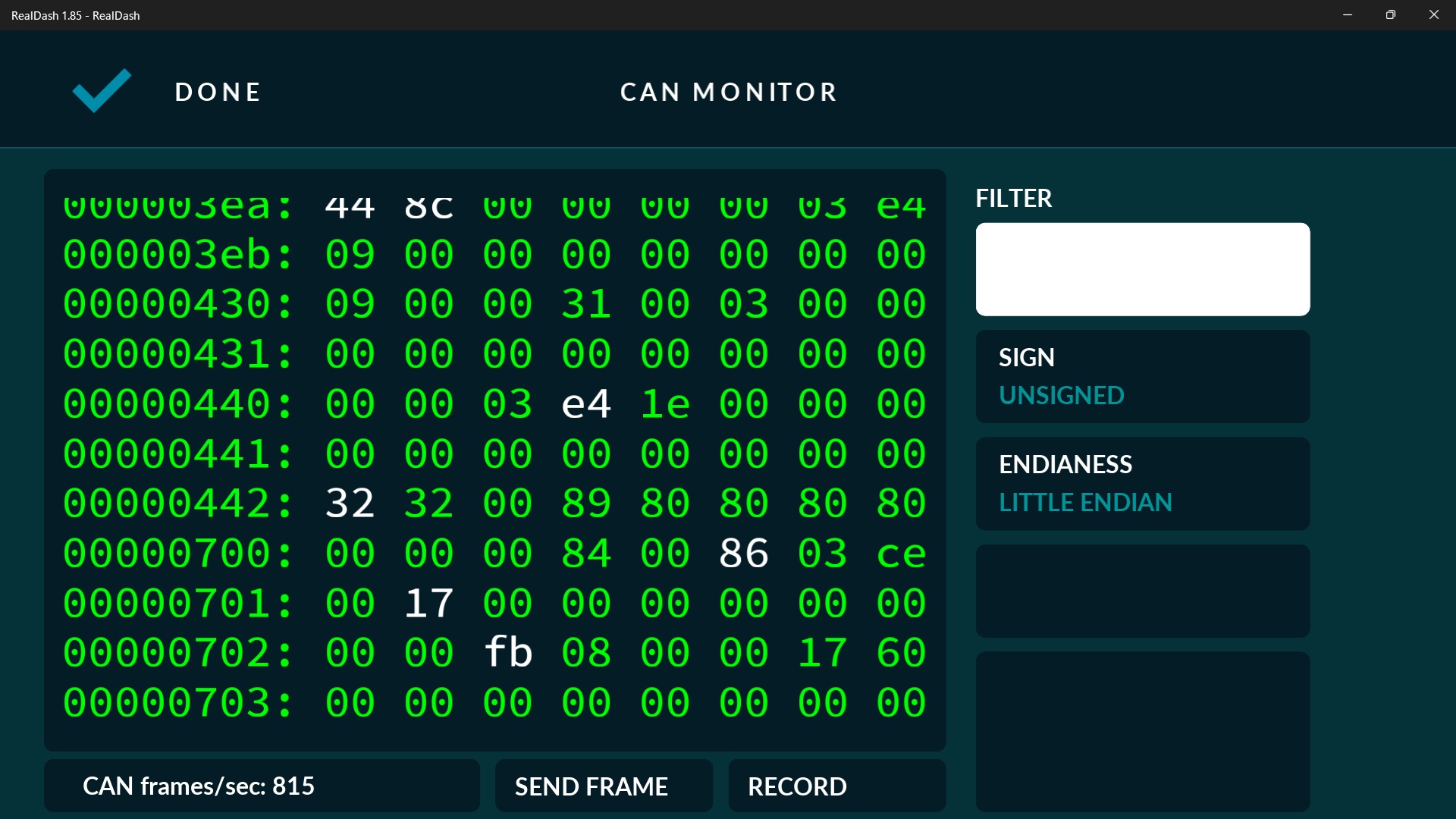
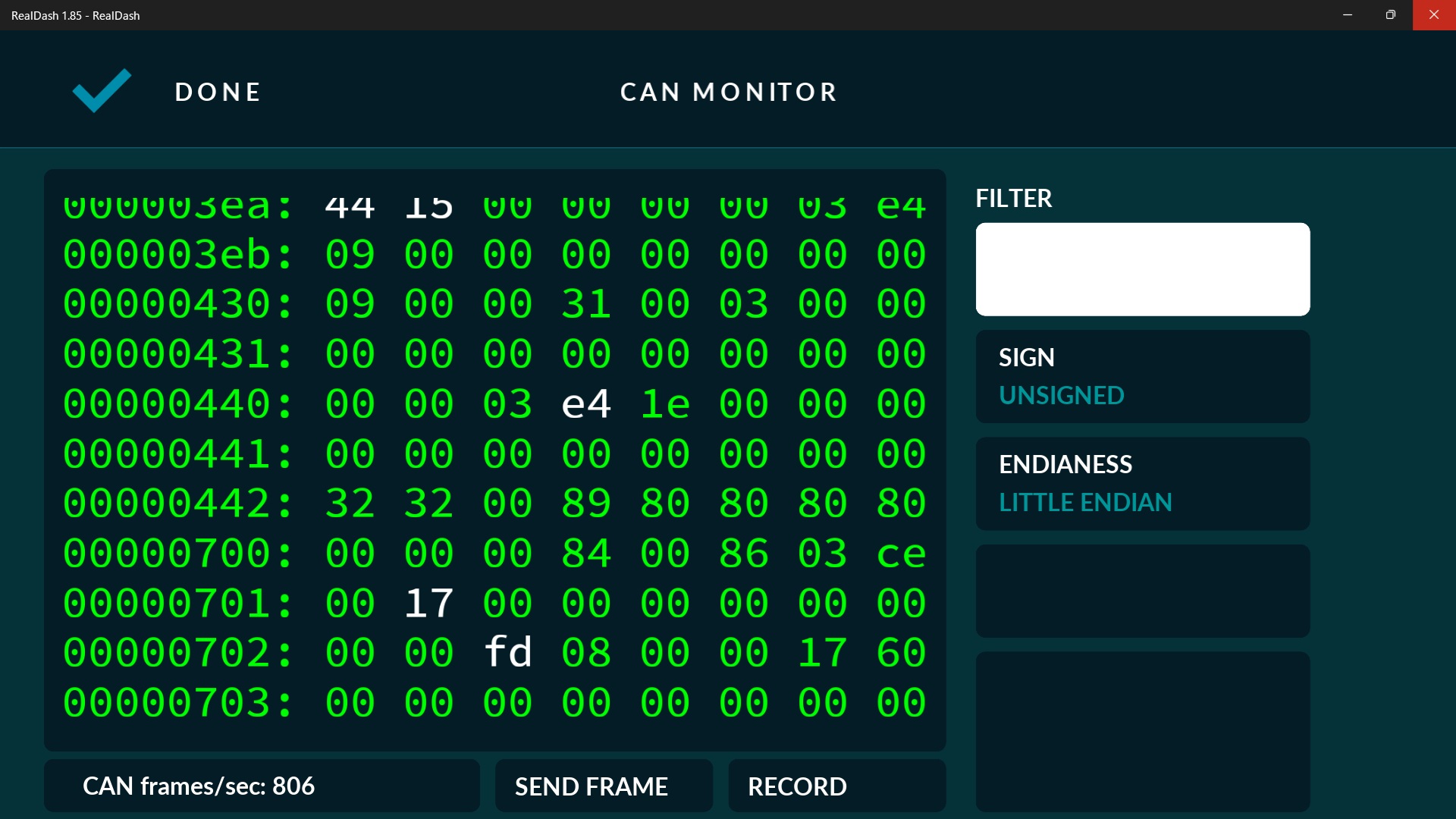
I mistakenly wrote the high beam monitor as 03.ff.
The switch responds at ID1000, but the tachometer and temperature gauge start hunting.
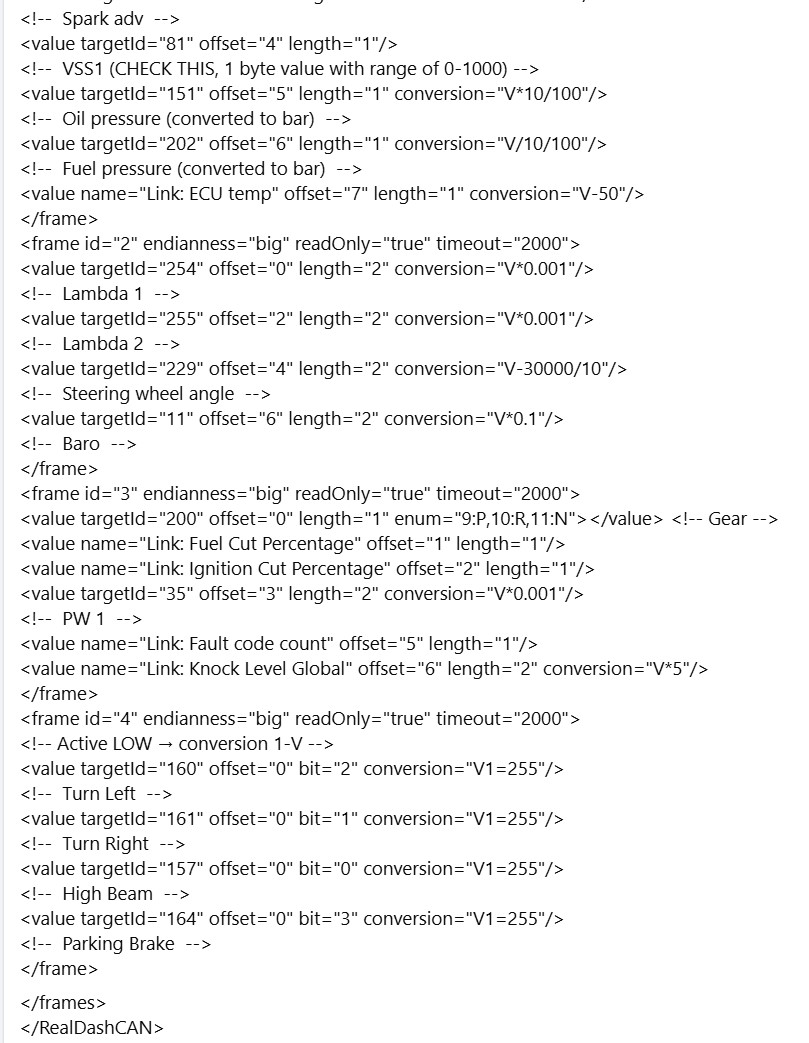
You configure User Stream 9 as base ID of 1004 decimal. That is 0x3EC in hex, so that should be the frame of interest in RealDash CAN Monitor. I don’t see frame 0x3EC in CAN Monitor screenshots, so its probable that it is not sent by the ECU.
The parking brake has also been added to ID 1004 in CANAUX.
I’m not familiar with PCLink software and can’t see what the ‘Start P…’ actually says, but assuming bits. Then your XML frame would look like this:
<frame id="0x3EC" readOnly="true">
    <value targetId="160" offset="0" length="1" startbit="0" bitcount="1" units="bit"/> <!-- Turn signal left -->
    <value targetId="161" offset="0" length="1" startbit="1" bitcount="1" units="bit"/> <!-- Turn signal right -->
    <value targetId="164" offset="2" length="1" startbit="0" bitcount="1" units="bit"/> <!-- parking brake -->
    <value targetId="157" offset="3" length="1" startbit="2" bitcount="1" units="bit"/> <!-- hi beam -->
</frame>
Don’t know what PASS and ILM are referring to, but I’m sure you got the idea from above.
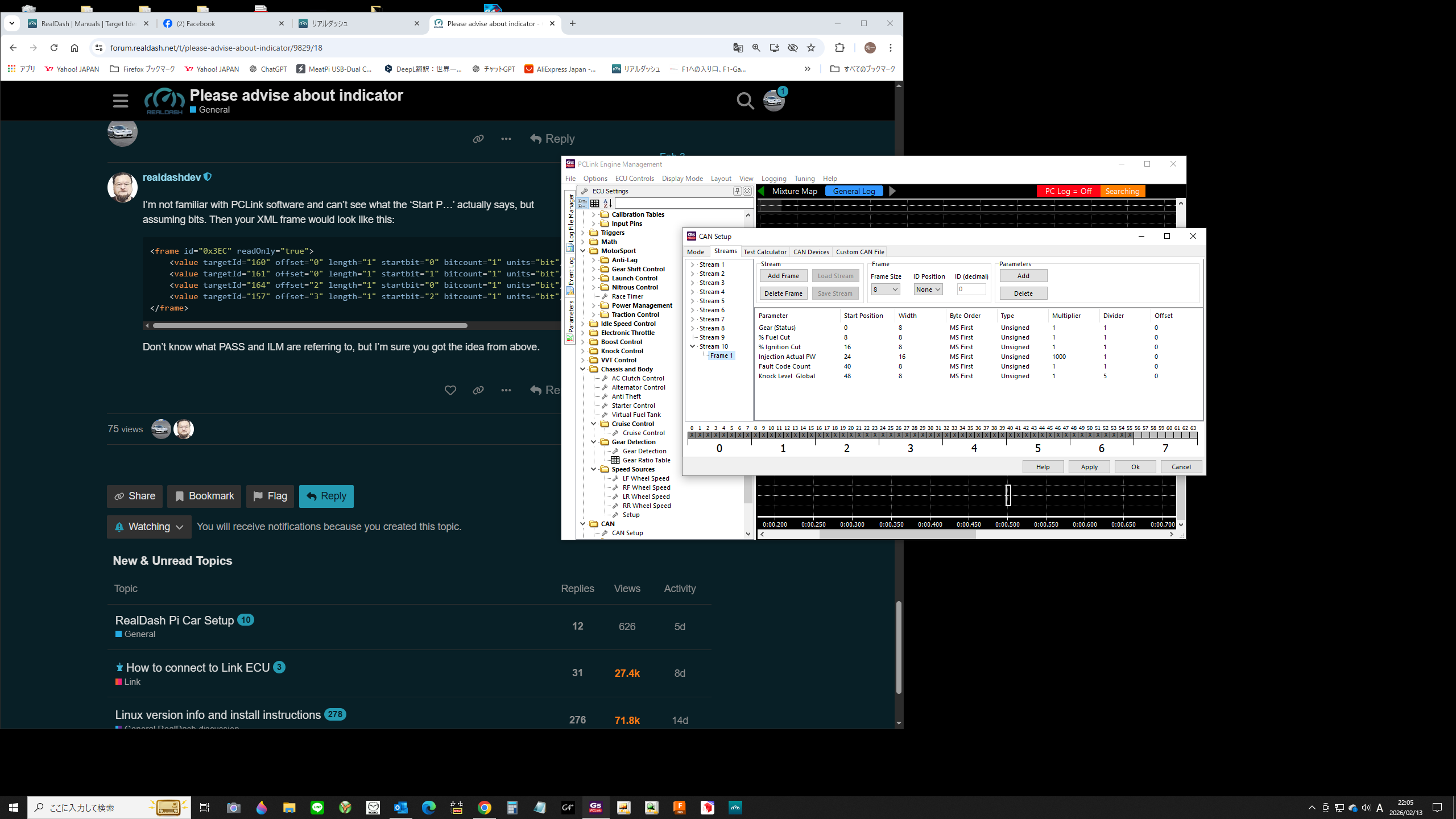
The target ID in the XML file you provided is Body Electronics. There is no signal output there, and no changes in the recorded values are visible in the debug data view.
Is there a way to read it at the start position within the frame size using a new stream?
In CAN monitor, is the first byte of frame 0x3EC blinking with 00 ↔ 80 when left turn signal is on?
0x3EC 00 00 00 00 00 00 00 00
Left turn signal: 00↔40 (blinking with 64)
Right turn signal: 00↔80(blinking with 128)
Headlight flashing: 00 00…↔00 80…
Parking brake: 00 00 00…↔00 00 80…
Additionally, there are outputs for ILM, low beam, and high beam.
Ok, lets try to make those turn signals and parking brake work first. Try this on your XML:
<frame id="0x3EC" readOnly="true">
    <value targetId="160" offset="0" length="1" startbit="6" bitcount="1" units="bit"/> <!-- Turn signal left -->
    <value targetId="161" offset="0" length="1" startbit="7" bitcount="1" units="bit"/> <!-- Turn signal right -->
    <value targetId="164" offset="2" length="1" startbit="7" bitcount="1" units="bit"/> <!-- parking brake -->
</frame>
Thanks! It worked.
Next, please add the following XML:
CANAux7,Pass,Start Position8 → Door1Open (481)
CANAux5,ILM,Start Position24 → ParkingLight (155)
CANAux4,HiBeam,Start Position25 → HiBeam (157)
Thanks for always helping me .
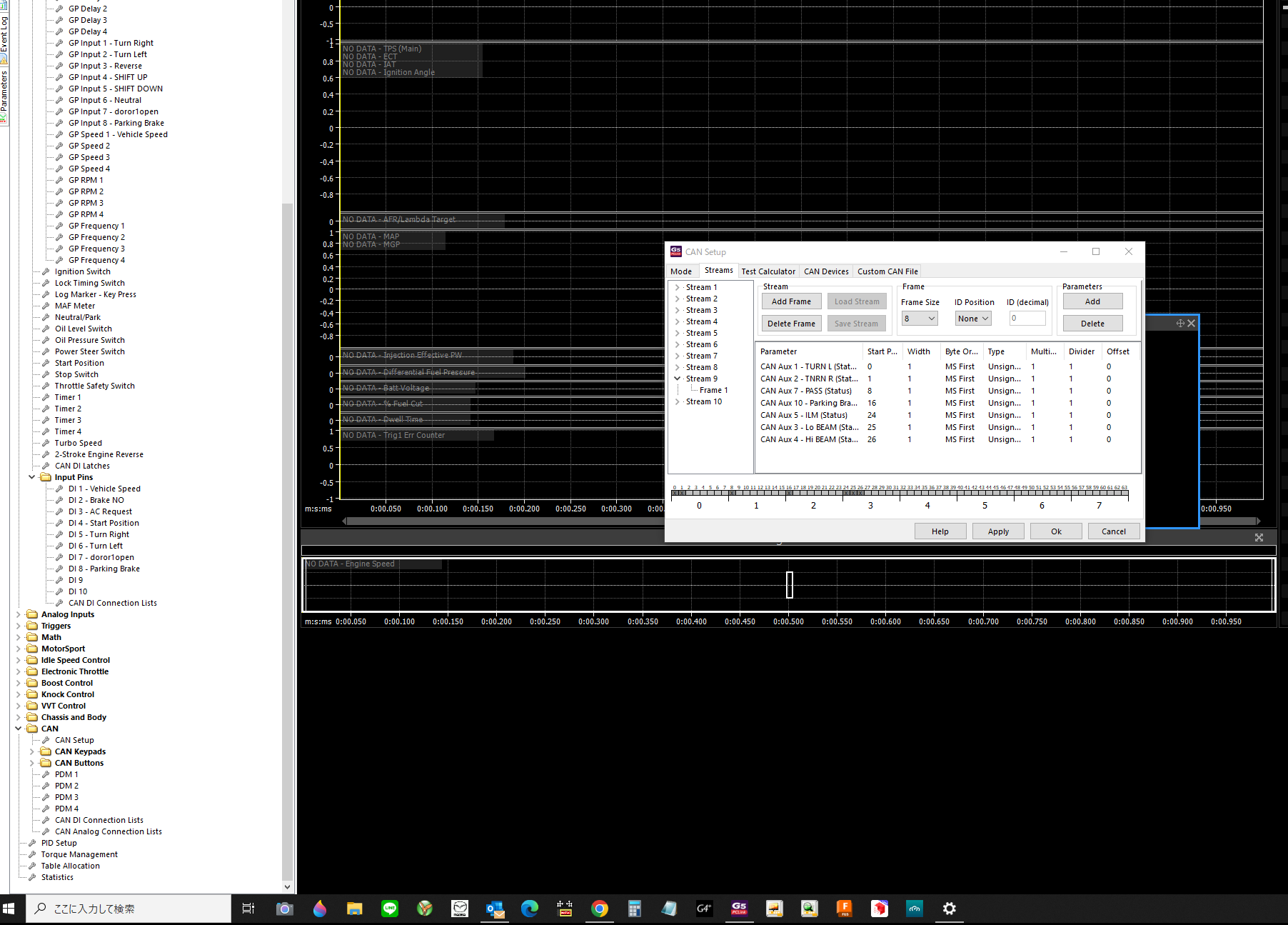
Try this one:
<frame id="0x3EC" readOnly="true">
    <value targetId="160" offset="0" length="1" startbit="6" bitcount="1" units="bit"/> <!-- Turn signal left -->
    <value targetId="161" offset="0" length="1" startbit="7" bitcount="1" units="bit"/> <!-- Turn signal right -->
    <value targetId="481" offset="1" length="1" startbit="7" bitcount="1" units="bit"/> <!-- door 1 open -->
    <value targetId="164" offset="2" length="1" startbit="7" bitcount="1" units="bit"/> <!-- parking brake -->
    <value targetId="155" offset="3" length="1" startbit="7" bitcount="1" units="bit"/> <!-- parking light -->
    <value targetId="157" offset="3" length="1" startbit="6" bitcount="1" units="bit"/> <!-- high beam -->
</frame>