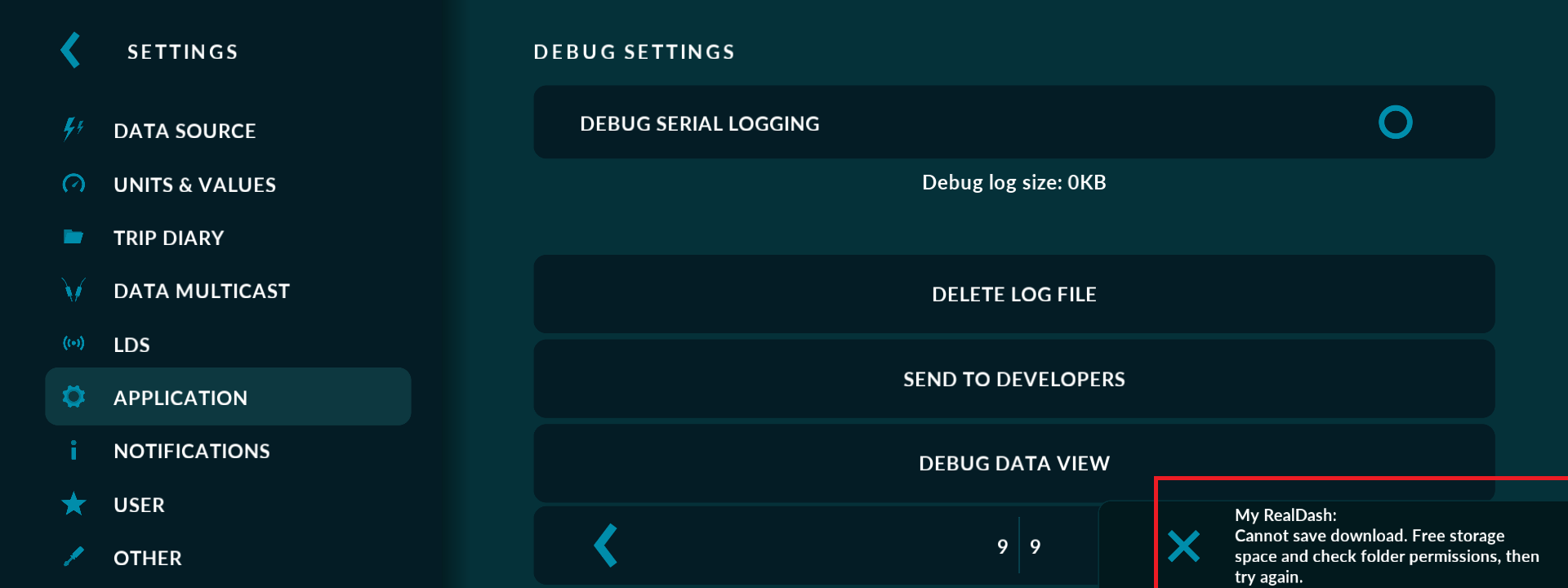
I'm having the same problem. You access your account with a login and then suddenly disconnect, so it's complicated to acquire a license to have access and then be disconnected.
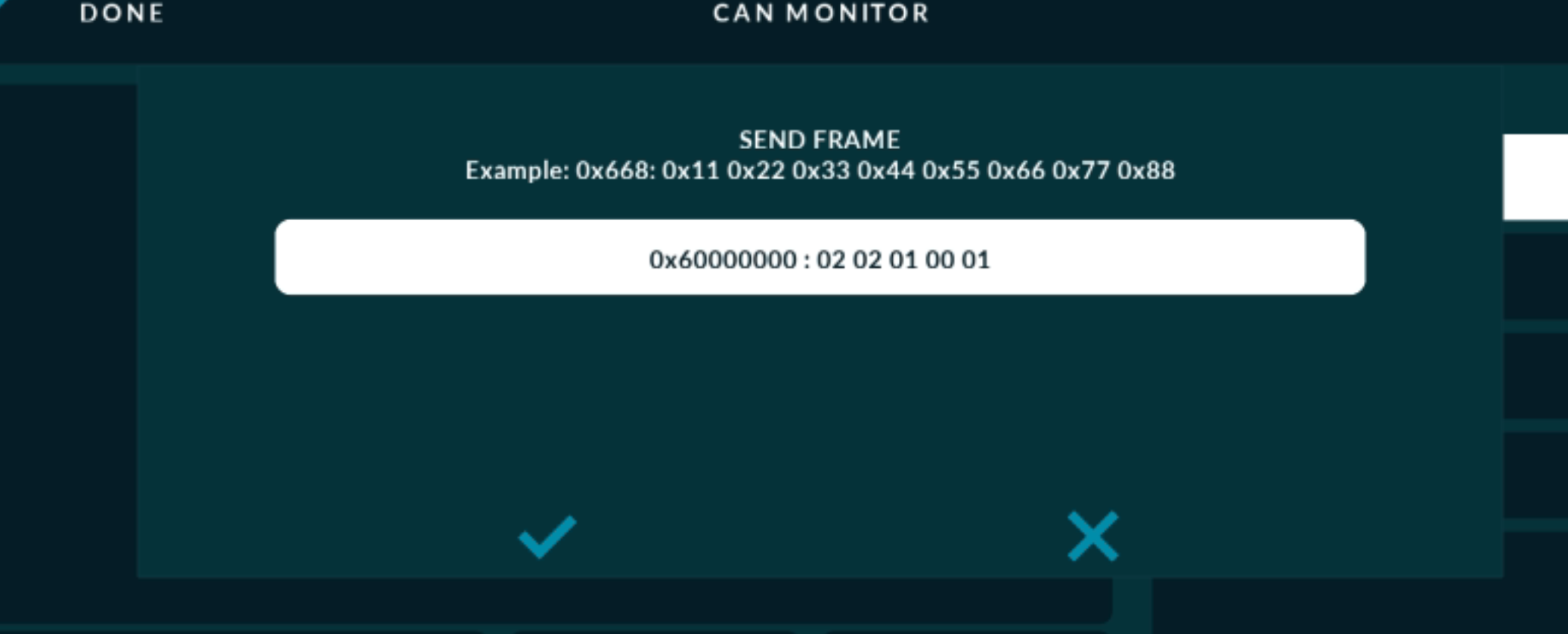
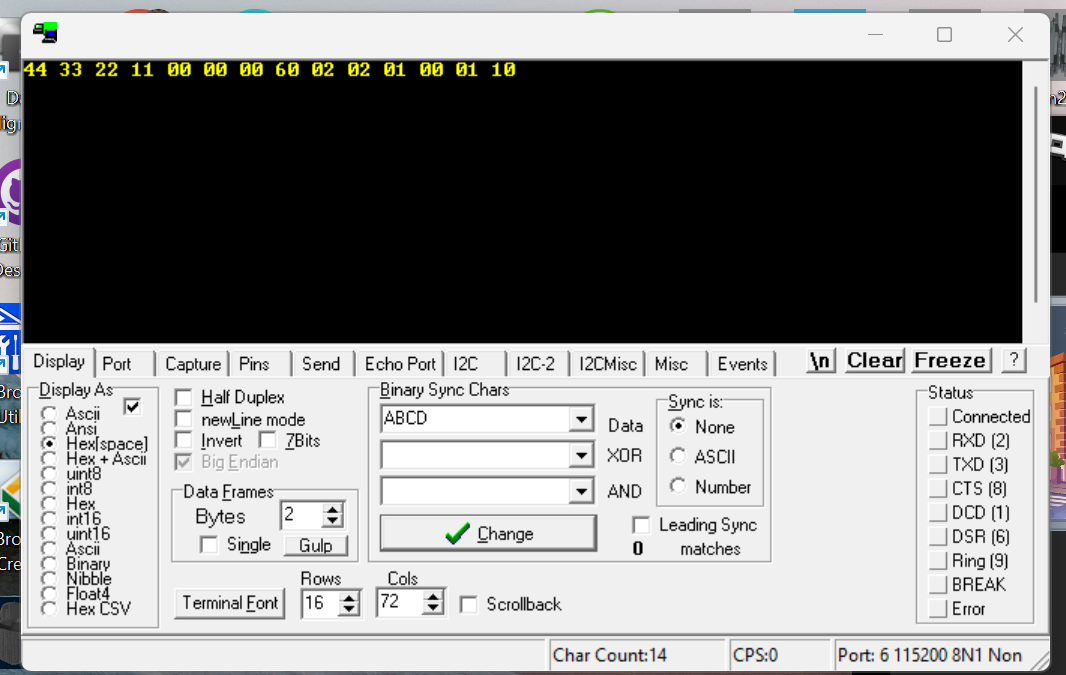
In previous versions, I used 30 and 31 bits for special control codes, but starting with 271, I can only use 29 bits, i.e., command send can fame 0x60000000 : 0x02 0x02 … Starting from version 271, it will be ignored… it is not critical but i get some problem
Would that issue also prevent me from singing in on a new device for the first time? Because i get the same msg when trying to do so.. Youll know if its related or a different issue.
Does anyone use the CAN request sending feature?
Sending requests from an .xml file stopped working in version 2.7.1.
The bytes being sent appear in the CAN monitor, but they don’t reach the control unit.
However, if I connect to the unit using an OBD scanner to check its status, the data shows up in the response frame.
So it started malfunctioning too?
I wonder if requests from the .xml and those from program actions are handled by the same part of the code or different ones?
I’ll check how the ones from program actions work on my end tomorrow.
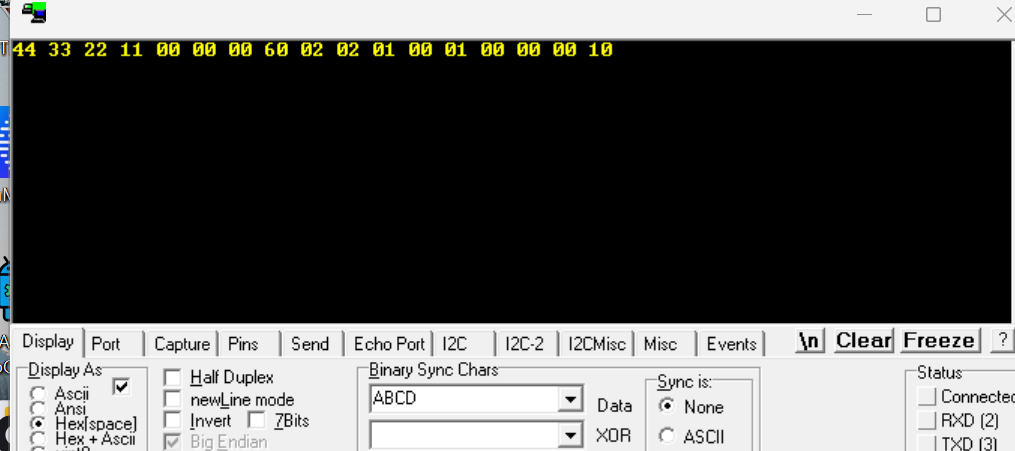
Thanks for the reports and byte captures. We found several CAN sending regressions in the recent CAN changes, and the fixes will be included in the next release.
RealDash CAN: Short payloads were being sent as incomplete packets. In the example above, the packet was 14 bytes instead of the required 17. The fix restores the required zero padding. The high ID bits were not being removed and the packet length was the problem.
XML and action-based requests: Both eventually use the same adapter-specific sending code, so both could be affected. Short OBD/diagnostic requests will now be padded to the 8 data bytes expected by ECUs.
Adapter-specific fixes: We also corrected short-packet formatting for Seeed V8, outgoing checksums for CDC CAN boxes, and standard/extended frame selection for Robotell and SocketCAN.
For custom protocols using OBD/diagnostic CAN IDs, there’s also a new XML frame option: diagnosticPadding="false". This disables the automatic padding to 8 data bytes and preserves the frame’s configured length. It applies to both periodic and value-triggered XML sends.
A frame appearing in the CAN monitor does not necessarily mean the adapter or ECU accepted it, which explains how a request could appear there without receiving a response.
Please try again after updating. If requests still fail, share your adapter/connection type and the relevant XML request so we can check your specific setup.
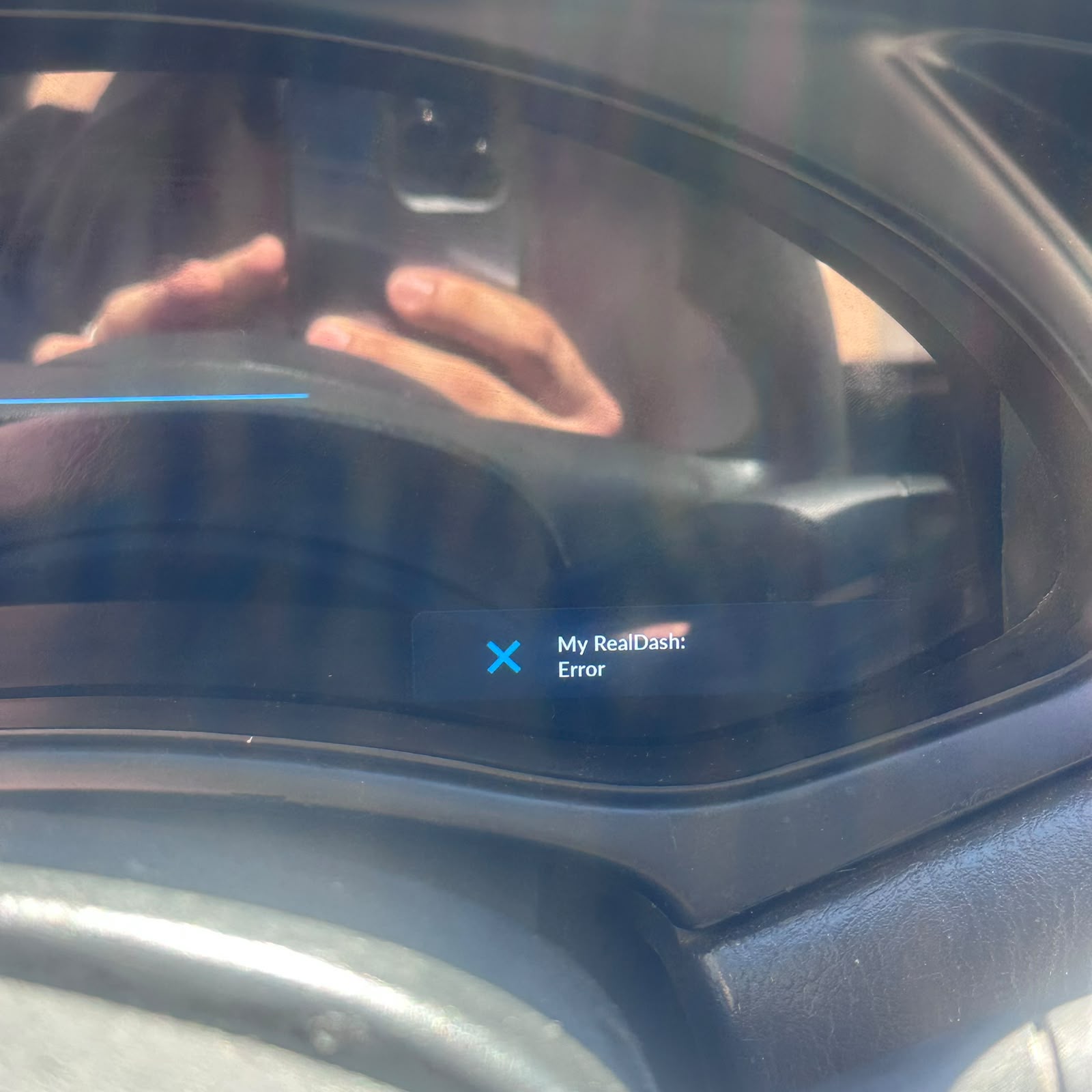
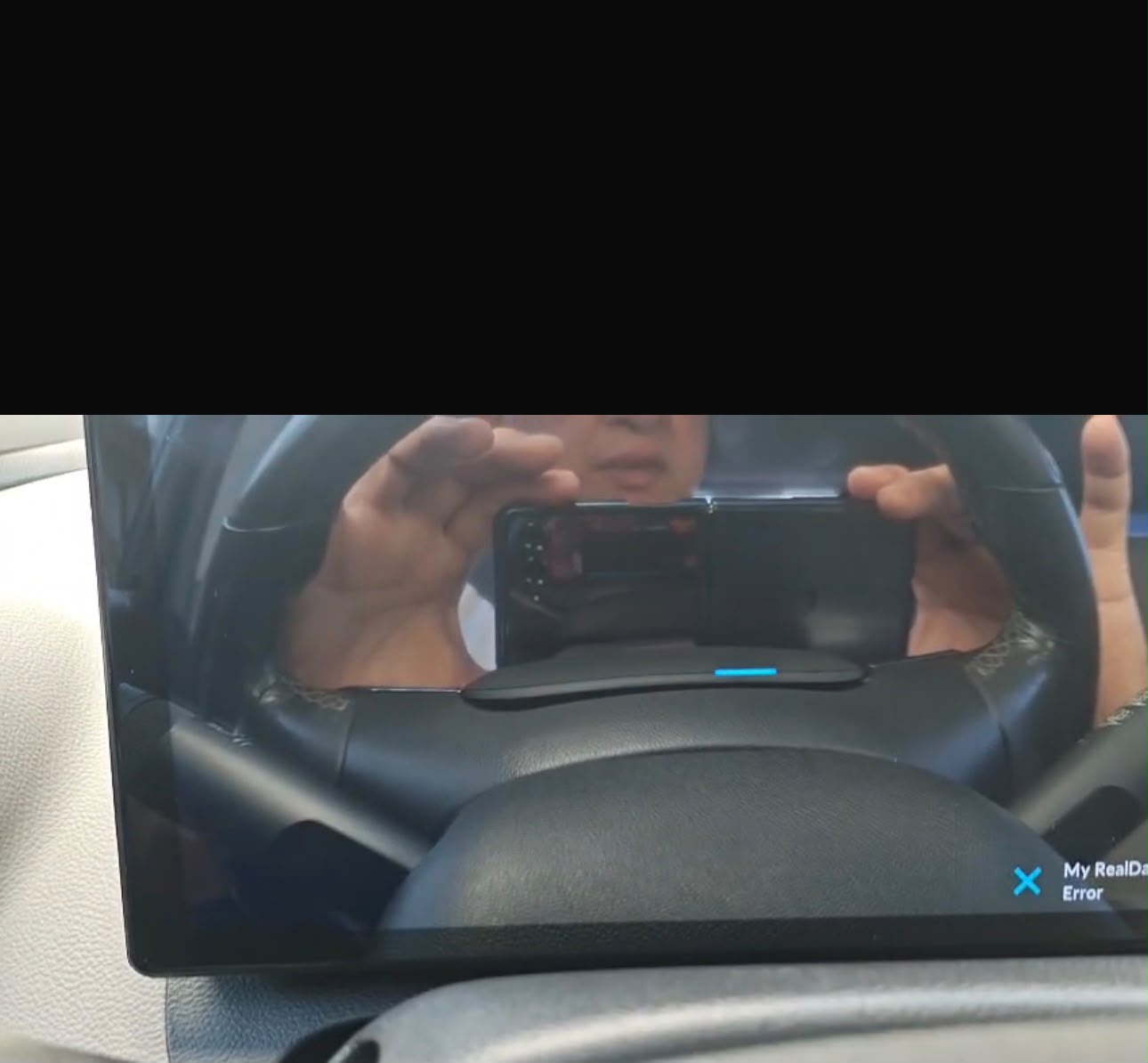
I’m using version 2.7.2 on Windows 10, and an error notification keeps appearing that cannot be dismissed. I don’t have any issues with disk space or folder permissions. The error disappears when I log out, but it keeps reappearing whenever I log back in.
Thanks for the report and the screenshot. You’re right, this isn’t caused by your disk space or folder permissions. It’s a bug in 2.7.2, and another user has reported the same thing.
In 2.7.2 we reworked how RealDash handles HTTP downloads, so it copes better with edge cases and uses less memory. Part of that change was saving each download to a temporary file while it’s still coming in. Unfortunately we missed that on Windows, RealDash isn’t allowed to write to the folder used for that temporary file. So the download fails and this error appears. Earlier versions first tried that folder and then switched to one they could write to, but 2.7.2 lost that fallback.
That’s also why the error only appears while you’re logged in: logging in makes RealDash download your My RealDash data, and that’s the download that fails.
We’re finishing the next release which it includes the fix. Sorry for the trouble until then.