the condition doesn’t work
Value Change
Value Chanhe IN
the trigger stopped running after about 15 minutes of operation
app run time > 0 cooldown 0.1 sec
or 0 = 0 cooldown same 0.1 sec
this mistake only in global triggers
the condition doesn’t work
Value Change
Value Chanhe IN
the trigger stopped running after about 15 minutes of operation
app run time > 0 cooldown 0.1 sec
or 0 = 0 cooldown same 0.1 sec
this mistake only in global triggers
Is this based on the ‘feeling’ from you? The Global triggers use exactly the same system and are updated in same location than dashboard triggers. I have hard time believing that issue is only with global triggers.
Do you have some sort of a proof that this is a global trigger issue? Comments like that make me not take your issue report seriously and just makes troubleshooting more difficult and most likely points to a wrong direction.
Also, its impossible to start troubleshooting without any indication of how to reproduce the problem.
I found some problems, These are on android, latest RD version.
VERY IMPORTANT right now 
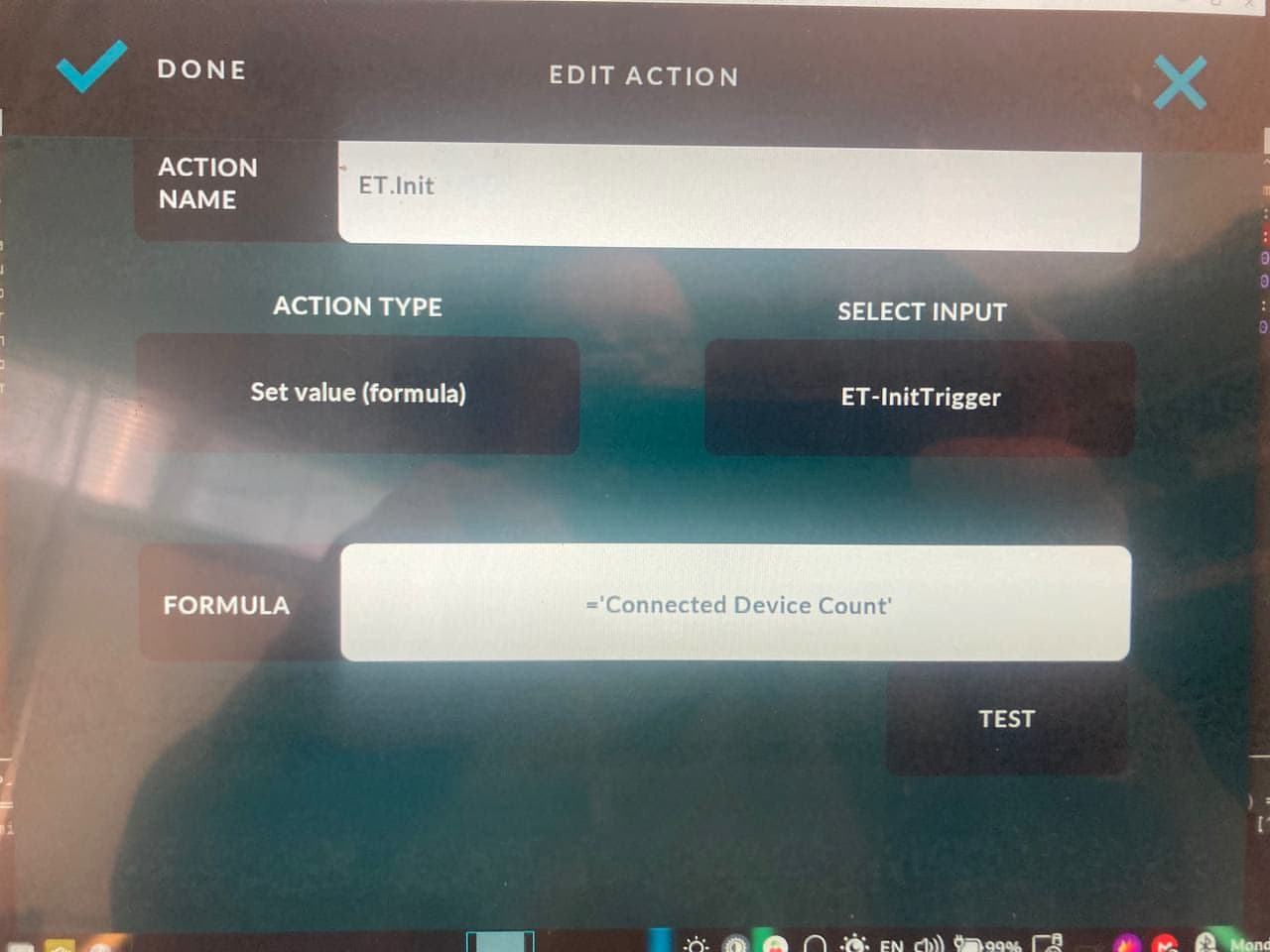
When I use in the global trigger “set value(formula)” and the formula set to ‘Connected Device Count’ the “test button” shows the correct count BUT after exiting from the app the app never starts again both on iOS and android.
HOW can I recover ??? because I can’t use the app on all my devices 
“value changed into” is fixed to “2” no matter what I set in the “compare” value. (really the value read where I used a comparasion like “equal” previously… )
The “Connected device count” seems unreliable, most of the case the >0 or ==1 or ==2 not triggered
Share your formula you use on the action.
Edit: I did some quick tests with global trigger of Connected Device Count changed and found no issues. In order to help troubleshoot, you have to provide exact triggers and actions that you use so I can duplicate them for testing.
I using own CAN decriptor and tryed different ways.
all these tryed on android, iOS and linux…
1 : do not sending out frame..
    <!-- Init Frame to the device, like time/date -->
    <frame id="0x7F" initialValue="true">
        <value targetId="211" offset="0" length="4"></value>        <!-- Time/Date -->
        <value name='Connected Device Count' offset="7" length="1"></value>
    </frame>
2: still no out frame on conenct..
   <!-- Init Frame to the device, like time/date -->
    <frame id="0x7F" initialValue="true">
        <value targetId="211" offset="0" length="4"></value>        <!-- Time/Date -->
        <value targetId="365" offset="7" length="1"></value>
    </frame>
3: works, if the assigned trigger “triggered” somtimes
   <!-- Init Frame to the device, like time/date -->
    <frame id="0x7F" initialValue="true">
        <value targetId="211" offset="0" length="4"></value>        <!-- Time/Date -->
        <value name="ET-InitTrigger" offset="7" length="1"></value>
    </frame>
With this setting the app can’t be started again until the configuration files not deleted: on ALL PLATFORM
When pressing the “Test” the value shows as “1” only after 30 sec later than the connection made by the app. When the conenction closes abot 3-4 sec to show real value.
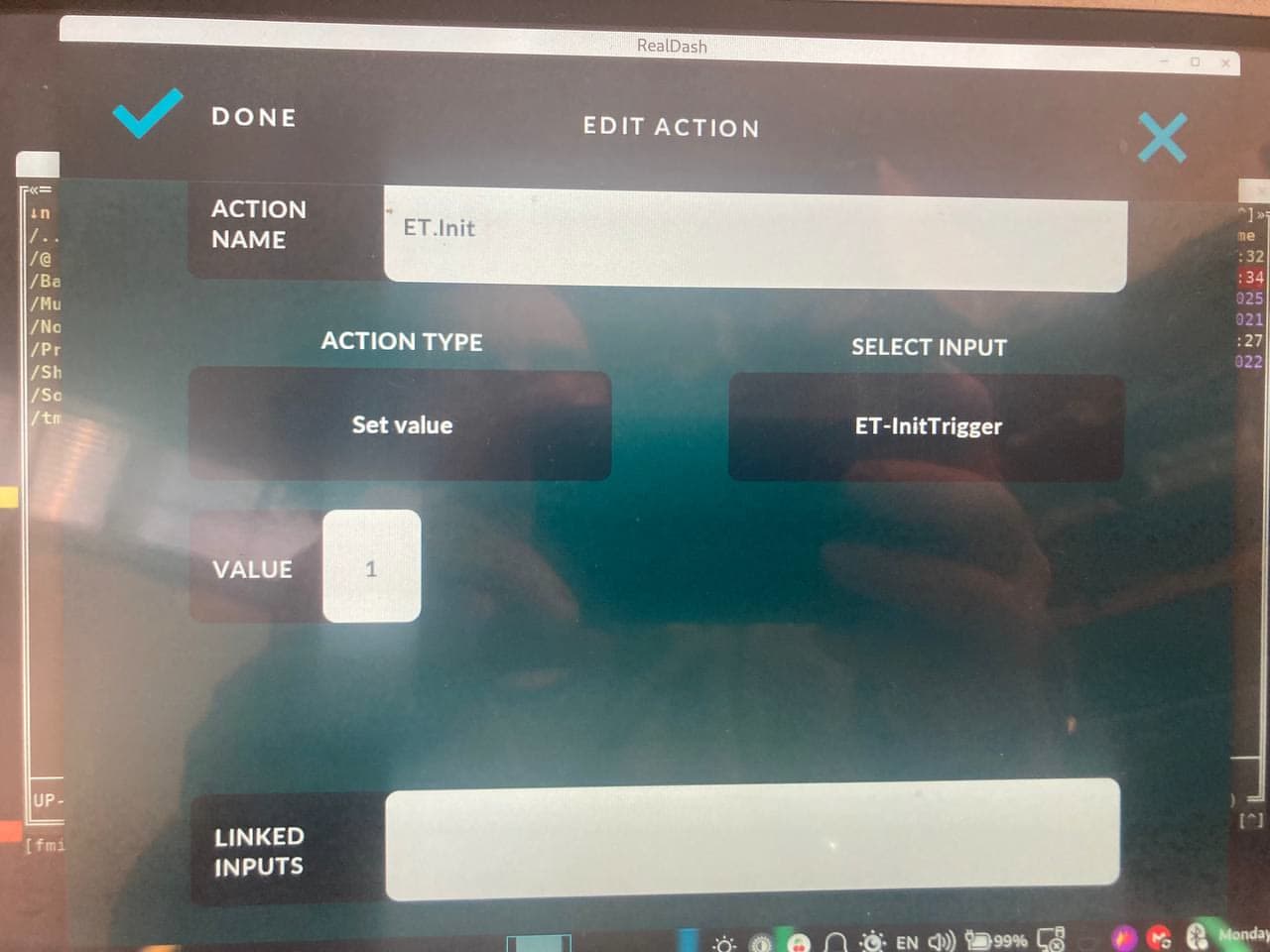
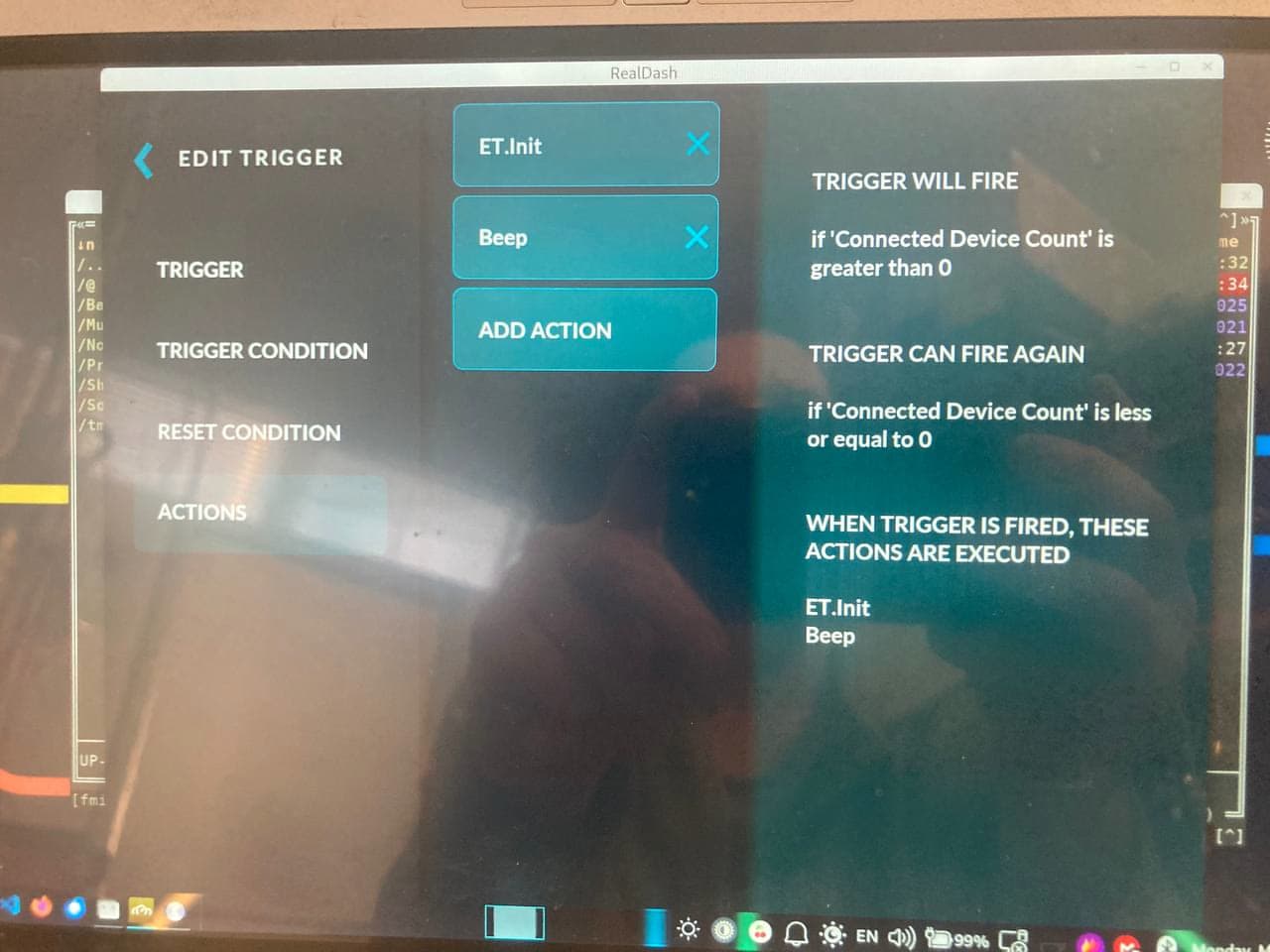
The second 2 pic the “trigger and action” for the 3. sample of the descriptor.
I added a Beep actoin too, what is not played.
if the trigger set to “value has changed” and removing the trigger can fire again part, the event is triggered at the disconnect (beep sound)
Alright, I will try to do some tests based on this. But first, there are multiple issues with this:
initialValue=“true” on the frame does nothing. Initial value is only read from ‘value’ not from ‘frame’. We also had discussion about this on another thread that its not currently sending the frame anyways.
Also value name=‘Connected Device Count’. The single quotation marks ’ are wrong and value is probably not parsed correctly. Also, making a custom input that has a same name that built-in input is a bad idea as many systems refer to the input by its name. Use targetId=“365” instead of the name.
In your Set value (formula) you can also use =ID365 instead of name.
You say that it takes 30 seconds until connected device count updates. This value is only updated when actual ‘understandable’ data is received from the connection. Are you sure your CAN devidce is sending frames immediately after connection is made? 3-4 sec to detect disconnection is normal as there is a timeout period when data is not received.
I will try to duplicate the hang you are experiencing, but we could also concentrate on initialValue improvements for the CAN XML to do all this automatically.
One more thing to consider; Frames are not just sent every time a value changes. You must use an Action to set the value, or use writeInterval attribute on the frame. This is by design, you have to indicate that you want to send that frame. Otherwise it would be too easy to make a mistake and flood the CAN adapter with frames from RealDash.
yes, as you said..
I never use “built-in” names I just try if it’s works..
About the sigle quote I read somewere in the forum, also ChatGPT mentioned, so I tryed also…, BTW the single quote in the “formula” cause app crash at start, in my case on all platforms.
About the 30 sec, I figured out, the ECU was disconnected this time and in this case the communication module just sending “ping” frames to the RD to prevent disconnection, unfortunatelly was a mistake in that frame so was not valid.., the conenction threated as “OK” after a timed “sent” frame happened from the RD.. This is was the ‘mistake’ here…
so the conclusion, RD will not disconnect if getting “bad frames” and the ID365 set to 1 if any valid input or outgoing frame happened.
now the framing / detection seem ok this way, only thing the beep never happening after the startup (the frame is sending out), but beeps at the app close and if the remote BT device turned on/off as expected..
Confirmed, this was very helpful
Drop me an email to contact@realdash.net if you want to try pre-release version for Android. That has the startup crash fixed and initialValue in XML now works per updated documentation in GitHub.