Hi,
I am after some feedback on users who have successfully connected a Spitronics TCU to Realdash. My main questions are:
-
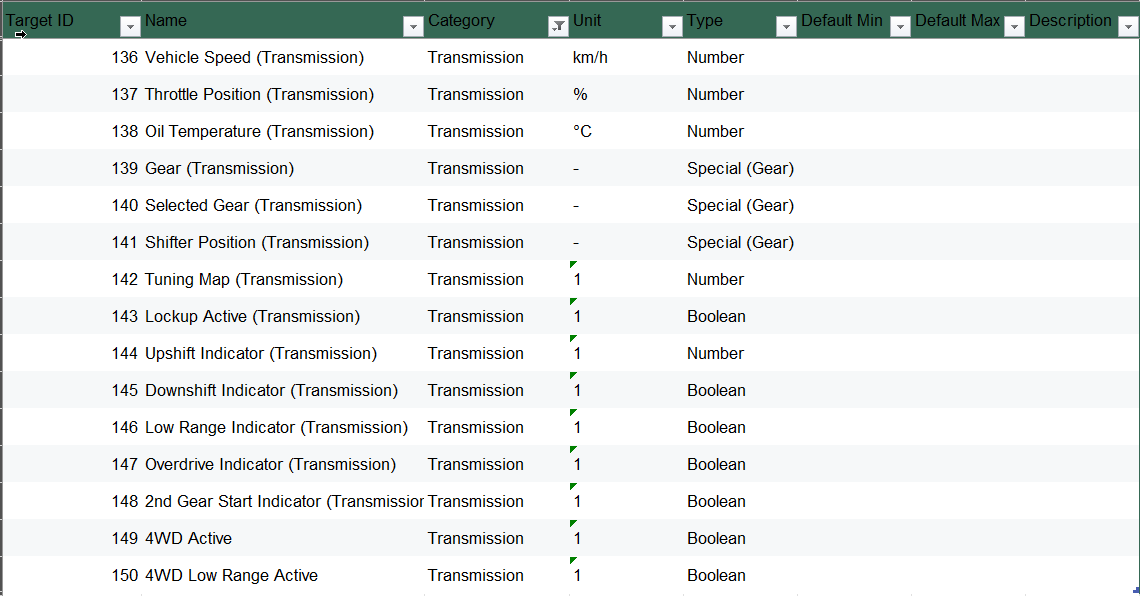
Has anyone successfully connected a Spitronics TCU? Have you received the correct TRANSMISSION category IDs e.g. 138 Oil Temperature (Transmission), 139 Gear (Transmission), 140 Selected Gear (Transmission), 142 Tuning Map (Transmission) etc. ?
-
Is there a way to create a custom xml file to request and return the datastream from a prioprietary device? The connection wizard for this device does not give the option to view the datastream.
Spitronics sent me a copy of the serial data protocol and it clearly aligns with the published RealDash TRANSMISSION category ID’s.
Spitronics confirmed that the Callisto Firmware uses the same output protocol as the Mercury 3 and confirmed I had the right the Baud Rate.
Here’s what I have tried so far:
I connected the Spitronic Callisto Transmission Controller to RealDash using the BlueTooth dongle, got a stable connection, Added new connection, found SPITRONICS device, selected the TCU option and correct Baud rate. I got got a stable connection (Solid Blue LED on BT nmodule) and paraemters appeared in the debug view.
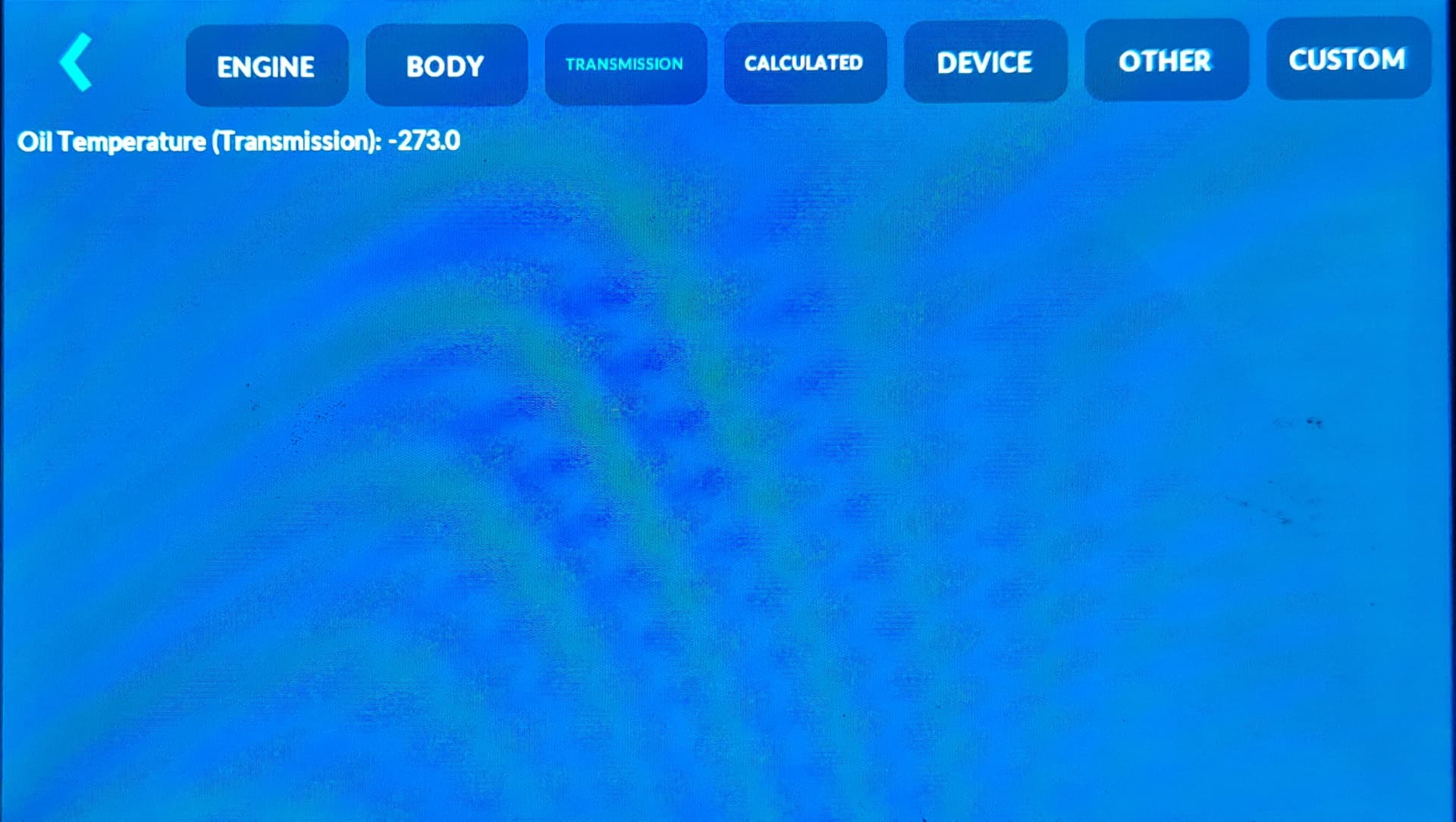
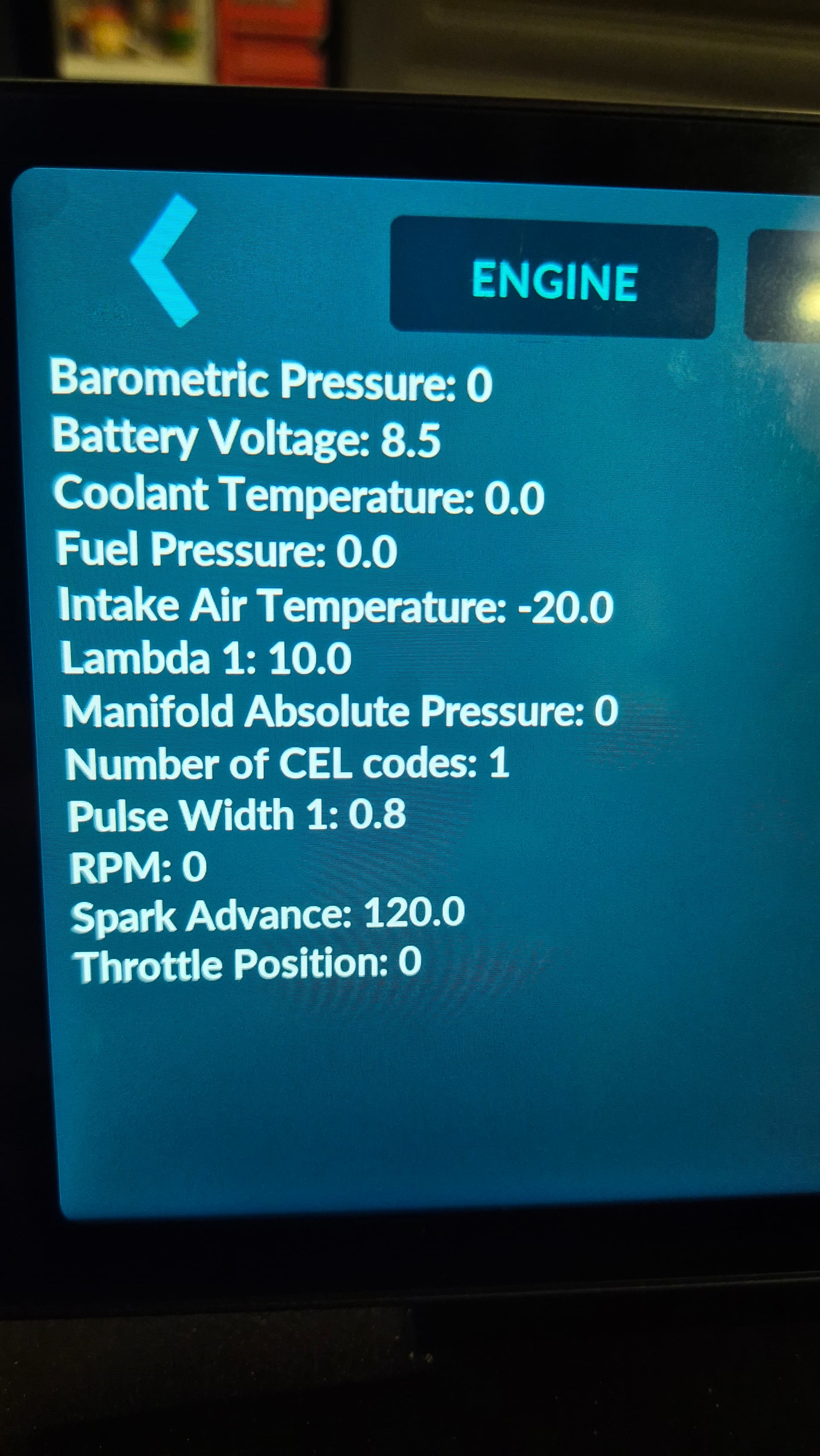
I have attached two photos of what I was seeing in the debug views. I was only seeing one property in the TCU section and a bunch of properties in the ECU section.
I can confirm the Spitronics TCU was the only device connected at the time other than the Android Tablet itself.
So from here, without ability to directly view the data stream I don’t know how to confirm if the issue is on the Spitronics side or the RealDash side.
All I can see if that I am getting data in the ENGINE Category instead of the TRANSMISSION category in Realdash.
At this stage if I try to connect the Callisto TCU and my Autronic ECU at the same time I get some serious conflicts with both systems sending ECU parameters and the entire dash screen flickers!