Realdash is good stuff.
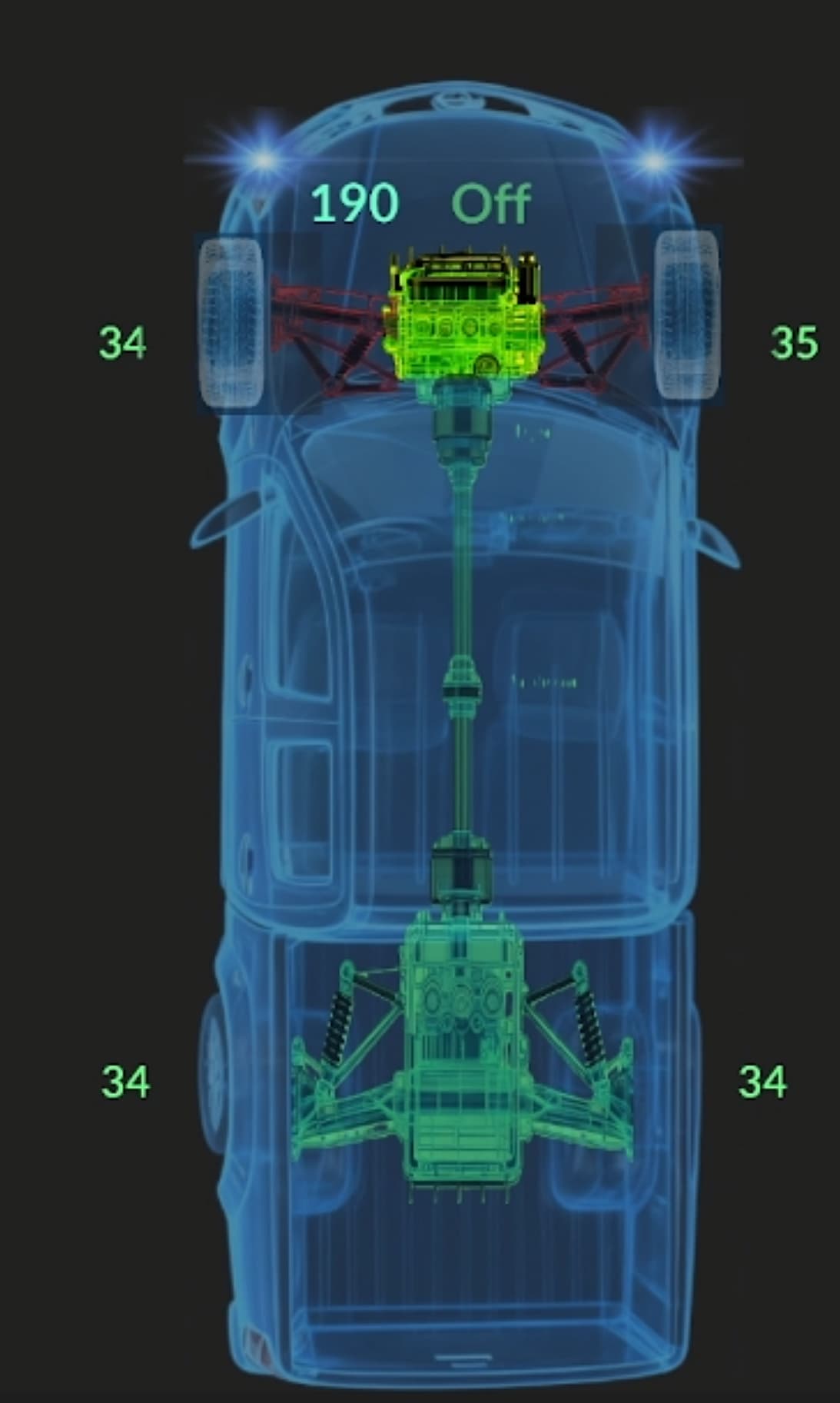
Got RealDash in Late Jan, early Feb. Since then looking for the ever elusive Cruise set speed as it’s not on the physical dash. Starting with obd2 (maybe should have stopped there). Nissan holds on to their stuff with both hands. Can’t find anythig except sparse rev-engineered information. Looking at the image uploaded, everything works. Wheels turn with steering, engine and suspension change colors with their status, the correct door shows open etc… What’s not on the physical dash. It shows gas pedal, actual throttle and trim and inside the ring is set cruise and brake pressure.
With all the research and looking around the pickup’s can bus, I’ve developed perhaps the most comprensive can.xml for this pickup on the planet.
This video shows the dash as I start up, back out the driveway and go around the block back to the driveway, activate 4wd-hi and lo then shut down;
https://youtu.be/HfzLPMI-KtU.
Again, I wanted this to be an extension of the dash, not a repeat of it.
Good job, developers of RealDash
1 Like
Thank you for sharing your project. Its a lot of work to reverse engineer the CAN bus.
Would you like to share your CAN XML file for other RealDash users?
I don’t mind sharing…just remove the writeintervals as it could mess up another model or trim. The only thing(s) not changed from the stock one from Realdash is steering angle and the wheel sensors at 0x284 and 85. Earlier D40s may be a little different.
Explaining the writeinterval: All sent frames are diagnostic requests, that way I’m not 1 bit away from an expensive re-flash. For cruise set speed, the ECU is woke up once and data is requested every 3/4 second keeping it awake. The BCM is kept awake every 3/4 second for door lock/unlock buttons that are actually diagnostic actuator tests.
How can anyone do this? Not too difficult. 3 wire tap in 5, 6 and 14 going to CANable. Then plug in an expensive scanner (Icon T8 for me). Then just do what you want and watch the can bus with Savvycan or realdash can monitor.
For obd2 PIDs specific to this pickup, I can probably get upon request. The obd equivelent to the set cruise is header=7E0 mode 22 data is 12 2b. Need to wake it up first with 10 C0 for mine. Other years and models may vary.
Share it with caution…
Nissan-Frontier-D40-extended.xml (10.8 KB)
Transmission fix
Keep in mind the writeintervals and it’s still a work in progress. The targetId’s aren’t necessarely the correct ones. Frame 0x441 shows shifter position, 0x174 is the actual transmission progress and R F N indicator for the rear drive gear on the dash. If there’s a good artist out there, it may be interesting to see what can be done with the dash side of it.
Quick call for help: Tire pressure shows when the sensor wakes up (a switch using centrifugal force in the sensor). Same as most cars. After driving, switch on ACC the last pressure shows because those values do not exist in the frame. That’s why most cars need to drive a little to get rid of the low tire indicator. Most modern cars will show those last values in gray until the sensors come online. In realdash, the last value shows until I turn on IGN. Those values fill with 0 and RealDash reflects that (as it should). Is there a way to keep those values displayed in gray until the sensors change from 0?
Thanks Much for your help,
1 Like
Yes, you can use Normal,Warning and Critical levels to set the color of your text gauge. This is one of the rare cases where we have little bit of documentation:
RealDash | Tutorials | Using normal, warning and critical levels
The video is pretty old, so there may be some differences in the UI, but basic principle is still the same.
Thanks much. I’m well aware how to set upper and lower values and in “Look and Feel” change colors based on that. I do that with the engine fan (green, yellow, red for off, low and high), throttle position etc.
I’m actually talking about “ghosting” yesterday’s value until the pressure sensors come online. When I pull in and shut down, those 4 bytes go away. They’re not 0s, they just don’t exist. When I return to the vehicle and turn on only ACC (radio works, no windows or climate), there’s still nothing in those 4 bytes and yesterday’s values show. As soon as I turn the ignition on, those bytes fill with all 0s and those values are gone untill the sensor(s) come online.
I’m looking for a way to keep those values ghosted until the sensors come online. For instance, maybe once the value in those bytes change from 00 then monitor live.
Since the can.xml is a work in progress, especially the transmission part, use caution on sharing…
Thanks again…
1 Like