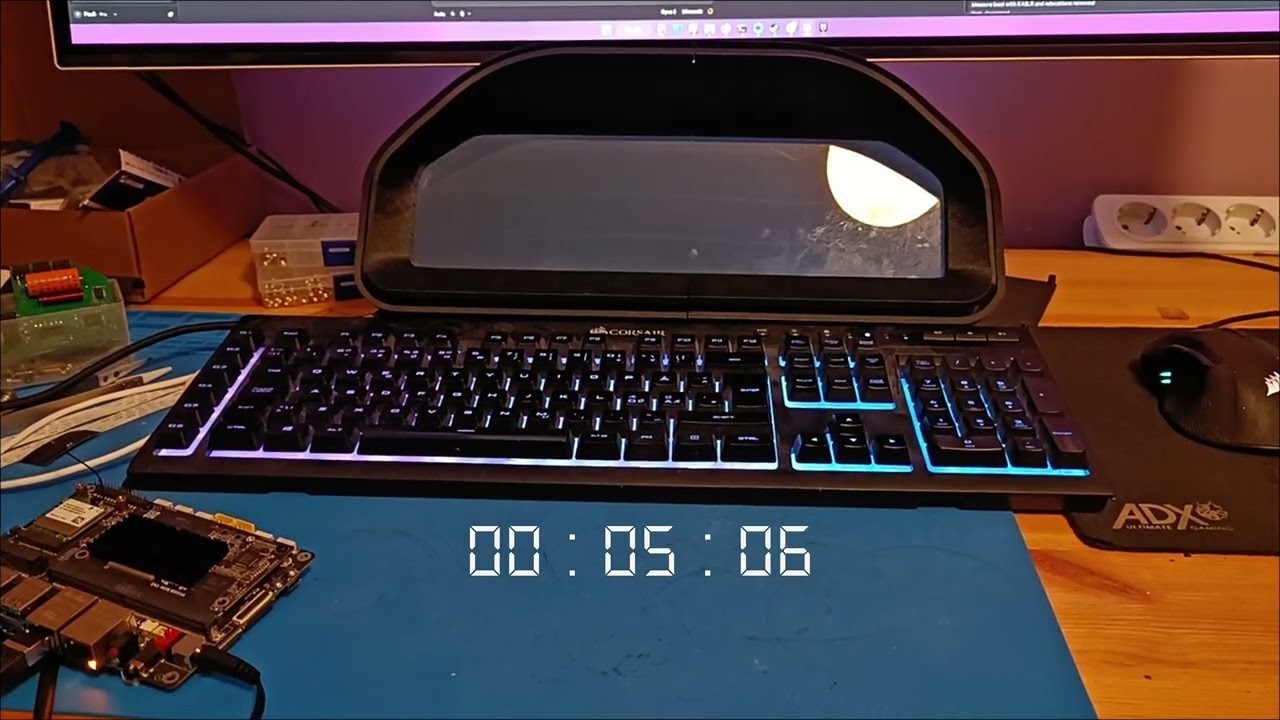
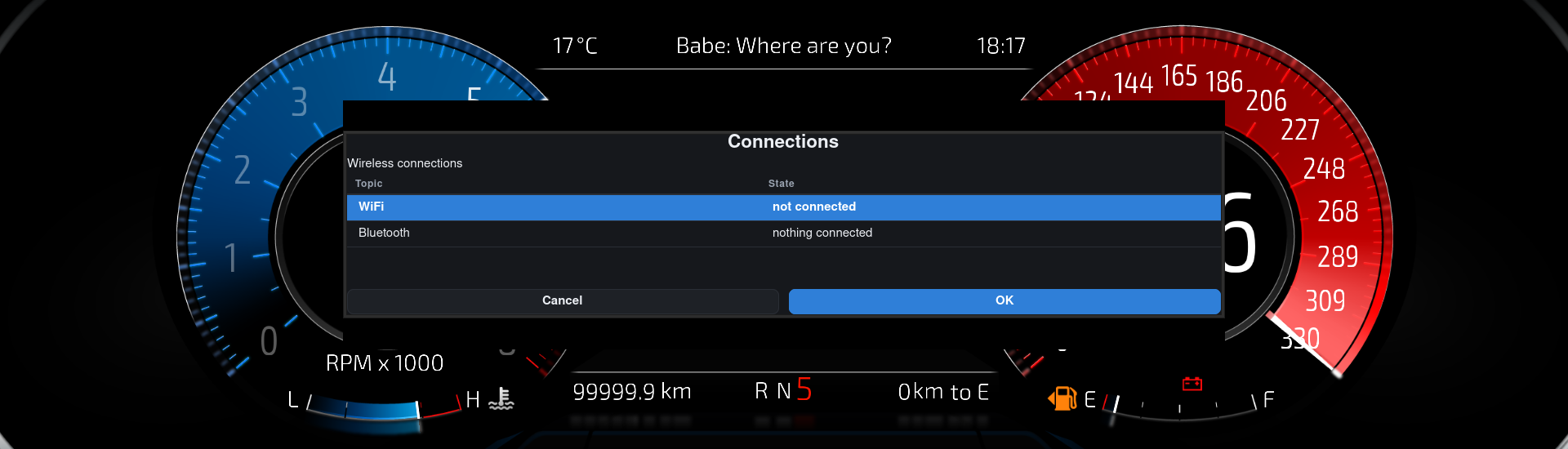
Hi, just wanted to show up my recent work 
I’ve been working on this build for a few months now with Claude. And finally some real results.
Armbian Linux Debian - image is customized to the max; U-boot uses Falcon mode to skip the U-boot directly to booting up the kernel. And X11 and Realdash are the first priorities on the kernel to boot.
For the next phase I’ll try to discard the display driver board completely and use a direct eDP flat cable to use the SBC directly for driving the display. It takes some time for the driver board to wake up and get the display running, so it could save some time from there too.
Claude also said that if Realdash used DRM/KMS direct rendering instead of X11, it could shave some time off, but the gains probably aren’t more than a max of 1-2 seconds, and I don’t think @realdashdev is up to such a job.
But tell me, what do you think?
E: Some hardware specs
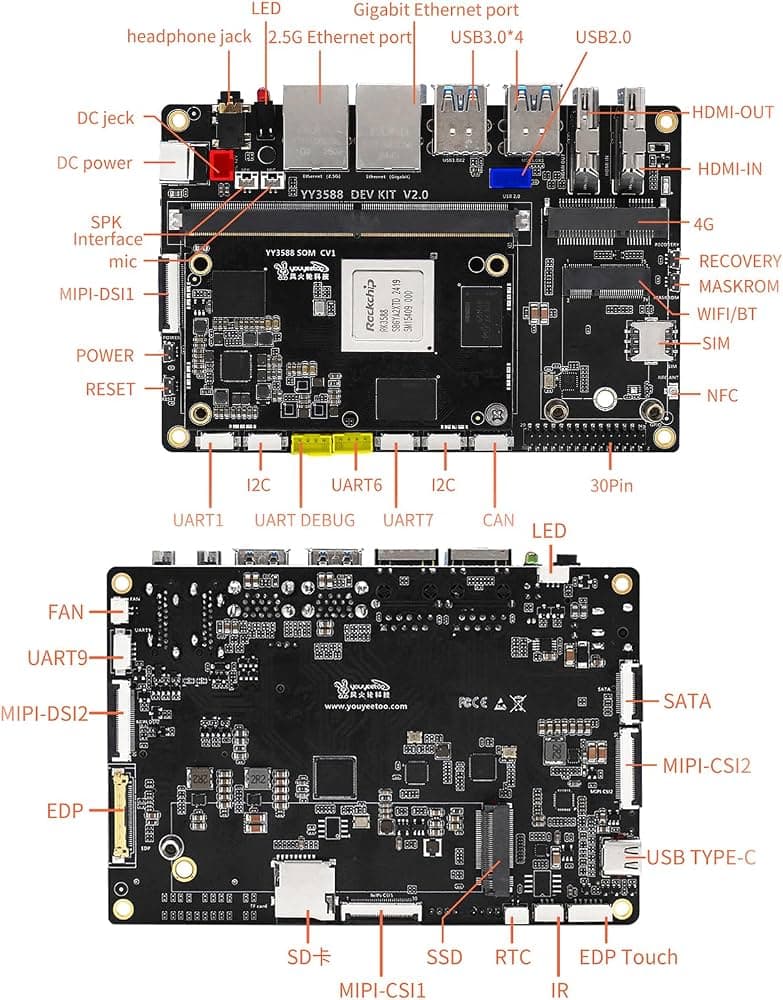
Youyeetoo - YY3588 SBC/SoM - Rockchip RK3588 based
Kingston NV3 500 GB NVMe drive
NV140DQM-N51 - 14" bar display - 1920x550 resolution
This board has plenty of different interfaces and features. The most important ones for me were the CAN transceiver, NVMe slot, and +12V tolerance without any external shields needed.
Linux image is installed that way, that the bootloader only lives in onboard eMMC and rootfs in NVMe drive for fast booting.
3 Likes
Good job, plenty fast already.
We have experimented with DRM rendering on Linux, but X11 is required for much more than just rendering graphics, for example file access dialogs, clipboard, some input handling etc.
1 Like
We have experimented with DRM rendering on Linux, but X11 is required for much more than just rendering graphics, for example file access dialogs, clipboard, some input handling etc.
Yeah, I was thinking that there is more to it than just rendering, makes more sense.
This boot time will work very fine already, and I’m going to replicate the OEM style anyway, so when you open a door and the door switch activates, then PDM will wake up the dash, and it’ll already be booted up after you hop inside 
1 Like
Impressive. Can you share the image? I’m using x86 and hibernation. It takes twice as long but I can support 6 screens, which is a requirement for my project. Do you think this board can do that?
Also, how are you addressing shutdown and power management? Just letting the power cut and then boot back up when it senses 12v again? Or are you using an automotive power supply?
1 Like
I have to admit that I have no idea if this supports 6 screens running at the same time, but there are HDMI out, USB-C Alt mode DP, MIPI DSI 1-2, and eDP outputs. So that counts as 5 outputs at least.
And yeah, my plan is to share the image; all the changes I’ve made are baked in the Armbian build environment already, so I can build a complete image, and it has the changes and scripts baked in already, when you install this image/OS to this board.
I have fitted DingoPDM open-source PDM’s on my car, and I will use the PDM to power up the dash. But probably i’ll add DC-DC converter between that is properly protected from voltage spikes and load dumps, to be sure it lasts long
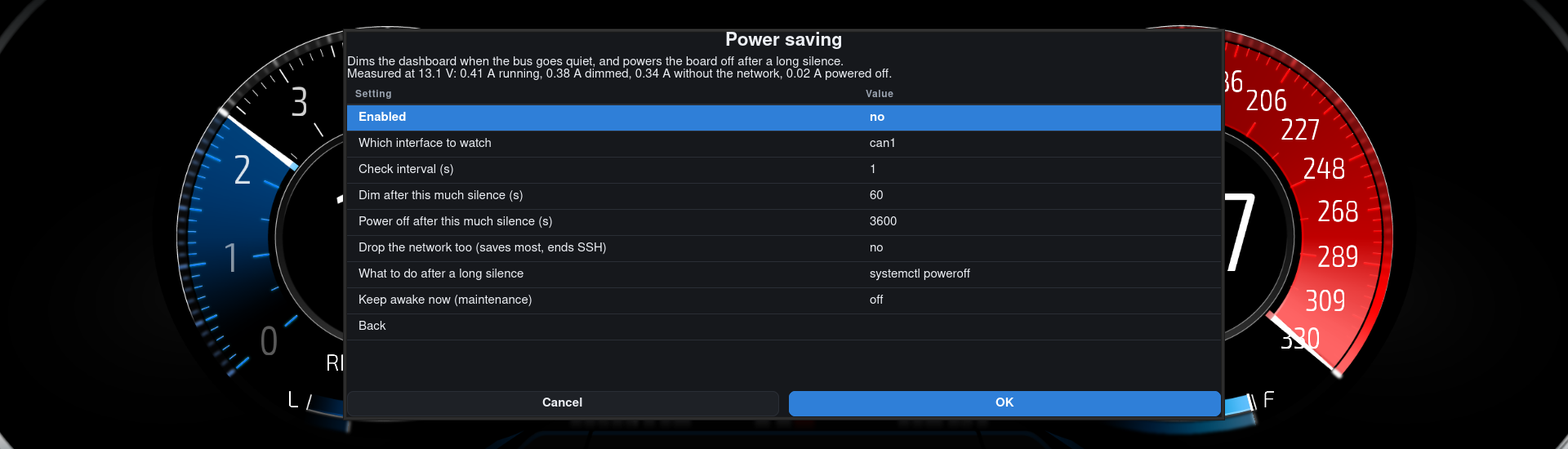
The shutdown is still a work in progress, but I’m thinking something like that: when the dash sees the -PDM going to sleep mode- frames in the bus, it will also turn itself off completely, and I’ve already tested a script that makes the board shut down after receiving a dedicated CAN message. But let’s see what I will come up to
3 Likes
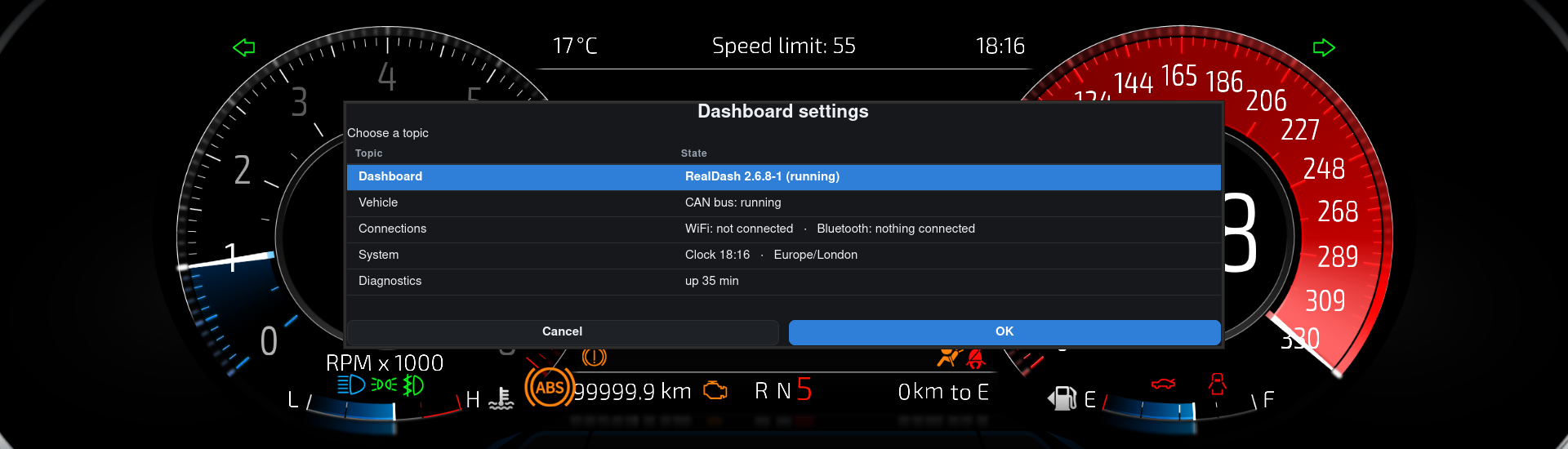
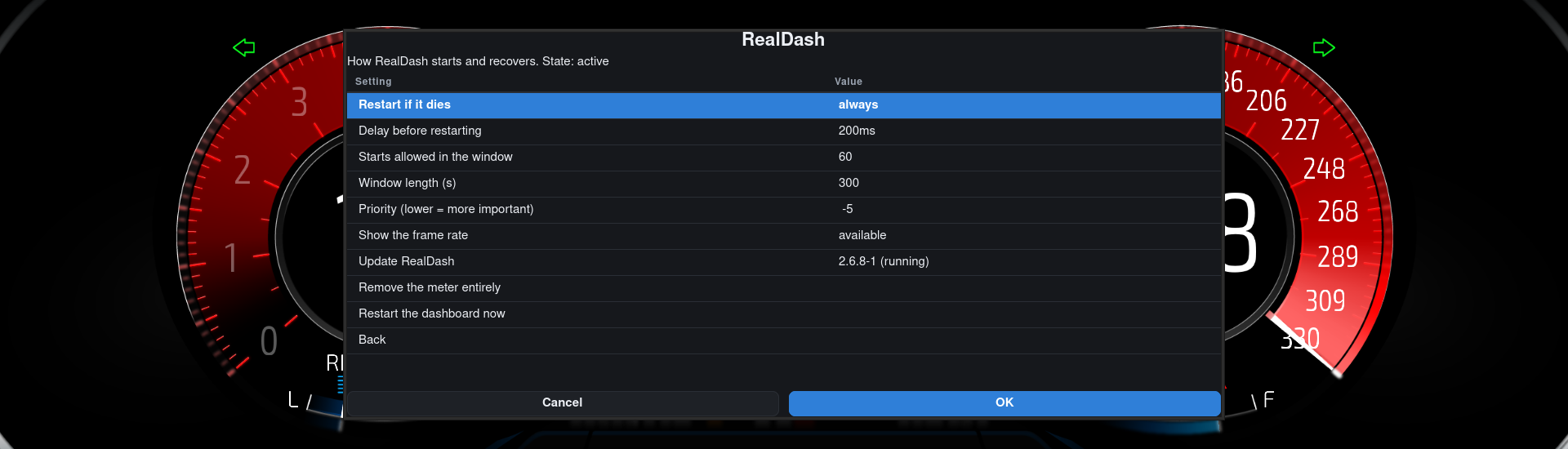
Added settings menu to the image
Everything above can be configured from the cluster itself. You only need to plug
in a keyboard and press Ctrl+Alt+S. It freezes the Realdash while browsing the menu.
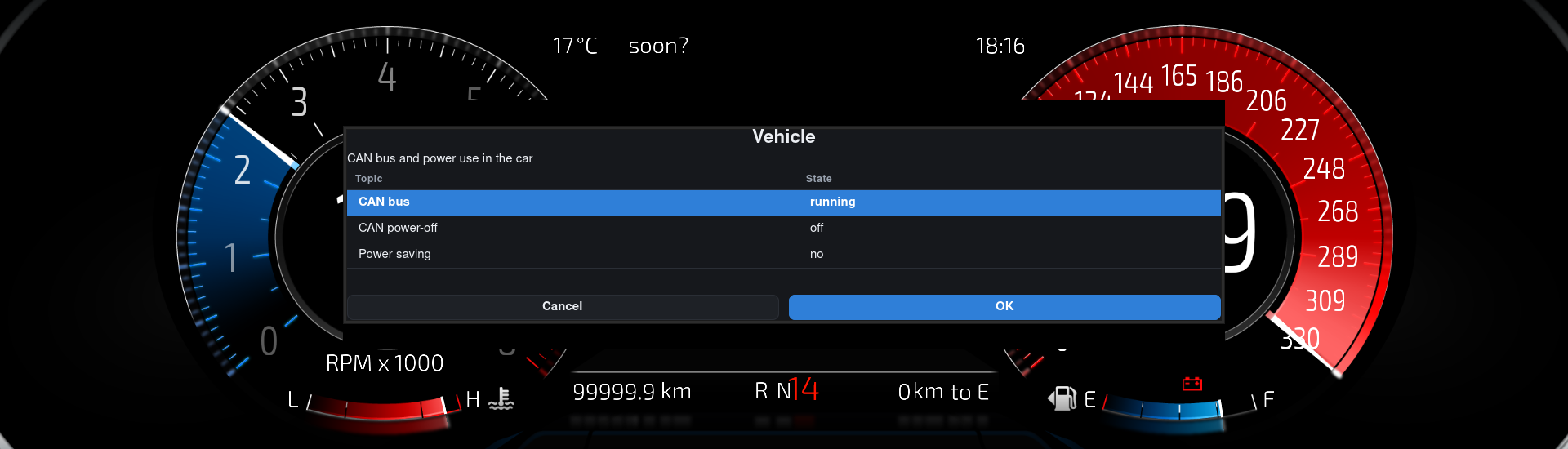
Here is the whole thing being browsed, recorded on the cluster:
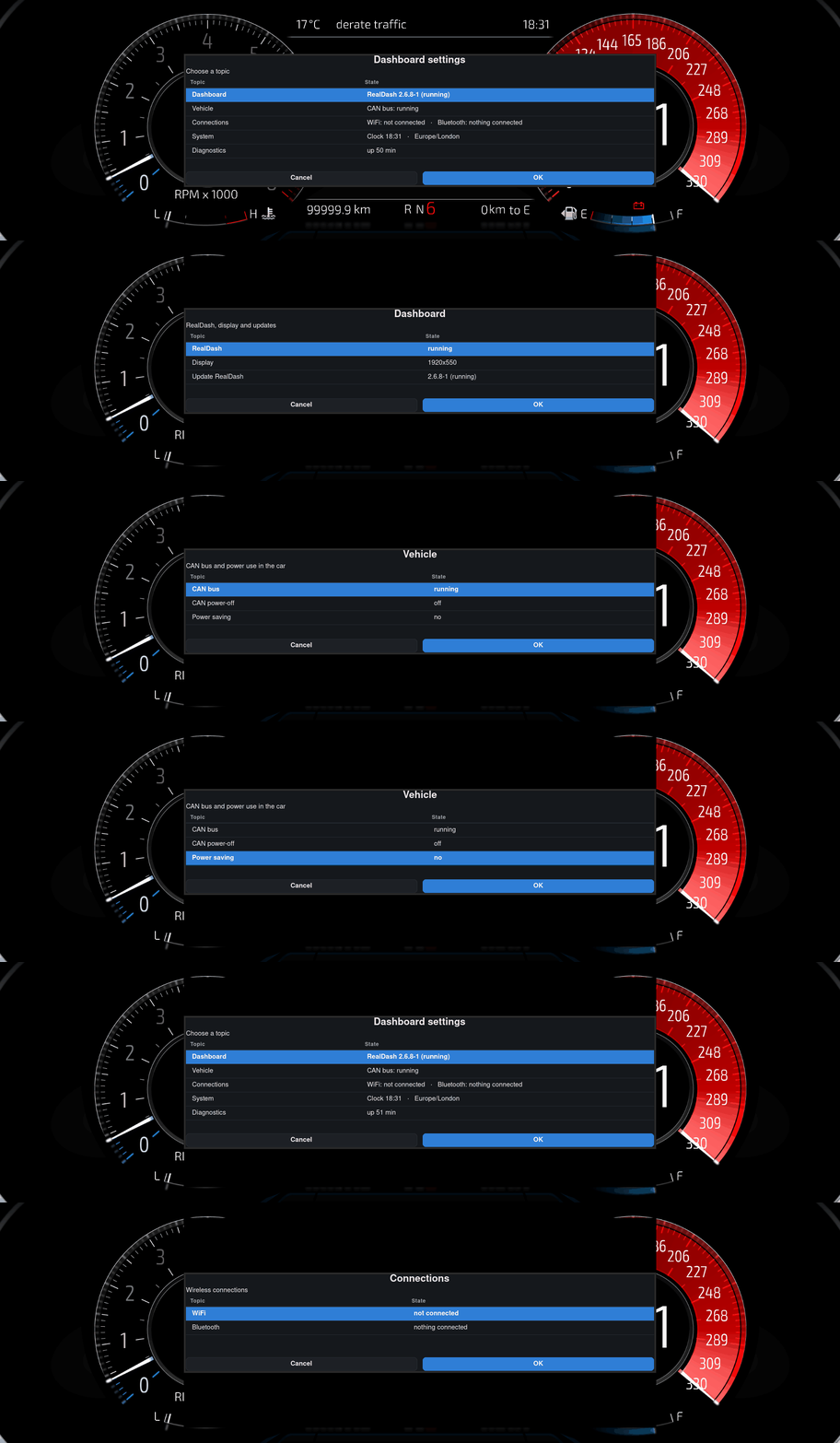
Menu is grouped instead of one long list, and every row also shows what the value is about.
Language is English by default for now, and it changes automatically to Finnish if the board is in a Finnish time zone. Time zone comes from the network location, so it follows the car. More languages are easy to add later.
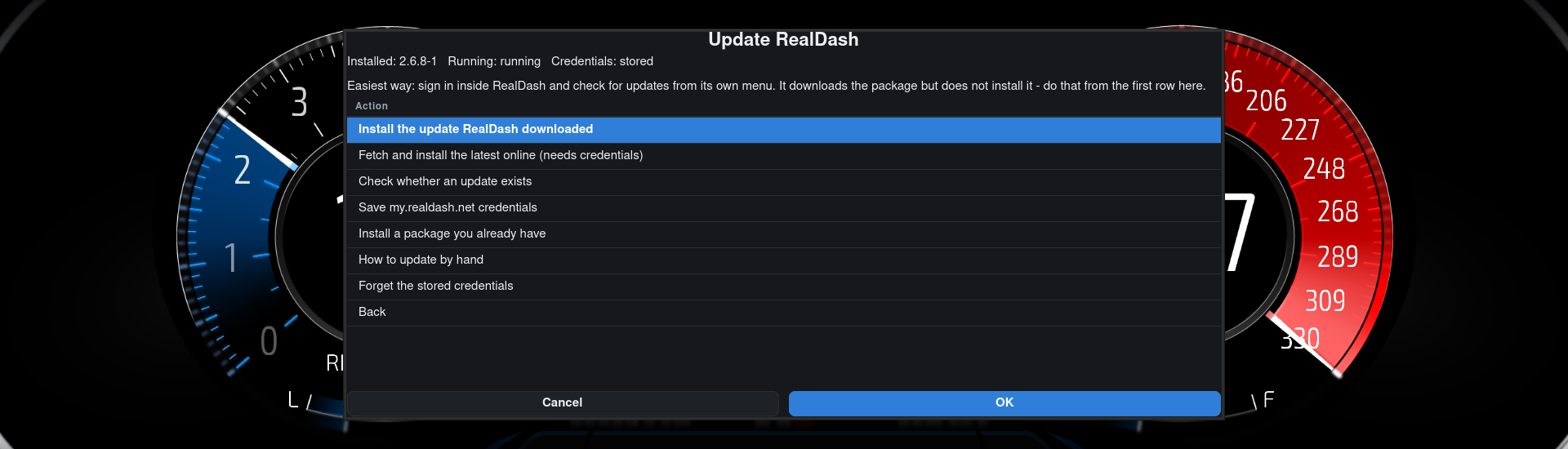
Updating Realdash
RealDash own updater downloads the .deb but it does not install it here because there is no terminal installed. It runs
sudo -S dpkg --install, and that wants a password prompt. And there is no
place to show it. So i made the menu install the package that RealDash already
downloaded. Inside RealDash, check for updates there and then one row in the menu finishes the job and deletes the package after.
There is also another way. You can save your my.realdash.net login credentials to the menu
and then it does the whole thing by itself (downloads the package and installs it), but i need to figure out how to make this safe or without the menu using/saving the credentials at all.
3 Likes