Could you try RealDash-v250-prerel2.apk from Dropbox folder? If it works, it should also give you a bit better data rate.
Hi tried that and it doesn’t work properly I’m afraid no, and I have sent another debug log at 20:25 GMT
Can you describe in more detail how its not working properly?
Couple of findings from your latest log file:
- There is no custom PID calls at all (221026, 221005)
- You are using multipid setting and all values on that seem to work ok.
Are you now using an XML without custom PID calls? Either that, or log file is too short to show the custom PID calls.
Coolant temp, oil temp and air intake temp all drop off after a few seconds, I’m still using custom a PID but only 221026 and that works fine. Would you suggest sending a longer debug file?
Thats odd, I do not see that on the log.
Yes please, try to include the startup of the app to the logging.
I’m pending next release for this, would you be able to send a longer debug log?
I will get this done this evening, uploaded at 20:36 GMT
Alright, this log was very helpful. Could you do one more thing for me? Go to your connection settings and open OBD2 Monitor. Then issue commands:
atd
atsp0
ath1
0100
010c
atsh7b1
221026
atsh7df
010c
And send the results to me. The ‘share’ button on OBD2 monitor should work nicely to get the contents of the view.
Connecting
Connected to Android-Vlink
atd
OK
atsp0
atsp0
OK
ath1
ath1
OK
0100
0100
SEARCHING…
7E8 06 41 00 BE 1F A0 13
010c
010c
7E8 04 41 0C 0F 96
atsh7b1
atsh7b1
OK
221026
221026
7B9 05 62 10 26 06 F1
atsh7df
atsh7df
OK
010c
010c
7E8 04 41 0C 0F 8A
Perfect, thank you. I’m pretty sure that confirms my fix. 2.5.0 coming out very soon.
That’s cool, when do you think the update will be out?
Update was published last Friday.
Hello, sorry i dont know how to start my own question but im just wondering if i have a maxxecu racing ECU and i connect it to a headunit connected with CAN is it possible to set up differentmodes for the car, like eco mode, casual mode, sport mode. Sort of different furl maps n dat
If your MaxxECU has an Bluetooth, you can use CAN connection and Bluetooth at the same time to enable the Bluetooth buttons feature of the MaxxECU. In connection settings, choose Bluetooth Buttons Only mode not to interfere engine data from CAN.
Hi, I have just sent you a debug file this evening at 20:22 gmt in the hope you can help me get this working again as I’ve changed the ecu on my car to syvecs ecu that is developed for the GR Yaris so uses exactly the same data as the OEM ecu I understand. The data comes through but only once and doesn’t update then. In addition engine oil temp doesn’t show correctly at all, it just goes to max temp straight away. And boost pressure shows correctly for a second as a vacuum on idle and then shows as positive pressure after half a second. I also wondered if I could keep a custom pid with this ecu of rear differential temperature? That doesn’t show anything at all now and is on PID 221026
Hopefully that makes some sense but I’m sure I said something wrong. Any help you can provide would be amazing
Thanks
You are connected to Syvecs with OBD2? Syvecs has CAN output, I’d recommend switch to CAN to have faster data output and full data set.
I am connected to syvecs with OBD2 and the reason for that is that I cannot get hold of the default CAN data for syvecs GR Yaris ecu, no one seems to want to share that so I can build an XML file for RealDash to read. Syvecs does then have CAN 2 and CAN 3 which we could then customise and read however the problem with that is it’s only CAN 1 that is output through the OBD port. I hope that makes sense.
We do have CAN file for Syvecs default output:
Should be relatively easy to set up CAN 2 channel using this default output and just tap directly into CAN lines on the ECU.
I really recommend that you try this path. At the end of the day you will be happier with the result. OBD2 is a slow and ugly mess. Being a diagnostics port, it has never meant to be a real time data access.
Ok thanks for that, so is the picture below the canbus diagram I need to program CAN2 with to work with the CAN file you have for syvecs default?
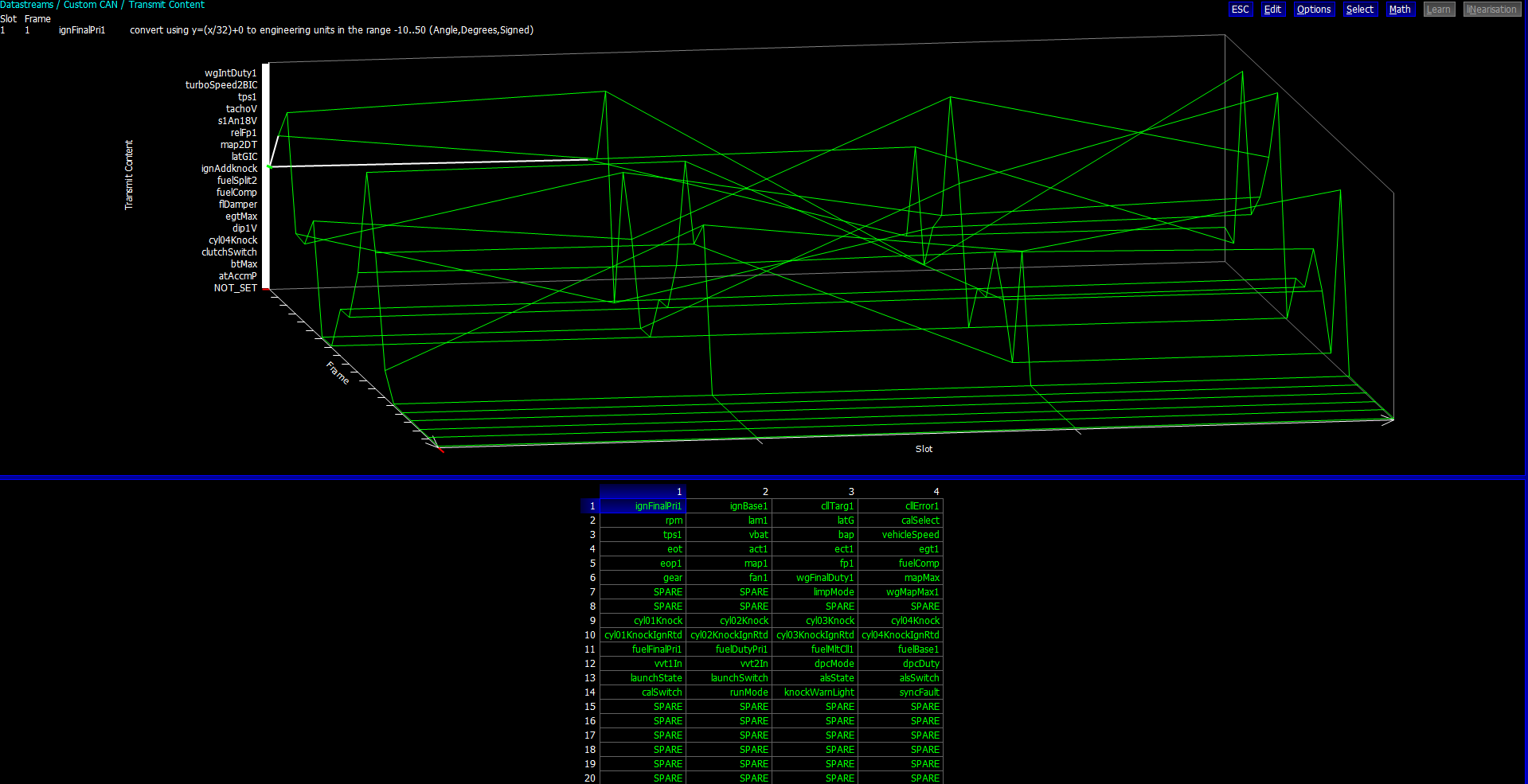
I presume I’d need to send that to my tuner to get them to do that. Once that is done, what canbus connection device would you recommend to connect to a syvecs ecu and then be able to output through Bluetooth to be able to be received by an android device?
I’m not a Syvecs expert, but I would assume you need to:
- Enable Syvecs standard CAN output to CAN2
- Wire a CAN adapter to CAN2 High & Low wires
- See supported CAN adapters: RealDash | Manuals | Supported CAN/LIN Adapters
- Apply power to the adapter and verify its RX leds are flashing. This indicates that adapter reads CAN frames from the ECU.
- Connect Adapter to your display device and make a new CAN connection in RealDash
- In connection settings, select Syvecs file and go to CAN Monitor to verify that RealDash is receiving CAN frames.
These steps should get you started with your CAN connection. Once established, there is basically no limit on how you can modify and configure the CAN connection values transmitted to RealDash.