Is there older PC (amd64) versions available for download ? because the editing on tablet/phone is not easy, but on the PC requires the latest gcc/glib to run which is mostly not available in the stable releases of the OS.
Subscription only. We will not offer one time payment for Linux or OSX versions.
No, we do not store old Linux versions. Updating GLIB should be pretty straight forward and at least RPi should have them on their OS releases out of the box.
Follow up from my post in March, got everything working on a Raspberry Pi 5 and got my new screen setup today and it looks beautiful!
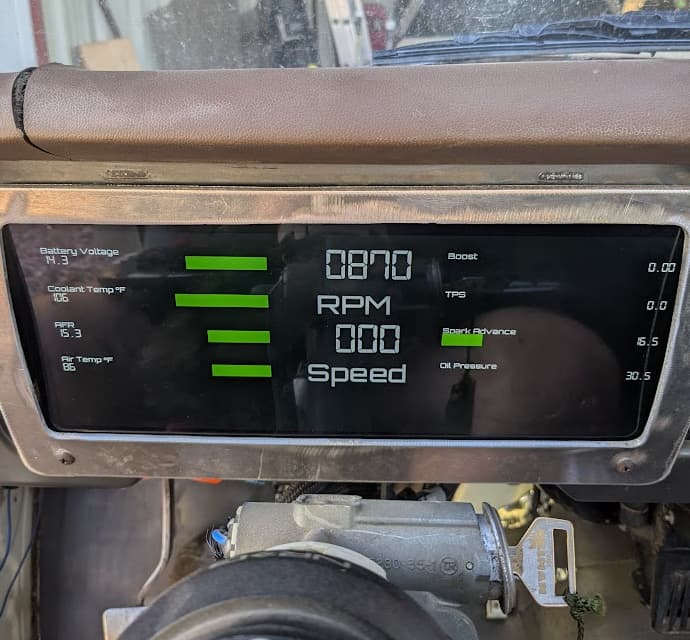
I ended up going with a single screen after finding a 12 x 4 option on Amazon for $130, it’s wide enough and tall enough to fit in the stock gauge area of my 1978 Toyota Hilux. I ended up using the ECU Masters bluetooth canbus converter and the Pi and RealDash were able to connect to it without issue. Couple hundred bucks into it, and I’ll send you some cash realdashdev since this is an amazing alternative to the $2000 (and physically smaller) options from Haltech and the like. I am so absolutely stoked!
Hi, This might be a dumb question and I apologize, I’m new to the linux and CAN world 
I’ve got a Waveshare USB-CAN Model A adapter and since I’m on Linux I dont think it I can use their driver.
Do I still choose the Waveshare option in the adapter list on the Realdash app? If no, Do I need a different adapter?
Thank you
Yes, it should work just fine. Only thing on some Linux setups is the USB device permissions may need to be set for the user.
I hope my experience of updating RD to 2.5.6 on Debian 12 might help others. The below was on a laptop I use for testing before live use on the LattePanda SBC in my vehicle, I’ll report further if necessary once installed there.
1st attempt: Fails to launch, requires GLIBC 2.38 but Deb 12 only has 2.36.
2nd attempt: Upgraded to newly-released DEB 13 whose GLIBC is 2.38. RD now fails to launch with libgpiod.so.2 not found because DEB 13 has libgpiod3/gpiod version 3 (2.2.1-2) not 2 (1.6.3)
3rd attempt: Uninstalled gpiod/libgpiod3 and installed gpiod/libgpiod2 from oldstable (i.e. DEB 12) repo. From this point on issues were HW dependent so others may see different - RD launches but hangs on black screen.
4th attempt: From syslog saw problems with light-locker package and with nouveau graphics driver. Uninstalled the former and black-listed the latter and RD now launches and runs as normal.
2 Likes
I am running into the issue below
realdash: error while loading shared libraries: libssl.so.1.1: cannot open shared object file: No such file or directory
I am using Rasbian on a Raspberry Pi 4 Model B. I have tried the methods above posted by snivilous with no luck
Did you try the --ignore-depends=libssl1.1 trick found on the first page of this thread?
Yes, and now when the raspberry Pi boots up nothing is installed anymore. I have not done anything different since I installed realdash last week
The dependencies need to be updated for Realdash, gpiod has gone to version 3 since October and the only resolution is to downgrade. The smoothest way that I’ve found is to use arch linux, use debtap to convert the deb package and use the downgrade command for gpiod. Debian based distros have been a mixed bag. I’ve had to find old gpiod packages, even with the Pi OS. I ran into the GLIBC problem on a Debian distro and that requires switching to a distro with the correct version unless you really, really, know Linux and I’m a novice.
Unfortunately still on version 2 on Raspbian OS. But gpiod dependency is fixed on next release.
Good news. Thank you.
Hi, Sorry if this is spam but I’m having an issue with the 911RD Dash on Linux.
For my use case, I’m trying to scale up some Dashboards to fit my 8:3 display which worked on multiple of the premium dashboards except for this one specifically.
Both left and right gauges only display 1/3 options available, they turn blank until I cycle back to the only ones that work which are the speedo and right sensor readings. Navigation map also is blank when tapping the RPM gauge. I’ll attach screenshots for better explanation:
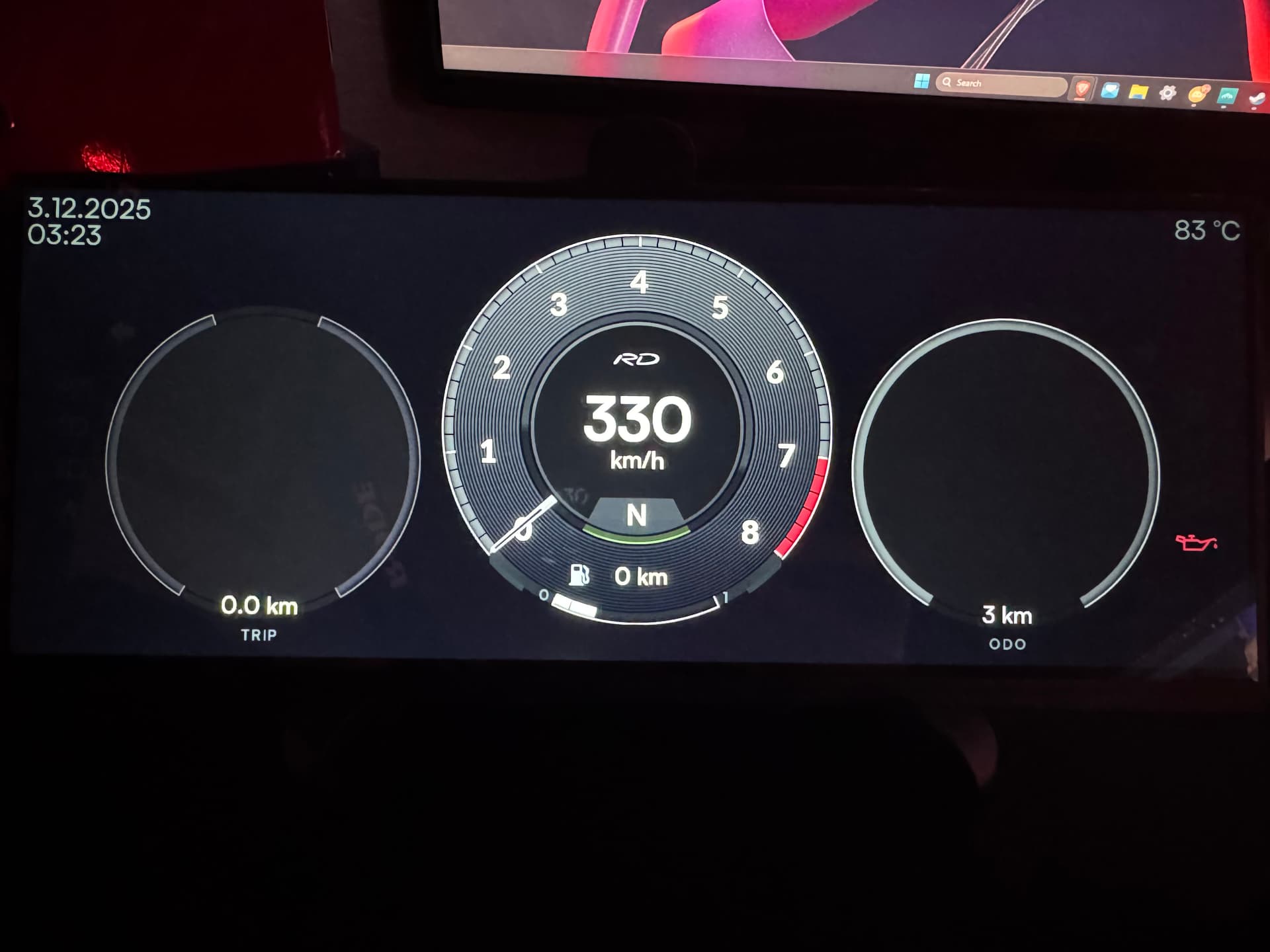
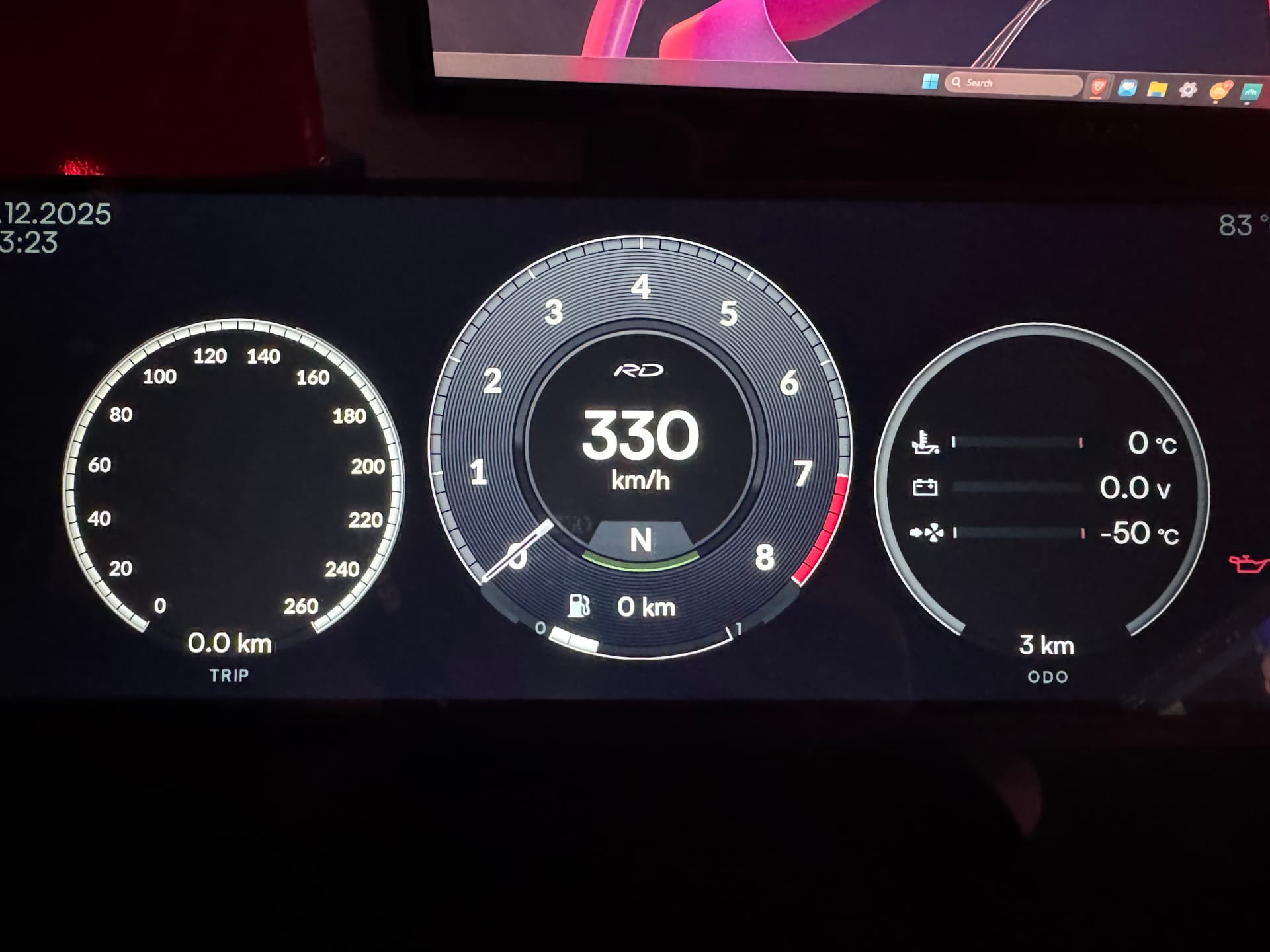
This issue is only on the Linux version of RealDash and only on this dashboard so far. The same Dashboard works fine on Windows version of RealDash. Would love any help with this issue.
Thanks all
*Please let me know if I am using this forum post incorrectly. Not sure if I should have opened a separate post for this issue.
We did issue on update for 911RD dashboard quite recently. Please check if there is an updated version of this dashboard from Gallery.
Went down the rabbit hole with this yesterday and just thought I would share my experience.
Steps in updated OP are very helpful and worked for me, thanks for that.
DBC to xml conversion worked fine, just still needed some additional manual work to assign targetIds and such, so the default gauges will just work without a lot of manual fiddling and assignments.
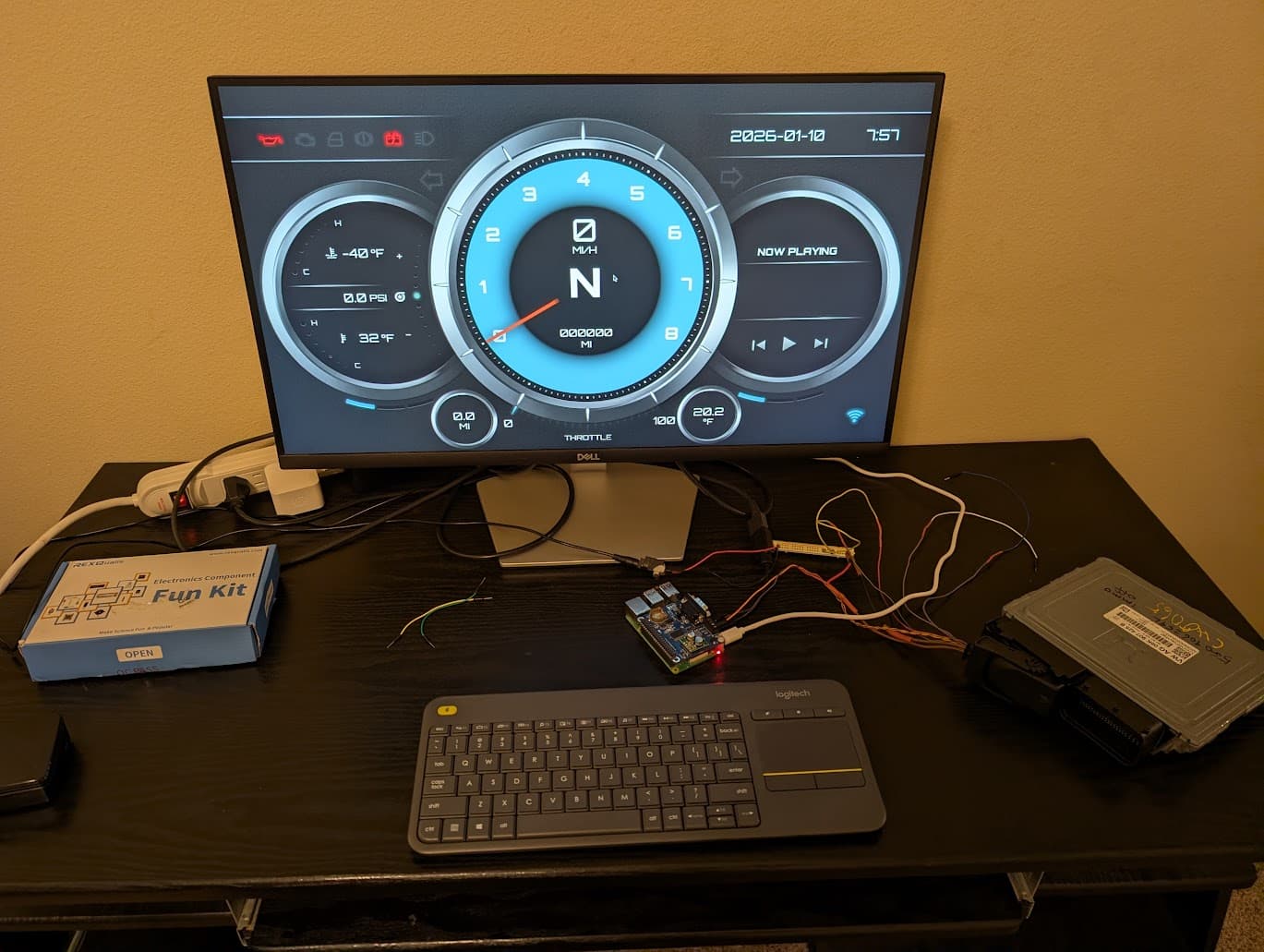
I’m using rpi4 w/ 2GB with the pican3 hat. Socketcan worked great, I’m currently just using an ECU on the bench, so most of the data is garbage. Will test on a car next week.
Cool app so far. Will continue to do more testing before I decide if I want to go with it. Biggest gripe is Pi related things. Power on times, complications to have to shutdown prior to pulling power etc.
2 Likes
cd /home/pierrejovan/Downloads
sudo apt install -y ./realdash*.deb
Ok that what i used to download realdash.
U will ofcourse have to change the pierrejovan and add your pi name. And add the realdash arm at the end. It should work
When I try to add input mapping to GPIO, the menu will just jump back to input mapping without giving me any more options. Nothing is added in the list
Raspberry Pi 5, Rpi OS Bookworm
Any tips?
Could you give more details of which inputs you are trying to map, so I can try the same scenario?
I dont get to the point where I choose the pin,
when i select GPIO and press the next (>) button it will close the menu